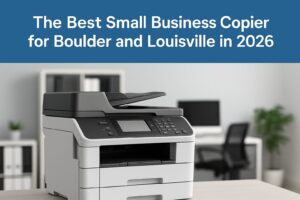
The Best Small Business Copier for Boulder & Louisville in 2026 — And Why You Should Upgrade Before December 31
If you’re running a small business in Boulder or Louisville, Colorado, chances are your office copier has been around longer than it should. Maybe it’s still chugging along, maybe it’s started to slow down, or maybe it just doesn’t match the way your team works anymore. Here’s the truth: upgrading now is one of the smartest tech decisions you can make before the year wraps up — especially with some serious tax benefits on the table and next-generation models ready for 2026.
In this guide, we’ll break down the best copy machines available now from trusted brands like Canon, HP, Kyocera, and Fuji. We’ll also explore how tying your copier upgrade into a broader office technology refresh — including access control systems and managed IT — can help your Colorado business streamline operations, improve security, and reduce costs going into the new year.
Why Right Now Is the Best Time to Upgrade Your Copier
Let’s be real: copier upgrades aren’t the flashiest decision you’ll make this year, but they’re one of the most practical and financially rewarding — especially if you move before December 31.
Section 179 Tax Savings
Right now, businesses can deduct the entire purchase cost of qualifying equipment, including printers and copiers, instead of depreciating the value over several years. The caveat? That equipment must be purchased and put into service before year-end. It’s a one-time opportunity to lower your tax bill and reinvest those savings back into your business — whether that’s new tech, hiring, or marketing.
Avoid Price Increases in 2026
With supply chain fluctuations, inflation, tariffs, and the cost of newer chipsets rising, many manufacturers are expected to increase pricing in early 2026. Buying now lets you lock in a better rate on hardware and installation services before the market adjusts again.
Stay Ahead with 2026-Ready Features
New copier models rolling out for 2026 aren’t just about faster print speeds. They’re about smarter connectivity, cloud integration, data security, and seamless workflow automation. These are tools that help your business move faster, protect sensitive information, and support hybrid teams.
Features Your Next Copier Should Absolutely Have
Before we get into model recommendations, let’s go over what features truly matter for a small business copier in Boulder or Louisville:
-
Fast, Reliable Printing – Speeds of at least 30 pages per minute keep your team moving.
-
Wireless & Network Integration – Easily connect all users and allow mobile printing.
-
High-Quality Scanning – Two-sided scanning, OCR, and cloud storage options are a must.
-
Color or Monochrome – Choose based on how much brand-specific or marketing material you print.
-
User Authentication – Badge swipe or PIN-code secure print release helps protect documents.
-
Energy Efficiency – Lower energy use not only cuts your power bill but also aligns with local sustainability goals.
-
Small Footprint Options – Many Boulder and Louisville offices are compact or coworking-style spaces where space matters.
-
Cloud-Ready Workflows – Integration with tools like Google Workspace, Microsoft 365, and cloud storage means documents flow with less friction.
Best Small Business Copier Recommendations for 2026
We’ve rounded up the top recommended models from Canon, HP, Kyocera, and Fuji Xerox that make the most sense for Boulder and Louisville small businesses entering 2026.
Canon imageCLASS MF753Cdw
A solid choice for growing offices that need high-speed color printing without a huge footprint. It offers excellent wireless functionality, intuitive touchscreen controls, and a robust duty cycle for small-to-midsize teams. Think of it as your do-it-all device for under 40 pages per minute.
HP Color LaserJet Pro MFP 4301fdn
HP continues to shine in small office printing. This model brings in sharp color output, smart connectivity, and a solid suite of security features. It’s ideal for teams that value reliability and intuitive operation, especially if you’re already using HP gear across your IT stack.
Kyocera TASKalfa 2554ci
This one’s for businesses that need to step into higher-volume printing and advanced document finishing — like stapling, hole-punching, or booklet creation. Known for its long-life components and incredibly low total cost of ownership, it’s a true workhorse for busy environments.
Kyocera ECOSYS MA4000cix
A versatile, mid-volume color printer for businesses that want premium output and smart functionality without jumping to production-level costs. With low cost per page and scalable performance, it’s one of Kyocera’s most balanced offerings for 2026.
HP LaserJet Pro MFP M234dw
If you’re working with a smaller team and don’t need color printing, this monochrome model is a great fit. It’s fast, compact, and reliable — perfect for administrative offices or businesses that do a lot of document archiving, billing, or text-heavy output.
What Type of Copier Makes Sense for You?
Here’s a quick breakdown to help you decide:
-
Color, medium volume, under 10 users? Go with the Canon MF753Cdw or HP 4301fdn.
-
High volume and advanced document finishing? Kyocera TASKalfa 2554ci is your best bet.
-
Need a compact workgroup printer that just works? Xerox C325 or HP M234dw.
-
Want low running costs and solid service support? Kyocera’s ECOSYS line is designed to minimize downtime and consumables costs over time.
Of course, the best option depends on your average monthly page volume, whether you print in color or black and white, and how you plan to integrate your copier into your broader tech ecosystem.
Now’s the Time to Upgrade Your Entire Office Technology Stack
When you invest in a copier, you’re not just buying a printer — you’re upgrading a central part of your workflow. But the real value comes from pairing that investment with a broader technology suite that supports your entire office operation. That’s where we come in.
Managed Print Services (MPS)
Let us help you not just install the right device — but manage it long-term. With Managed Print Services, we monitor your usage, automate toner replenishment, schedule proactive maintenance, and provide reporting so you can cut unnecessary costs and ensure smooth uptime.
Access Control Integration
Your new copier can do more than print. With badge-based authentication and secure print release, you can restrict sensitive document access to authorized users only. Tie that into your building’s access control system and you’ve got a seamless, secure environment that protects your people and your data.
Managed IT Services
Your copier is just one endpoint on your network. Our Managed IT team ensures that every device — from laptops to VoIP phones to printers — is monitored, secured, and supported. Whether you need remote helpdesk support, cybersecurity hardening, or network performance tuning, we’ve got your back.
Unified Communications (UCaaS)
If you’re still juggling separate tools for calling, conferencing, messaging, and mobile access, it’s time to consolidate. With our UCaaS solutions, you get a fully integrated communications platform that supports hybrid work and improves client interaction.
Workflow Automation & Document Management
Stop wasting time chasing papers or scanning manually. With cloud-enabled scan, optical character recognition (OCR), and intelligent routing, your new copier can help digitize and organize everything — from contracts to invoices to employee files.
How to Get Started Before the Deadline
The clock is ticking if you want to take advantage of year-end tax benefits and be 2026-ready. Here’s how to move quickly and strategically:
-
Evaluate your current print setup
Look at print volumes, downtime, supply costs, and whether your current device supports the way your team works. -
Choose the right upgrade path
Based on your business size, print needs, and workflow, we’ll help you pick the model that delivers the best ROI. -
Schedule installation and onboarding
We’ll make sure your new device is installed, tested, and in service before December 31 — which is key for tax eligibility. -
Bundle with other upgrades
Need new access control systems or IT hardware? Combine them with your copier upgrade to maximize your Section 179 deduction. -
Implement support services
Once everything’s in place, we’ll manage the device, provide ongoing maintenance, and offer IT support so you can focus on growing your business.
Why Boulder and Louisville Businesses Trust ABT
We’re not just a copier dealer. We’re a technology partner for Colorado’s most forward-thinking small businesses. Here’s what sets us apart:
-
Colorado-Local Expertise – We understand the unique needs of businesses in Boulder and Louisville — from sustainability goals to remote team management.
-
Brand-Agnostic Recommendations – Whether it’s Canon, HP, Kyocera, or Fuji, we’ll guide you to the best fit — not the most expensive.
-
Total Office Solutions – From print to IT to access control, we cover it all.
-
Unmatched Support – Our service techs, IT engineers, and account reps are here when you need us — no offshore wait times or generic ticket portals.
-
Tax-Savvy Planning – We’ll help you make the most of Section 179 and structure your purchase to capture maximum value.
Final Thoughts
If your copier is more than a few years old, it’s time to stop nursing it along and make a smarter move. The end of the year is the ideal moment to upgrade — not only because you’ll get newer, faster, more secure technology, but because you can write off the entire investment under Section 179.
Pair your copier upgrade with a full office tech refresh — including access control and managed IT — and you’ll be starting 2026 not just better equipped, but better protected and more productive.
Ready to explore your options? Let’s talk. We’ll walk you through the best device for your office, help you capture the year-end savings, and ensure your team hits the ground running in 2026.