|
Quick answer
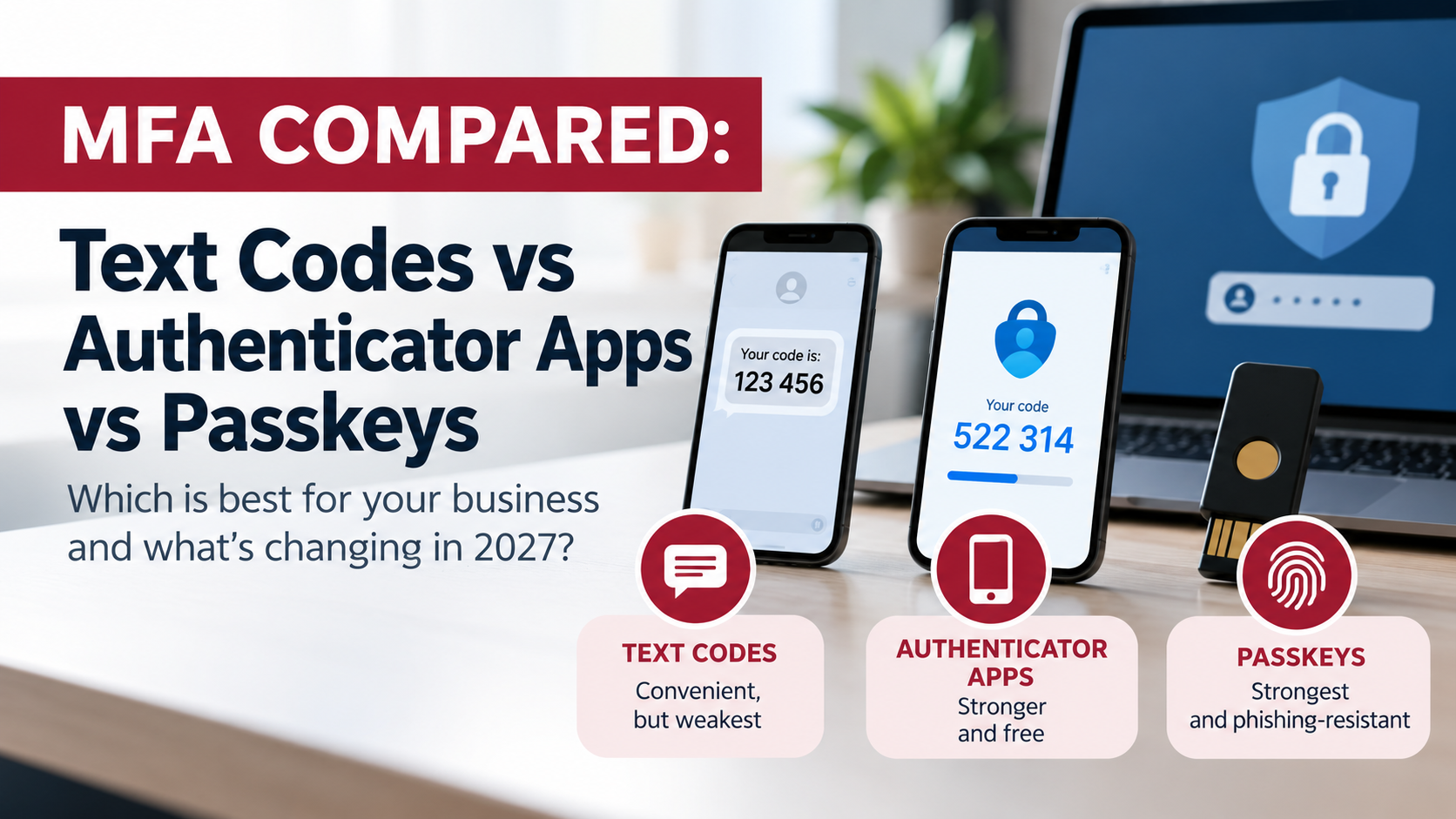
Text codes vs authenticator apps vs passkeys: all three are far better than a password alone, but they aren’t equal. Text-message codes are the weakest, because they can be stolen through SIM swapping and fake login pages. Authenticator apps are stronger and free. Passkeys (and hardware security keys) are the strongest, because they can’t be phished. For a small business, the right move is passkeys for email and Microsoft 365, hardware keys for admins, and text codes only where a service offers nothing better. If you use Microsoft 365, this is now urgent: Microsoft retires its built-in text and voice MFA on February 1, 2027.
|
Updated October 2026 · By Wendy Campbell, Director of Marketing, Automated Business Technologies
If your team signs in with a password and then types a six-digit code from a text message, you’ve done the most important thing: you turned on multifactor authentication (MFA). Microsoft’s own research found MFA cuts the risk of account compromise by more than 99%.
But “MFA” covers very different methods, and attackers have learned to get around the weaker ones. This guide compares the three you’ll actually choose between, explains which accounts need which, and walks through what Microsoft’s passkey change means for Colorado businesses on Microsoft 365. It’s written for offices with 5 to 150 people and no full-time security staff.
|
Why this matters now
99.22%
lower risk of compromise with MFA turned on (Microsoft research)
Sept 1, 2026
passkeys became the default sign-in in Microsoft Entra ID
Feb 1, 2027
Microsoft-provided text and voice MFA is retired
|
In this guide
|
|
Not sure who’s still on text codes?
|
ABT’s free, no-obligation IT assessment shows which users and accounts rely on text or voice MFA, which admins need stronger sign-in, and what to change before February 1. Choose “MITS” as your area of interest.
|
The three options in plain English
Every MFA method asks for something besides your password. The difference is what that “something” is, and whether an attacker can trick you into handing it over.
|
Good
Text and voice codes
After your password, the service texts or calls you with a one-time code, and you type it in. Easy for everyone, because it works on any phone. But the code travels over the phone network and can be typed into a fake site just as easily as the real one.
|
Better
Authenticator apps
An app such as Microsoft Authenticator or Google Authenticator either shows a rotating six-digit code or sends a push notification you approve. Nothing travels by text, so SIM swapping doesn’t work. Codes can still be phished by a convincing fake login page.
|
Best
Passkeys and security keys
You unlock your phone or laptop with your face, fingerprint or PIN, and the device proves who you are to the website. There’s no code to type. A passkey only works on the real website it was created for, so a fake login page gets nothing.
|
Text codes vs authenticator apps vs passkeys: side by side
| Text / voice codes | Authenticator app | Passkey / security key | |
|---|---|---|---|
| Stops stolen-password logins | Yes | Yes | Yes |
| Stops SIM swapping | No | Yes | Yes |
| Stops fake login pages (phishing) | No | No | Yes: phishing-resistant |
| Stops “push bombing” | n/a | Mostly, with number matching | Yes |
| What users do | Wait for a text, type 6 digits | Open app, type code or tap Approve | Face, fingerprint or PIN. Nothing to type |
| Works without cell signal | No | Codes yes, push needs data | Yes |
| Cost | Free today. In Microsoft 365, a paid third-party telecom provider after Feb 1, 2027 | Free | Passkeys free (included in all Entra plans). Hardware keys cost extra per key |
| Lost or replaced phone | Easy, if the number moves with you | Re-register the app (backup helps) | Synced passkeys follow you; register a backup key or second device |
| Government guidance | NIST: “restricted.” CISA: better than none, but phishable | NIST: OTP “not phishing-resistant” | CISA and NIST: the phishing-resistant standard |
| Best for | Services that offer nothing else | Apps that don’t support passkeys yet | Email, Microsoft 365, admins, banking |
|
Our verdict
|
Move email and Microsoft 365 to passkeys, give admins hardware security keys, use an authenticator app where passkeys aren’t offered, and keep text codes only as a last resort, with a carrier PIN on the line.
|
Why text codes are the weak link
Text-message codes were a big step up from passwords alone, and for many people they’re still the only MFA they know. The problem is that the code depends on two things you don’t control: your mobile carrier and the website you’re typing it into.
|
SIM swapping
An attacker convinces your carrier to move your phone number to a SIM card they hold. From then on, your texts, including every login code, go to them. They often need little more than your name, number and a few details from a data breach.
|
Fake login pages
Modern phishing kits put a look-alike Microsoft 365 page between you and the real one. You type your password and your text code, and the kit passes both to the real site in seconds and keeps the signed-in session. The same trick works on authenticator app codes.
|
That’s why the federal guidance has moved. NIST’s current authentication guidelines (SP 800-63B-4) label phone-network codes a “restricted” authenticator and require services to offer alternatives. CISA says any MFA beats none, but calls phishing-resistant MFA “the standard all industry leaders should strive for” and urges every organization to start planning a move to it.
|
Stuck with text codes somewhere?
|
Some banks, payroll systems and vendor portals still only offer text codes. Keep using them (they beat no MFA), and ask your carrier to add a port-out PIN or “number lock” to every business line. It makes SIM swapping much harder.
|
Authenticator apps: the solid middle
Authenticator apps fix the SIM-swap problem because nothing is sent by text. They’re free, they work on any smartphone, and most business software supports them. For years they were the standard recommendation, and they’re still a good choice for any service that doesn’t support passkeys yet.
They have two weak spots. First, a six-digit app code can be typed into a fake login page just like a text code. NIST states it plainly: one-time-code authentication “is not phishing-resistant.” Second, push approvals invite MFA fatigue, where an attacker with a stolen password sends prompt after prompt until a tired employee taps Approve. CISA recommends number matching to stop this: the user has to type a number shown on the login screen, so a random prompt can’t be approved by mistake. Microsoft Authenticator now requires number matching for push sign-ins.
|
Tell your team this
|
If you get an MFA prompt you didn’t start, don’t approve it. Deny it and tell IT the same day. It means someone already has your password.
|
Passkeys: the strongest option, and now the default
A passkey replaces the code with a cryptographic key stored on your device. When you sign in, you unlock the phone or laptop with your face, fingerprint or PIN, and the device answers a challenge from the website. Two things make this different from every code-based method:
|
It can’t be phished
A passkey is tied to the real website’s address. On a look-alike page it simply doesn’t work, so there’s nothing for the attacker to capture or relay.
|
It’s faster for users
No waiting for a text and no typing codes. Most people find a fingerprint or face scan easier than what they do today, which makes adoption much smoother.
|
There are two kinds, and businesses usually use both:
|
Synced passkeys
Saved in iCloud Keychain, Google Password Manager or a password manager, and synced across a person’s devices. Convenient, and easy to recover if a phone is lost. A good fit for most staff.
|
Device-bound passkeys
Locked to one device: a passkey in Microsoft Authenticator, Windows sign-in, or a FIDO2 hardware security key such as a YubiKey. The key can’t be copied, which is why NIST requires this type for its highest assurance level. The right choice for admins.
|
What Microsoft’s change means for your Microsoft 365 tenant
Most Colorado small businesses sign in through Microsoft 365, which runs on Microsoft Entra ID. In July 2026 Microsoft announced it is making passkeys the default and retiring the text and voice codes it sends itself. Here’s the timeline:
|
Sept 1, 2026
Already started
|
Passkeys become the default. Users who use text or voice codes are prompted to register a passkey at their next MFA sign-in. For now they can skip it.
|
|
Oct 30, 2026
Optional
|
Organizations that still need text or voice codes can start setting up a third-party telecom provider through the Microsoft Security Store, and pay that provider directly.
|
|
Feb 1, 2027
The big one
|
Microsoft-provided text and voice MFA stops for most users. Anyone whose only method is text or voice must register a passkey before they can sign in. Microsoft recommends finishing any telecom provider setup at least four weeks before this date.
|
|
July 1, 2027
Admins and guests
|
The same retirement applies to Global Administrators and external users.
|
|
What to watch for
|
If nobody plans for February 1, the first sign is a Monday morning when employees who only ever used text codes can’t get into email until they set up a passkey. Admins can temporarily delay the prompts, but only until February 1, 2027. After that the change is enforced.
|
What to do this quarter: pull a report of which users are registered for text or voice only, decide whether any business process truly needs text codes, tell staff the passkey prompt is coming and that it’s legitimate, and get admins onto hardware keys first. Using Google Workspace instead? Google supports passkeys and security keys for business accounts too, and the same order of operations applies.
|
Let us handle the passkey switch
|
ABT’s managed cybersecurity team audits your Microsoft 365 sign-in methods, sets up passkeys and security keys, writes the staff instructions and handles the help-desk calls, so February 1 is a non-event. Local support from Denver, Colorado Springs and Westminster.
|
Which MFA method for which account
You don’t have to move everything at once. Start where a break-in would hurt most:
| Account | Use | Why |
|---|---|---|
| Microsoft 365 / Google admins, IT accounts | Hardware security key (two per admin) | These accounts can change everything. Device-bound keys can’t be copied or phished. The second key is the backup. |
| Everyone’s email and Microsoft 365 | Passkey in Microsoft Authenticator, or a synced passkey | Email is the reset button for every other account. It’s also where Microsoft’s deadline applies. |
| Banking, payroll, accounting | The strongest option the provider offers | A break-in here becomes lost money. Ask your bank about passkeys or security keys for business accounts. |
| Remote access and VPN | Passkey, or app push with number matching | A common way in for ransomware. Never protect it with a password alone. |
| Shared workstations, front desk, shop floor | Hardware security keys | Works for staff without a company phone, and keeps personal phones out of it. |
| Vendor portals that only offer text codes | Text codes, plus a carrier PIN | Still much better than nothing. Ask the vendor when they’ll add an app or passkey option. |
Hardware keys are a one-time purchase per person. Two per admin is the usual setup, and for most offices that’s a small line item next to what a single compromised admin account would cost. MFA is also one of the first controls cyber insurers ask about; see the security controls cyber insurers expect.
A 4-week MFA rollout plan for a small office
This fits into the MFA week of our 31-day Cybersecurity Awareness Month checklist, and it leaves plenty of room before Microsoft’s February deadline.
|
Week 1
|
☐ Take inventory
List who uses which MFA method in Microsoft 365 or Google Workspace, and which outside accounts (bank, payroll, domain registrar) still use text codes. Turn on number matching if it isn’t already required.
|
|
Week 2
|
☐ Secure the admins
Buy two security keys per admin, register both, and store the backup somewhere safe. Separate admin accounts from everyday accounts if you haven’t yet.
|
|
Week 3
|
☐ Move everyone to passkeys
Send a short heads-up that explains the prompt, then hold a 15-minute setup session. Have each person sign in once with the passkey before they leave the room.
|
|
Week 4
|
☐ Close the back doors
Remove text and voice as a method for anyone who has a passkey, turn off legacy sign-in protocols that skip MFA, write down the lost-phone process, and add carrier PINs on any line still receiving codes.
|
MFA protects the sign-in. It works best alongside the rest of the basics: patched devices, endpoint security and a plan that follows the NIST Cybersecurity Framework. At ABT, it’s one part of a bundled office technology approach that also covers copiers, phones and access control, so one team knows how your sign-ins, devices and doors fit together.
|
Sign-ins for your doors, too
|
The same idea applies to the building. Cloud-managed access control replaces copyable keys and fobs with phone credentials you can shut off in seconds, and logs who opened which door, when.
|
|
Bottom line
|
Any MFA beats none. But text codes can be stolen and app codes can be phished, and passkeys can’t. Microsoft has made the decision for Microsoft 365 users: passkeys are the default now, and its text and voice codes go away February 1, 2027. Start with your admins, then email, and use the months before the deadline to make the switch on your schedule instead of Microsoft’s.
|
MFA methods: frequently asked questions
Is an authenticator app safer than text message codes?Yes. Authenticator apps don’t send anything over the phone network, so they can’t be stolen through SIM swapping or text interception. Both methods can still be captured by a fake login page, which is why passkeys are safer than either.
|
What is a passkey?A passkey is a sign-in credential stored on your phone, computer or a hardware security key. You unlock it with your face, fingerprint or PIN, and there is no code to type. Because a passkey only works on the real website it was created for, it can’t be phished.
|
Is Microsoft getting rid of SMS for MFA?Microsoft is retiring the text and voice MFA codes it sends itself in Microsoft Entra ID, which Microsoft 365 uses. Passkeys became the default on September 1, 2026, and Microsoft-provided text and voice codes stop on February 1, 2027, or July 1, 2027 for Global Administrators and external users. Organizations that still need text codes must contract with a third-party telecom provider.
|
Are text message codes still better than no MFA?Yes. Microsoft research found MFA reduces the risk of account compromise by 99.22%. Text codes stop most attacks that rely on a stolen password alone. Use them where nothing better is offered, and add a port-out PIN with your mobile carrier.
|
What is phishing-resistant MFA?Phishing-resistant MFA is a sign-in method that a fake website can’t capture or reuse. Today that means passkeys, FIDO2 hardware security keys and certificate-based smart cards. Text codes, voice calls and authenticator app codes are not phishing-resistant.
|
What is MFA fatigue?MFA fatigue, or push bombing, is when an attacker who already has a password sends repeated sign-in approval prompts until the user taps Approve. Number matching, where the user types a number shown on the sign-in screen, blocks most of these attacks. Passkeys stop them entirely.
|
What happens if an employee loses their phone?With synced passkeys, the passkey is restored when the person signs in to their new phone. With device-bound passkeys or an authenticator app, an admin issues a temporary access pass or the person uses a registered backup method. Write the process down before you need it.
|
Do small businesses need hardware security keys?Most staff don’t, because passkeys on their phones are enough. Hardware security keys are worth it for administrators, for people who approve payments, and for shared workstations where staff don’t have a company phone. Buy two per admin so there’s always a backup.
|
|
Get ahead of February 1
ABT’s Colorado team will review how every user signs in, flag who’s still on text codes, and give you a plain-English plan to move to passkeys without disrupting your week.
|
|
About the author
Wendy Campbell
|
Wendy Campbell is Director of Marketing at Automated Business Technologies (ABT), a Colorado-owned office technology company founded in 2005. ABT provides managed IT and cybersecurity, access control, managed print and VoIP to businesses across Denver, Colorado Springs and the Front Range.
|
Sources: Microsoft Learn: Passkeys by default and retirement of Microsoft-provided SMS and voice authentication · Microsoft Research: How effective is multifactor authentication at deterring cyberattacks? · NIST SP 800-63B-4: Authentication guidelines · CISA: More than a password · CISA: Implementing phishing-resistant MFA (PDF)