|
Quick answer
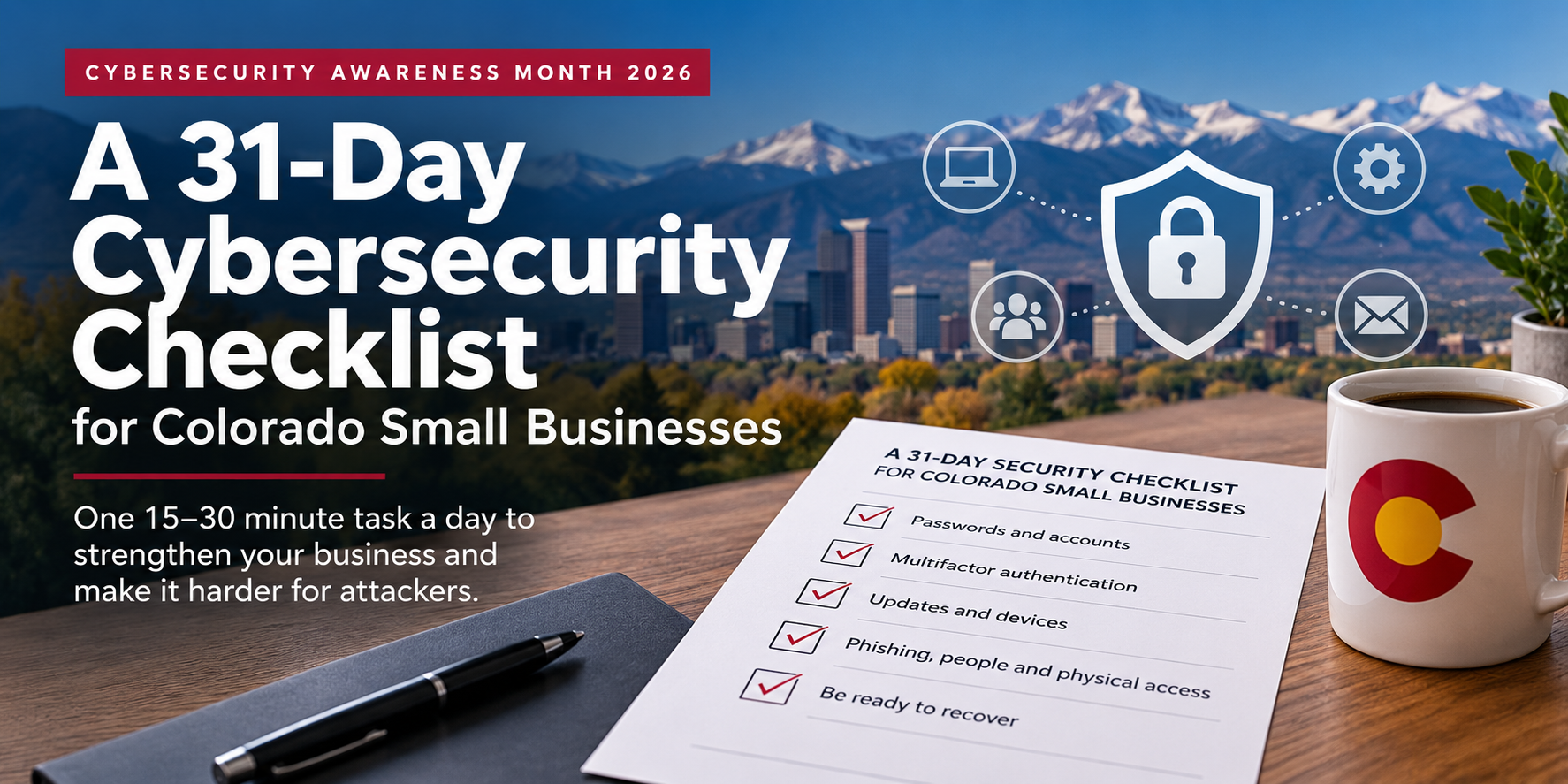
A Cybersecurity Awareness Month checklist for a small business should cover the four habits behind the 2026 theme, “Don’t Make It Easy for Them”: strong unique passwords, multifactor authentication, prompt software updates and phishing awareness. This 31-day checklist gives you one 15-to-30-minute task per day in October, plus three days on recovery. If you only do five, start with MFA on email, a password manager, automatic updates, a call-back rule for payment changes and a tested backup restore.
|
Updated October 2026 · By Wendy Campbell, Director of Marketing, Automated Business Technologies
October is Cybersecurity Awareness Month, and this year’s theme from the National Cybersecurity Alliance is blunt: Don’t Make It Easy for Them. Most attacks on small businesses don’t involve anything clever. They rely on a reused password, an email account without multifactor authentication, a PC that stopped getting updates, or one rushed click on a convincing message.
The fix isn’t a big project. It’s a series of small ones. Below is one action for every day of October, written for a Colorado office with 5 to 150 people and no full-time security staff. Each one takes 15 to 30 minutes. Print the one-page PDF version, tape it up, and check them off as you go.
|
From Verizon’s 2026 DBIR
62%
of breaches involved the human element
48%
involved ransomware, up from 44%
31%
started with an exploited software vulnerability, now the top way in
|
In this checklist
|
|
Not sure where your gaps are?
|
ABT’s free, no-obligation IT assessment checks MFA coverage, patching, backups and every device on your network, then gives you a prioritized list. Choose “MITS” as your area of interest.
|
Short on time? Start with these 5
If you’re picking this up partway through October, don’t start at Day 1. These five close the most common doors first, and together they take less than a day:
|
Day 8
|
☐ MFA on every email account
|
|
Day 2
|
☐ A business password manager
|
|
Day 15
|
☐ Automatic updates on every device
|
|
Day 23
|
☐ A call-back rule for payment changes
|
|
Day 29
|
☐ A tested backup restore
|
Then work through the rest in order. Fall behind? Do two a day. Every item works just as well in November.
|
Free printable checklist
|
All 31 days on one page, with checkboxes. Print it for the break room or share it with your team.
|
Week 1 · Oct 1–7: Passwords and accounts
Threat: password cracking. Attackers try leaked and guessable passwords first because it’s cheap and it works.
|
Day 1
Oct 1
|
☐ List every account the business depends on
Email, Microsoft 365 or Google Workspace, banking, payroll, accounting, your website host and domain registrar, and any line-of-business software. You can’t protect accounts you’ve forgotten about.
|
|
Day 2
Oct 2
|
☐ Roll out a business password manager
Pick one with shared vaults and admin controls, then move the logins from Day 1 into it. It’s the single change that makes every other password step on this list realistic.
|
|
Day 3
Oct 3
|
☐ Replace reused passwords on your 10 most important accounts
Use long passphrases. NIST’s current guidance (SP 800-63B-4) sets a 15-character minimum when a password is the only thing protecting an account, and drops forced periodic resets and complexity rules.
|
|
Day 4
Oct 4
|
☐ Close accounts for people who have left
Check email, Microsoft 365, payroll, the copier’s user list, door badges and shared logins. Former employees with live accounts are one of the easiest ways in.
|
|
Day 5
Oct 5
|
☐ Split admin accounts from everyday accounts
Anyone with admin rights should use a separate admin login only for admin work. Reading email from an admin account turns one bad click into a whole-network problem.
|
|
Day 6
Oct 6
|
☐ Check whether your company’s emails show up in known breaches
Search your domain on Have I Been Pwned. Any address that appears needs a new password, starting with the accounts that use it.
|
|
Day 7
Oct 7
|
☐ Lock down account recovery
Update the recovery email and phone number on your key accounts so they point to people and numbers the business controls, not a personal Gmail from 2017.
|
Week 2 · Oct 8–14: Multifactor authentication
Threat: unprotected accounts. A stolen password alone shouldn’t be enough to get in.
|
Day 8
Oct 8
|
☐ Turn on MFA for every email account
Email is the reset button for everything else, so it comes first. In Microsoft 365 or Google Workspace, require it for every user, not just admins.
|
|
Day 9
Oct 9
|
☐ Turn on MFA for banking, payroll and accounting
These are the accounts where a break-in turns directly into lost money. Most banks offer app-based or hardware-key sign-in for business accounts; ask yours.
|
|
Day 10
Oct 10
|
☐ Require MFA on remote access
VPNs, remote desktop tools and any vendor remote-support software. Remote access with only a password is an open invitation.
|
|
Day 11
Oct 11
|
☐ Upgrade admins from text codes to an authenticator app or passkey
Text-message codes can be intercepted through SIM swapping. Authenticator apps are stronger, and passkeys or hardware keys resist phishing outright. Start with the accounts that can change everything.
|
|
Day 12
Oct 12
|
☐ Turn off legacy sign-in methods
Older protocols such as basic authentication for email can skip MFA entirely. Your IT provider can confirm they’re disabled in Microsoft 365 or Google Workspace.
|
|
Day 13
Oct 13
|
☐ Settle your Windows 10 plan today
October 13, 2026 is the day Windows 10 ESU Year 1 ends. Any PC without Year 2 coverage stops getting security patches. See what Colorado businesses pay to extend, upgrade or replace.
|
|
Day 14
Oct 14
|
☐ Add a PIN to your business mobile accounts
Ask your carrier to put a port-out PIN on every business line. It makes SIM-swap attacks much harder, and it protects every text-message code you still rely on.
|
|
Your insurer is asking about this too
|
MFA, tested backups and patched systems are the same controls cyber insurance applications ask about. Read the security controls cyber insurers expect in 2026, and see how managed IT helps prevent ransomware.
|
Week 3 · Oct 15–21: Updates and devices
Threat: unpatched systems. Exploiting software vulnerabilities is now the most common way attackers get in.
|
Day 15
Oct 15
|
☐ Turn on automatic updates everywhere
Operating systems, browsers, Microsoft 365 apps, PDF readers and Zoom or Teams. Confirm the setting on each PC rather than assuming it’s on.
|
|
Day 16
Oct 16
|
☐ Inventory everything with a network connection
Not just PCs. Include copiers and printers, routers, Wi-Fi access points, security cameras, door controllers, smart TVs in conference rooms and the PC that runs the front desk.
|
|
Day 17
Oct 17
|
☐ Update firewall and router firmware, and change default passwords
Network gear often goes years without an update. If the admin password is still the one printed on the label, change it today.
|
|
Day 18
Oct 18
|
☐ Secure your copiers and multifunction printers
Update firmware, change the admin password, turn on user authentication and secure print release, and confirm the hard drive is encrypted. Read how to secure business copiers and MFPs.
|
|
Day 19
Oct 19
|
☐ Confirm every device has endpoint protection that’s actually reporting
Look for devices that dropped off the console or haven’t checked in for weeks. Here’s how endpoint security works for growing businesses.
|
|
Day 20
Oct 20
|
☐ Encrypt every laptop
Turn on BitLocker (Windows) or FileVault (Mac) so a lost or stolen laptop is a hardware loss, not a data breach.
|
|
Day 21
Oct 21
|
☐ Make a list of devices that no longer get updates
CISA’s 2026 campaign calls this out directly: replace end-of-support devices. Windows 10 PCs without ESU coverage belong on this list (see your Windows 10 options). Put each one on a replacement date, and before December 31, ask your tax advisor whether Section 179 applies to the replacements.
|
|
Weeks 1–3 on autopilot
|
With ABT managed cybersecurity, patching, endpoint protection, MFA enforcement and 24/7 network monitoring run in the background, handled by a local Colorado team.
|
Week 4 · Oct 22–28: Phishing, people and physical access
Threat: phishing scams. People are involved in most breaches, and attackers have moved beyond the inbox.
|
Day 22
Oct 22
|
☐ Run a 15-minute phishing refresher
Show real examples from the last month, including text messages, QR codes and fake voicemails. Verizon found phishing by text and voice gets clicked 40% more often than email phishing.
|
|
Day 23
Oct 23
|
☐ Adopt a call-back rule for money and banking changes
Any request to change bank details, pay a new vendor or buy gift cards gets verified by calling a known number, never one in the email. This one rule stops most invoice and payment fraud.
|
|
Day 24
Oct 24
|
☐ Make reporting easy and blame-free
Add a “Report phishing” button in Outlook or Gmail, or name one person to forward suspicious messages to. Thank people for reporting, even when it’s a false alarm.
|
|
Day 25
Oct 25
|
☐ Write a one-paragraph AI tool policy
Say which AI tools staff may use and what they must never paste in: customer data, financials, passwords. Verizon found 45% of employees now use AI regularly on work devices, and 67% of people using AI on corporate devices sign in with personal accounts.
|
|
Day 26
Oct 26
|
☐ Review which vendors can reach your systems
Your IT provider, software vendors, your copier dealer, your payroll service. Remove access nobody uses, and require MFA on the rest. Third parties were involved in 48% of breaches this year.
|
|
Day 27
Oct 27
|
☐ Audit who can open your doors
Pull the list of active badges, fobs and keys and compare it to your current staff list. Physical access to a server closet or an unlocked PC gets around every password on this page.
|
|
Day 28
Oct 28
|
☐ Lock screens and clear printer trays
Set screens to lock after a few minutes, and make sure printed payroll, HR and patient documents don’t sit in output trays. Secure release (Day 18) solves the second problem.
|
|
Physical security is cybersecurity
|
If Day 27 turned up badges for people who left months ago, cloud-managed access control lets you shut them off from your phone in seconds and see who opened which door, when.
|
Days 29–31 · Oct 29–31: Be ready to recover
The goal isn’t just keeping attackers out. It’s getting back to work fast if something gets through.
|
Day 29
Oct 29
|
☐ Test a backup restore
Pick one important file and one full system and actually restore them. A backup you’ve never restored is a guess. Aim for the 3-2-1 rule: three copies, two types of storage, one off-site or offline.
|
|
Day 30
Oct 30
|
☐ Write a one-page incident plan
Who to call first (IT provider, cyber insurer, bank, attorney), how to reach them if email is down, and who can authorize decisions. Print it. Report incidents to the FBI’s IC3 and to CISA.
|
|
Day 31
Oct 31
|
☐ Put next year’s dates on the calendar
Schedule a quarterly 30-minute check of this list, an annual security assessment and your cyber insurance renewal review. Security is a routine, not a project.
|
When to bring in help
Most of this list is doable in-house. A few signs it’s time for an outside set of eyes:
|
You couldn’t finish Day 16
If nobody can produce a complete list of devices, you can’t be sure they’re all patched and protected.
|
MFA isn’t on for every account
Partial MFA leaves exactly the accounts attackers look for. Enforcing it everywhere is a configuration job, not a training job.
|
|
Your backup test failed or took days
Recovery time is what decides whether an incident is an inconvenience or a closed business.
|
You have compliance obligations
HIPAA, PCI DSS, CMMC or cyber insurance requirements need documentation, not just good habits. A cyber risk assessment is the place to start.
|
ABT supports businesses from our Denver, Colorado Springs and Westminster offices, and cybersecurity is one piece of a bundled office technology approach that also covers copiers, phones and access control. One provider means one person knows how your printers, PCs, cameras and network connect, and where the gaps are. Learn more about ABT Managed IT Services.
|
Bottom line
|
You don’t need to outspend attackers. You need to stop making it easy for them. Passwords, MFA, updates and a team that pauses before clicking will stop most of what targets small businesses. Then test your recovery, because the goal is staying in business.
|
Cybersecurity Awareness Month checklist FAQs
What is the theme of Cybersecurity Awareness Month 2026?The National Cybersecurity Alliance’s 2026 theme is “Don’t Make It Easy for Them.” It focuses on four habits: strong, unique passwords, multifactor authentication, keeping software updated, and spotting phishing. CISA’s 2026 campaign is called “Securing the Next 250.”
|
When is Cybersecurity Awareness Month?Cybersecurity Awareness Month runs every October, from October 1 to October 31. 2026 is the 23rd year of the campaign, which is led by the National Cybersecurity Alliance and CISA.
|
What should a small business do first?Turn on multifactor authentication for every email account, then roll out a password manager, turn on automatic updates, adopt a call-back rule for payment changes and test a backup restore. Those five steps close the most common ways attackers get in.
|
Are text message codes good enough for MFA?Text codes are much better than no MFA, but they can be intercepted through SIM swapping. Use an authenticator app or passkeys for admin, email, banking and payroll accounts whenever the service supports them.
|
How often should a small business test its backups?Test a restore at least once a quarter, plus after any major change to your systems. Restore both a single file and a full system, so you know how long recovery actually takes.
|
Do copiers and printers need security updates?Yes. Business copiers and multifunction printers run their own software, store scanned and printed documents, and sit on your network. Update their firmware, change the default admin password, require user sign-in and turn on secure print release.
|
Is phishing training still worth it for a small business?Yes, if it’s short, regular and uses real examples. Verizon’s 2026 Data Breach Investigations Report found people were involved in 62% of breaches, and phishing by text and voice now gets clicked 40% more often than email phishing.
|
Can I do this checklist after October?Yes. Every item works any time of year. If you’re starting late, do two items a day or start with the five highest-impact steps, then schedule a quarterly review so the list stays current.
|
|
Get a second set of eyes on your security
Tell us where you got stuck on the checklist. ABT’s Colorado team will review your MFA, patching, backups, printers and doors, and give you a plain-English list of what to fix first.
|
|
About the author
Wendy Campbell
|
Wendy Campbell is Director of Marketing at Automated Business Technologies (ABT), a Colorado-owned office technology company founded in 2005. ABT provides managed IT and cybersecurity, access control, managed print and VoIP to businesses across Denver, Colorado Springs and the Front Range.
|
Sources: National Cybersecurity Alliance: Cybersecurity Awareness Month · CISA: Cybersecurity Awareness Month · Verizon 2026 Data Breach Investigations Report · NIST SP 800-63B-4: Authentication guidelines · FBI Internet Crime Complaint Center