Service & Supplies • Colorado
Copier & Printer Repair in Colorado (Business Service You Can Rely On)
When your copier or printer goes down, it’s not “just an inconvenience”—it’s stalled workflows and lost time. ABT helps Colorado businesses get back online fast with onsite repair, remote troubleshooting, and service plans designed to protect uptime.

Quick answer: what should you do first?
If printing is stopped (or scan-to-email is failing), the fastest fix is to request service with your model + symptoms. If you’re unsure, start with remote support so we can triage quickly.
Or call: 303-778-0600 (Centennial) • 719.434.4080 (Colorado Springs)
Choose your path (fastest way to the right outcome)
Place a service call
Best for error codes, jams that won’t clear, streaking, scan failures, and recurring issues.
Remote support
Perfect for driver issues, scan destination problems, and queue troubleshooting.
If you need help connecting, call 303-778-0600.
I just need toner
Order toner and supplies directly—fast reorders and easier matching by model.
What ABT repairs (and what we support)
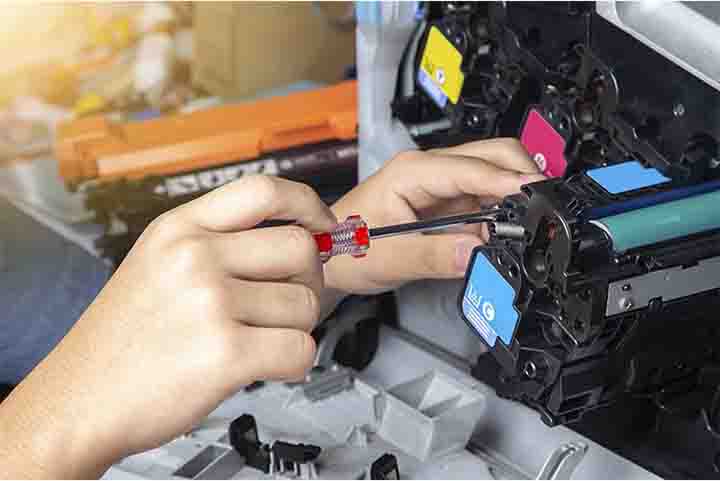
Business copiers, printers, and MFPs
Share your make/model and symptoms and we’ll route the right technician and parts faster.
Common issues we fix
- Paper jams and persistent misfeeds
- Lines, streaks, smudges, faded output
- Error codes and boot/firmware issues
- Scan-to-email / scan-to-folder failures
- Network print issues and queue problems
- Preventive maintenance to reduce repeat calls
What to expect from a repair visit
Confirm the root cause
Consumable vs wear component vs configuration vs environment.
Repair + stabilize
Resolve the failure and reduce repeat issues with calibration and cleaning where needed.
Recommend next steps
Maintenance cadence, coverage options, or right-sizing if replacement is smarter.
Fastest dispatch happens when your request includes: make/model, error code, what changed, and when it started.
How repair cost works (what changes the price)
Typical cost drivers
- Age of device + parts availability
- Severity (simple jam vs component replacement)
- Repeat issues that require deeper stabilization
- Coverage (plan vs time-and-material)
- Multiple locations / access constraints
Repair vs replace
If downtime keeps returning or the device is near end-of-life, a refresh can reduce total cost. If you’re unsure, request service and ask for a quick evaluation.
DIY-safe checks (before you request service)
These steps are generally safe and often fix the simplest issues.
Clear obvious jams
Remove paper gently, check tray guides, confirm correct paper weight.
Reseat toner
Confirm correct cartridge model and that it’s seated properly.
Power cycle
Turn off, wait 30–60 seconds, then power on. Note any error codes.
Request service (fastest dispatch)
Option A: Service request form
Include make/model, error code, and symptoms so dispatch can route the right tech.
Client Portal: remote.abpcopy.com
Option B: Call dispatch
Often quickest when printing is fully down.
- Centennial: 303-778-0600
- Colorado Springs: 719.434.4080
Service plans vs break/fix
Service plan / managed coverage
Best when downtime is expensive, you have multiple devices, or repeat issues keep happening.
Break/fix (as-needed)
Works when usage is light or the issue is isolated. If problems repeat, a plan often lowers total cost.
Helpful links
ABT links
Official manufacturer support
FAQs
What info do you need to dispatch service quickly?
Make/model, error code, symptoms, when it started, and whether anything changed (paper type, network, supplies).
Can I order supplies without a service plan?
Yes — order anytime at supplies.yourabt.com.
When should I stop troubleshooting and request service?
If it’s beyond jams/toner reseat/power cycle—especially error codes, repeated misfeeds, scan failures, or print defects.
Ready for the fastest next step?
Choose the option that matches your situation.