Xerox Copiers & Printers in Colorado — Built for Uptime, Backed by Local Service
You get the right Xerox device faster when you start with the category: A4 (letter/legal), A3/tabloid (11×17 / 12×18+), or production. ABT helps you identify the best fit, then supports it with Colorado-based service, leasing guidance, and Managed Print Services (MPS) to control cost, security, and uptime.
For most offices, start with Xerox VersaLink (A4) or Xerox AltaLink (A3/tabloid). For higher volumes or advanced finishing, review production print options here (Xerox Proficio PX300 / PX500).
Shop Xerox by category (fastest way to pick the right device)
Don’t start with model numbers. Start with what you print, how often you scan, and whether you need tabloid (11×17 / 12×18+) or production-level throughput. Then you’ll land on the right Xerox family quickly.
| Category | Best for | What to look for | Start here |
|---|---|---|---|
| A4 printers & MFPs (Letter/Legal) |
Front office, accounting, HR, small–mid workgroups, everyday scan + print. | Secure print, fast first page, dependable scanning, right monthly volume. | Xerox VersaLink (A4) |
| A3 / Tabloid MFPs (11×17 / 12×18+) |
Departments that print mixed sizes, need finishing, or share a central hub. | Paper handling, finishing, high-capacity trays, mixed-size workflows. | Xerox AltaLink (A3) |
| Production print (Higher volumes) |
In-plant print, marketing collateral, faster turnaround, heavier duty cycles. | Automation, registration, media flexibility, finishing ecosystem, service plan fit. | Xerox Proficio PX300 / PX500 |
| Wide format office needs (Tabloid / 12×18+ sheets) |
Offices printing larger sheets for boards, schedules, color proposals (not CAD roll-fed). | 12×18+ support, heavy stock handling, reliable color, compact footprint. |
VersaLink C7100 Series (tabloid MFP) VersaLink C7000 (tabloid printer) |
Recognize the right Xerox family
Self-select the right class of device in under 20 seconds, then request a recommendation with your real volumes, finishing needs, and security requirements.
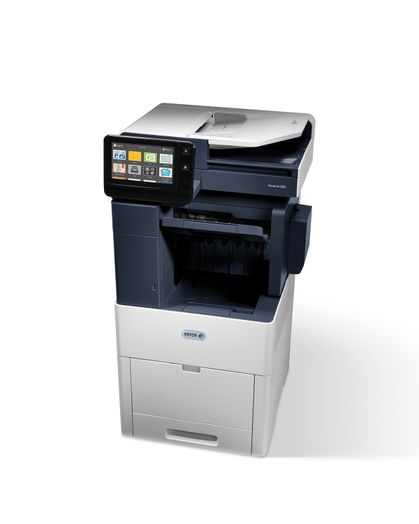
A4 Workgroups: Xerox VersaLink
Best for letter/legal teams that need reliable scanning, security, and a clean path to standardization.
Xerox info: VersaLink product family
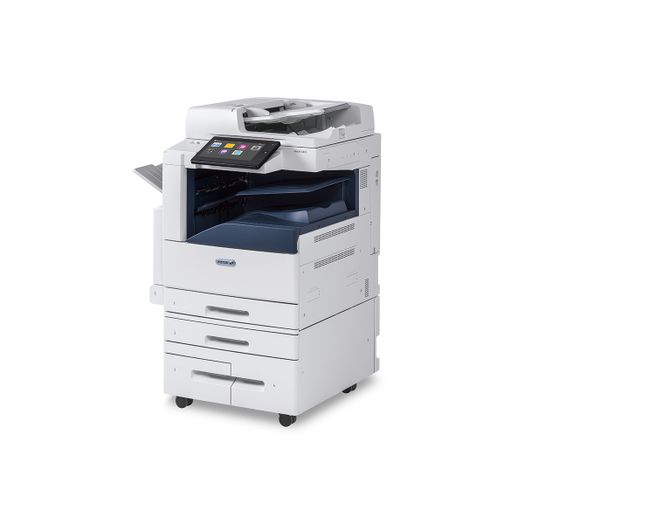
A3 / Tabloid: Xerox AltaLink
Built for shared department hubs with mixed sizes, heavier usage, and finishing/paper handling needs.
Xerox info: AltaLink product family
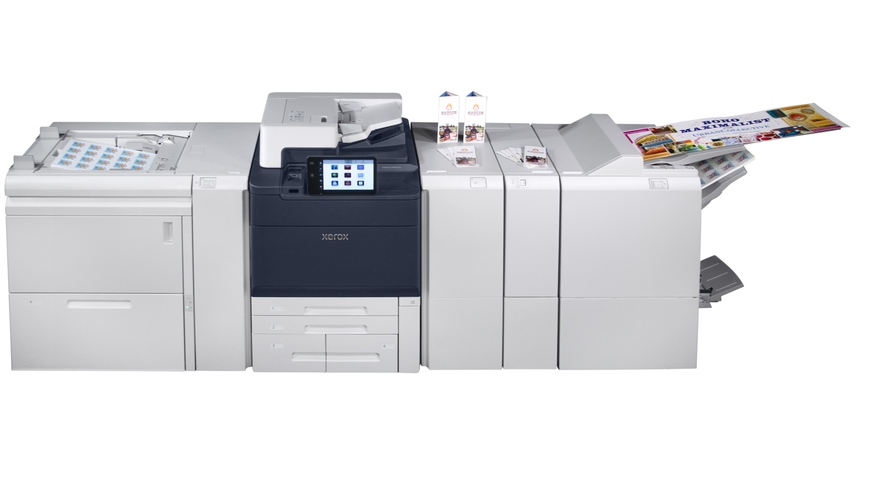
Production Print: Xerox Proficio PX300 / PX500
When speed, volume, and finishing become mission-critical, production print is the right move.
Learn more: Xerox Proficio PX300 / PX500
Image credit: Courtesy of Xerox Corporation
Xerox Leasing + Service in Colorado (What to Expect)
Whether you lease or buy, your real goal is the same: fewer tickets, better scanning, secure output, and predictable support. ABT’s approach prioritizes uptime and workflow — especially when you’re under deadline. Need repair on an existing device? See our Colorado copier & printer repair service.
Leasing that matches reality
- Right-size speed and duty cycle to your monthly volume
- Choose finishing you’ll actually use (not “nice-to-have”)
- Plan for growth without overbuying
Need pricing? Get copier leasing pricing
Service designed for uptime
- Onsite diagnosis and repair
- Preventive maintenance aligned to your environment
- Parts and supplies planning to reduce surprises
Need service now? Submit a service request
Security + Compliance Readiness
- Secure print release options for shared devices
- User access controls to reduce document exposure
- Policy and visibility support through MPS
Need supplies? Order toner & ink
Common Colorado Scenarios We See at ABT
- AEC / Construction: tabloid output for markups and schedules without constant jams.
- Healthcare: secure, auditable printing and consistent scan workflows.
- Education: predictable cost per page and fleets that survive heavy usage.
- Legal / Finance: secure output, reliable scanning, and finishing for client deliverables.
Managed Print Services (MPS) for Xerox and mixed fleets
If you’re managing multiple devices, multiple locations, or inconsistent print spend, MPS is the fastest way to stabilize uptime, improve security, and control cost-per-page.
Cost control
- Standardize cost-per-page where it makes sense
- Eliminate “surprise” maintenance and supply costs
- Right-size devices to match real volumes
Uptime + support
- Proactive monitoring to catch issues early
- Faster triage for recurring device problems
- Fleet health insights for planning and budgeting
Security + Governance
- Reduce exposure at shared devices
- Support authentication and secure print release
- Improve visibility for audits and policy
What happens in a Risk-Free Print Environment Assessment?
- Discovery: inventory, volumes, pain points, and workflow needs.
- Find waste: placements, under/over-utilization, recurring tickets.
- Recommend: right Xerox categories and configurations (A4/A3/production).
- Improve: align service, supplies, and security to your real environment.
Xerox Resources & Related ABT Services
Official Xerox product links, ABT’s production page, and related services to explore.
Xerox Office (A4 / A3 / Tabloid)
FAQs: Xerox Copiers, Leasing, Service & Managed Print in Colorado
What’s the difference between an A4 and A3 Xerox multifunction printer?
A4 devices focus on letter/legal and are ideal for everyday office printing and scanning. A3 devices add tabloid/11×17 support and typically offer stronger paper handling and finishing — better for mixed-size jobs and higher shared usage.
Which Xerox line is best for most offices: VersaLink or AltaLink?
VersaLink is a strong fit when your world is primarily letter/legal and you want a reliable workgroup device. AltaLink is usually the better fit when you need A3/tabloid, finishing, heavier usage, or a shared department hub.
Where should I start if I’m evaluating production print?
Start with your output goals (volume, turnaround, finishing, media types). Review ABT’s production page for Xerox Proficio PX300 / PX500 to see if production print matches your requirements.
Do you offer Xerox copier leasing in Denver and across Colorado?
Yes — ABT supports Xerox leasing and long-term support across Colorado. The fastest path is a print environment assessment so you get the right class of device and the right configuration. You can also get copier leasing pricing here.
Can ABT service Xerox copiers and printers locally?
Yes — ABT provides local service support across the Front Range from offices in Denver/Centennial, Colorado Springs, and Westminster. See our Colorado copier & printer repair page or submit a service request.
What is Managed Print Services (MPS) and when does it make sense?
Managed Print Services is a program to manage devices, service, supplies, security controls, and print policy across your fleet. It makes sense when you have multiple devices, multiple sites, frequent tickets, inconsistent costs, or audit/compliance requirements.
Can MPS cover a mixed fleet (not just Xerox)?
In many environments, yes. A fleet plan can still standardize support and improve visibility even if you have multiple brands. The assessment will show what should be standardized, optimized, or replaced.
Do you help with secure printing and access control at Xerox devices?
Yes. Shared devices are common risk points. We can help align secure print release and user access control options with your security and compliance needs, especially for healthcare, legal, finance, and education.
How do I know if I need tabloid (11×17) capability?
If you routinely print or scan spreadsheets, schedules, proposal boards, or drawings that lose clarity when reduced, tabloid capability can save time and rework. Many teams add a single tabloid-capable device for key departments rather than upgrading the whole fleet.
What should I do if I’m stuck in a copier lease or my device is underperforming?
Start with the assessment so we can identify the fastest path to stability — whether that’s optimizing configuration, addressing service issues, right-sizing, or planning a transition. You can also call (303) 778-0600 for immediate guidance or check our free copier contract evaluation.
Ready for the Right Xerox Device (And Fewer Print Headaches)?
Get a clear recommendation across A4, A3/tabloid, and production — plus the service and MPS plan that protects uptime and cost control.
Image credit: Courtesy of Xerox Corporation.