The ABT Breakdown
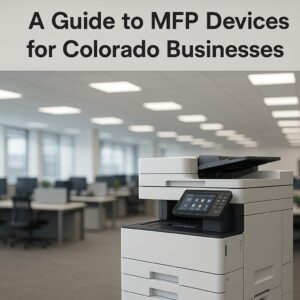
If you’re looking to streamline your office workflow, reduce clutter, and get more done with less headache, understanding the power of a multifunction printer (MFP) is a smart move. In this post, I’ll walk you through: what an MFP really is, how it differs from a basic copier or printer, how different MFP models can help automate and simplify your business workflows, the real value of incorporating an MFP into your environment, and finally, some of the top picks from major brands — specifically Canon, HP, Kyocera and FUJIFILM — with Colorado businesses in mind. My goal is to help you feel confident discussing MFPs with your IT or procurement team, or assessing what solution is right for your office in the Denver, Colorado region.
What is an MFP?
A multifunction printer, or MFP, is much more than just a printer. It combines various office‑machines into one device — printing, scanning, copying, faxing (and sometimes even emailing or routing documents) all live under one roof.
Think of an MFP as your office’s digital hub for physical/digital document transactions. It isn’t just about throwing pages out; it’s about capturing, transforming, routing, storing and printing them — all in one machine.
Some of the core functions:
-
Printing: outputting documents, reports, marketing collateral, etc.
-
Copying: duplicating physical documents.
-
Scanning: turning physical pages into digital files (PDFs, images) often with auto document feeders (ADF).
-
Faxing/emailing: sending digital/physical documents to another party or scanning and forwarding.
-
Workflow and routing capabilities: modern MFPs support scan‑to‑email, scan‑to‑cloud, or integration with document management systems (DMS).
By consolidating functions, an MFP helps reduce device count, centralize management, simplify supplies (toner, paper trays, maintenance) and create a smoother document lifecycle.
MFP versus Basic Copier/Printer — What’s the difference?
Often clients get confused: “Isn’t it just a printer or a copier?” Here’s how you can think about it:
-
A basic printer handles printing only — either desktop or networked, one function. It doesn’t typically scan or copy.
-
A basic copier is optimized for copying physical pages — many sheet feeders, fast duplication—but usually lacks advanced scanning or print networking features.
-
An MFP merges those devices and adds intelligence: it can print, copy, scan, route, integrate with networks, support mobile print, often has finishing touches like stapling, hole‑punching, duplex, and sometimes even workflow automation.
So:
-
If your team is just printing reports, a simple printer may suffice.
-
If you’re replicating physical documents rapidly, a copier may work.
-
But if you’re scanning contracts, sending digital files, printing forms, routing documents to workflows, and want to manage one device centrally rather than many — then you want an MFP.
Because of that, MFPs tend to offer higher value: they reduce the number of devices you manage, enable more efficient workflows (scan‑digitize‑route rather than “scan to PC then email”), and often reduce cost by consolidating hardware, supplies, and service.
How different MFPs help automate business workflows
In a Colorado business — perhaps a legal office in Denver, or a branch office for a financial services firm in Boulder — your document workflow is critical. Here’s how MFPs make a difference:
1. Scan‑to‑destination automation
Rather than manually scanning a stack of documents, naming files, saving them to a folder then emailing them, modern MFPs allow you to: place the document in the feeder, select a destination (email, network folder, cloud drive), and hit “go”. The file is automatically named (based on job settings), stored and routed. That reduces manual steps, reduces errors, and speeds up access.
2. Integrations with document management systems
Some MFPs support integrations with DMS, accounting software, cloud drives or workflows. E.g., scan directly to a client folder, integrate with file‑naming conventions, archive older files. In practice this means less time spent by staff on repetitive tasks and more time on value‑added work.
3. Finishing and print workflow
For print‑heavy workflows (e.g., proposals, training manuals, marketing kits) MFPs often provide finishing options: stapling, hole‑punching, booklet creation, collating. That means internal staff spend less time assembling, and external vendors become less necessary. Consolidating print/copy tasks into one machine improves speed.
4. Mobile and cloud printing
In today’s hybrid/remote‑friendly Colorado business environment, being able to print from laptops, tablets, phones, or the cloud matters. MFPs allow print jobs from mobile devices, cloud leadership, and scanning directly into cloud drives. This helps remote workers, satellite offices, or field staff send documents back to the main office seamlessly.
5. Secure workflow and compliance
Modern MFPs include user authentication, secure print (release when user is at the machine), encrypted drives, audit trails. For businesses with compliance concerns (law firms, medical offices, financial advisors in Colorado) this is a big plus. You’re not simply printing; you’re managing document security end‑to‑end.
6. Device consolidation and management
From an IT/operations perspective, managing one MFP rather than separate printer + scanner + copier simplifies service, supplies, monitoring, firmware updates, and tracking usage. This increases uptime, reduces downtime and supports proactive maintenance.
In sum: by incorporating MFPs you shift from “print & copy as needed” to “document lifecycle as optimized”. You’re not just outputting documents — you’re routing, digitizing, integrating and managing them.
The value of incorporating an MFP into your business
Let’s talk real value — not just features. Why should you invest in an MFP?
Space, cost & efficiency
Colorado offices often operate with limited space. Replacing multiple machines with one MFP frees space, reduces power consumption, and simplifies supplies. Over time this saves money.
Time savings & productivity
Every minute your employee spends walking to a separate scanner, exporting a file, and attaching it to an email is time not spent on core work. With an MFP that integrates scanning-to-email or scanning-to-cloud, you reclaim that time. The faster turnaround means better responsiveness to clients.
Improved workflow and accuracy
Manual handling of documents increases errors (mis-filed, lost, mis‑named). With automation and integration, your documents are more accurate and accessible. You gain consistency, fewer mistakes, and a clearer audit trail.
Device lifecycle and manageability
MFPs are built for business — higher duty cycles, robust construction, service and support available locally — meaning less downtime and longer useful life. For managed print services (MPS) providers the MFP becomes a central touchpoint for optimization.
Security and compliance
With data privacy regulations, secure printing and document routing are essential. MFPs with user authentication, encrypted disks, secure erase, mobile device management support help ensure that sensitive documents are handled safely.
Scalability
As your business grows, an MFP portfolio can scale — you can standardize on one device family across sites, train staff once, manage centrally, and expand easily.
Future‑proofing
With cloud integration, mobile printing, software apps on the device, you’re not just buying a printer — you’re buying a platform. This means you can adapt as business needs change.
In plain terms: adopting an MFP is investing in business fluidity, not just hardware.
Best MFPs — Top picks from Canon, HP, Kyocera & FUJIFILM
Canon
-
Canon imageCLASS MF654Cdw: A color wireless all‑in‑one laser device designed for small/medium size businesses. Media versatility, color output, wireless setup — great for hybrid workspaces.
-
Canon imageCLASS MF465dw: Monochrome, faster output (~42 ppm), business‑centric, with intuitive interface and mobile‑ready features.
HP
-
HP LaserJet Pro MFP 4101fdw: Built for small teams, high speed (~42 ppm), duplex scanning and printing, large tray options — a robust business device.
-
HP LaserJet MFP M234sdw: Suitable for smaller offices or satellite sites; efficient, compact, reliable printing/scanning/copying for everyday tasks.
Kyocera
-
Kyocera ECOSYS MA5500ifx: A powerful monochrome laser all‑in‑one with high volume output (~47‑57 ppm) and advanced features including touchscreen interface and robust connectivity.
FUJIFILM
-
FUJIFILM (formerly Fuji Xerox) multifunction printers offer scanning, printing, copying and faxing. These are typically high-end devices ideal for businesses with complex workflows or higher-volume document demands.
Selection guidance for Colorado businesses
When you’re choosing the right MFP for your Colorado office, keep these criteria in mind:
-
User volume / duty cycle
-
Color vs. monochrome
-
Workflow integration
-
Connectivity & mobile readiness
-
Security & compliance
-
Service & support network
-
Total cost of ownership (TCO)
-
Scalability & fleet management
Get An MFP Demo Today!
You now have a solid understanding of what an MFP is, how it stands apart from a basic copier/printer, how different models can automate and streamline your document workflows, and what value it brings to a Colorado business environment. By selecting the right device from trusted brands like Canon, HP, Kyocera or FUJI, you’re not just buying hardware — you’re investing in improved productivity, reduced complexity, better security and long‑term return.
What you should do next:
-
Review your current device inventory
-
Map the workflows that involve physical documents
-
Contact a local provider specializing in MFPs and managed print services to evaluate your needs
-
Choose a pilot machine for one department
-
Track savings and efficiency before rolling out across your organization