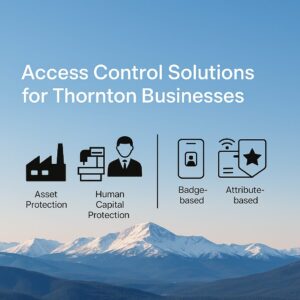
The ABT Breakdown
In the ever‑evolving commercial landscape of Thornton, Colorado, you—as the security manager—bear responsibility for safeguarding your organisation’s most valuable assets: physical capital equipment, human capital, and business‑critical intellectual and financial resources. Effective access control isn’t simply about locking doors; it’s about shaping who enters, when and how, and tailoring that to asset types, risk exposures, and operational needs. In this blog we’ll explore how access control solutions for Thornton‑based businesses can bolster such protections, with a focus on a modern cloud‑enabled platform (like the one from Verkada) while comparing alternate market options. You’ll gain perspective on asset protection, capital‑equipment protection, human‑capital protection, and the role of key access‑management models like role‑based, badge‑based, phone‑based and attribute‑based access control. Then we’ll wrap with how you—as a security professional—should approach vendor selection, deployment and continuous monitoring in the Colorado business environment.
Why Access Control Matters in Thornton
When thinking of your operations in Thornton—whether a manufacturing facility, data‑centre branch, or corporate office—you’re dealing daily with three broad categories of risk:
Asset Protection
Your business owns physical assets: machinery, stock, servers, networking gear, manufacturing lines, and so forth. If unauthorized persons gain entry, either opportunistic theft or malicious sabotage becomes a real threat. A robust access‑control system acts as the first line of defense, limiting access to only those who need it, logging each entry/exit, and alerting when anomalies like tail‑gating or held‑open doors occur.
Capital Equipment Protection
Beyond inventory, your business invests in high‑value equipment: perhaps CNC machines, 3D printers, network racks, advanced copiers and printers, or specialized infrastructure. Loss or damage to these units can bring significant downtime, expensive repair or replacement costs, and disruption to operations. Access control helps you segment who may approach or operate these machines, and tracks when they do, under what conditions.
Human Capital Protection
Your workforce—employees, contractors, visitors—is your most vital resource. Mis‑entry or mismatched access poses risks: from theft or harm to employees, to intellectual‑property leakage, to compliance concerns (especially if your business deals with regulated data). A strong access‑control regime supports safe work‑zones, authorised visitor flows, and ensures that people only reach spaces appropriate for their roles and times.
Together, these three dimensions create the “security triangle” you must manage: protecting assets, equipment and people. Access control sits at the nexus, and when done well, becomes a strategic enabler, not merely a security afterthought.
The Platform Spotlight: Verkada’s Hybrid‑Cloud Access Control
One vendor worth studying is Verkada. Their access‑control solution is built around a hybrid‑cloud architecture, meaning that hardware (door‑controllers, readers) connects to internet/ network, and management occurs from a web‑ or mobile‑based platform. According to their materials, you “connect devices to power and internet, they’re online and fully operational in minutes.” Their approach emphasizes real‑time alerts, visual context (door events paired with video), and compatibility with existing readers and keycards.
Some key highlights you’ll find useful:
-
You can manage users, doors and permissions remotely in real time—handy when you’re working across multiple sites around Denver metro area or have field locations in Thornton and beyond.
-
You can reuse existing readers (so your investment in badge‑systems isn’t wasted) while migrating to more advanced options when ready.
-
Features such as anti‑passback (ensuring a badge cannot be used to confer permission then left open for another to slip in) are included.
-
You get integration between access control and video surveillance: for example, when a door is forced open or tail‑gated, you see the door event and associated video instantaneously.
-
The platform supports badge (prox/RFID), mobile credentials (NFC/phone) and can layer multi‑factor style access.
From your vantage in Thornton, this is attractive: a modern architecture that’s scalable, remotely manageable, and aligns with a hybrid workforce. The cloud component means you’re not tied to local servers (which could single‑point‑fail or complicate branch roll‑outs).
But it’s not just about one vendor; you should contrast this with other market options to ensure a fit for your business size, budget, and growth trajectory.
Access Control Models: Role‑Based, Badge, Phone, Attribute‑Based
To design or refine an access‑control program, it helps to understand the mechanics of who gets access when and how. Let’s dig into the models and methods you’ll want to be fluent in.
Role‑Based Access Control (RBAC)
In RBAC, you assign permissions to roles rather than to individuals directly. For example: “Maintenance Technicians” may have access to the machine‑room from 6 a.m.‑6 p.m., “IT Staff” may access the network‑closet and server‑room any time, “Visitors” may access lobby and meeting rooms only. When a new hire arrives, you simply assign them to the role and inherit the permissions. This greatly simplifies administration—especially in enterprises with dozens or hundreds of users.
It’s a model well‑proven for business because it aligns with job functions and organizational structure. You reduce the chance of “permission creep” where someone accumulates more access than they need.
However, RBAC has limitations: it’s somewhat static. If you need one‑off exceptions (e.g., a contractor only allowed one door for a limited time) or context‑sensitive rules (e.g., only on weekdays, only when a specific machine is in use), you may need a more flexible model.
Badge/Biometric/Phone Access Methods
The how of access is just as critical as the who. Let’s look at three common methods:
-
Badge‑based access: Proximity cards, RFID/NFC cards, key‑fobs. You issue a physical credential to the user which they present at a reader. Many businesses are familiar with this; it’s a solid foundation. The downside is physical card management (lost cards, card duplication, issuing for visitors) and less flexibility in dynamic credentialing.
-
Phone‑based access (mobile credentials): Increasingly common. Users carry credentials in their smartphone (via NFC, Bluetooth, Apple/Android Wallet). This method gives you greater agility: you can issue or revoke credentials digitally; no worry about misplaced cards. For example, Verkada supports mobile credentials as part of its hybrid‑cloud solution. It even supports Bluetooth Intent Unlock to prevent accidental entries.
-
Attribute‑based access methods (and advanced methods): These go beyond simply “does the badge match?” to “does the user possess attributes, context and permissions?” For example: the reader might check user department, time of day, device (phone vs card), location, or even machine‑status before granting entry.
When you’re designing for asset, equipment and human‑capital protection, mixing methods often gives the best outcome: badges for general staff, mobile credentials for administrators or remote access, and attribute‑based restrictions for high‑risk zones (e.g., server‑room, equipment‑vault).
Attribute‑Based Access Control (ABAC)
ABAC takes flexibility up a notch. Instead of just roles, ABAC evaluates attributes of the user (department, clearance level, job title), the object/resource (door, machine, room, sensitivity), the action (enter, operate, view) and the environment/context (time of day, location, number of attempts, emergency state). This allows for very fine‑grained control policies.
For example: A user whose department = “Engineering”, job title = “Senior Technician”, training completed timestamp < 90 days, may access Machine‑Room A only on weekdays between 7 a.m.‑5 p.m., and only if the machine is idle. If after hours, or training expired, access is denied.
While ABAC provides powerful flexibility, it adds complexity: the policy management becomes more involved, and you must ensure your platform supports dynamic attribute evaluation and policy enforcement.
Comparison: RBAC vs ABAC
Because you’re likely responsible for reducing risk while keeping operations efficient, here’s how to contrast them:
-
RBAC: Simpler to implement, easy to understand, lower administrative overhead. Ideal for many standard business zones (offices, conference rooms, staff common areas).
-
ABAC: More complex but more precise. Ideal for high‑stakes zones, equipment vaults, sensitive data‑rooms, and where context matters (e.g., after hours, visitor vs employee, machine‑status).
-
Many modern systems support a hybrid approach: adopt RBAC for the bulk of the site, and overlay ABAC policies for premium zones.
Building Your Access‑Control Strategy for Thornton Businesses
Now that we’ve covered the models and technology, it’s time to apply this to your Thornton facility or facilities. I’ll guide you through strategic phases from planning to ongoing operation.
1. Understand Your Risk Landscape
Start by mapping your facility: what physical zones exist (entry lobby, offices, manufacturing floor, server‑room, equipment‑vault, raw‑material store)? Identify your assets (inventory, machines), your equipment (capital items), your people (staff, contractors, visitors). For each zone ask: Who needs access? When? Under what conditions? What happens if an unauthorized person enters?
2. Categorize Zones by Criticality
For example:
-
Low‑criticality: General offices, break room – less sensitive.
-
Medium‑criticality: Manufacturing floor, stock‑room – need oversight but more people.
-
High‑criticality: Server‑room, capital‑equipment vault, research labs – limited personnel, high risk if compromised.
For each category, determine level of access control required (card only, mobile credential, multi‑factor, timeframe limits, etc).
3. Select Access‑Control Methods and Models
For the general office zone you may adopt RBAC with badge‑based access (easy to manage).
For the equipment‑vault you may use hybrid RBAC + ABAC: role “Maintenance Technician” plus attribute “machine‑line‑certified”, plus time‑window restrictions after hours. Credential could be mobile phone or badge with multi‑factor for enhanced security.
For visitors: use mobile credential or temporary badge, restricted to lobby and validated on arrival; automatic expiry at day’s end.
Consider mobile credentials for remote staff or multi‑site access (useful if you, as security manager, oversee more than one Thornton site or a branch in Denver). Ensure the system supports revocation in real time (when someone leaves the organization or a badge is lost).
4. Choose the Right Platform and Vendor
Here’s where you compare:
-
Does the platform support cloud or hybrid‑cloud management (remote administration, firmware updates, zero‑on‑prem servers)? Verkada supports hybrid‑cloud devices and cloud management.
-
Does it integrate access control with video surveillance (so door events and video feed correlate)? Verkada emphasises such integration.
-
Does it support multiple credential types (badge, mobile NFC/phone, biometrics optionally)? Modern systems do; you want the flexibility.
-
Does it support advanced policies: anti‑passback, tail‑gating detection, audit logs, role/attribute based menus? For example, Verkada supports anti‑passback.
-
What’s the cost model? Hardware, software subs, ongoing licence fees.
-
What’s the vendor support footprint in Colorado/Denver metro and specifically nearby Thornton? Local technician responsiveness matters.
-
Scalability: If you expand to multiple buildings in the Denver metro area, is it easy to manage as one platform?
When evaluating vendors other than Verkada, you’ll want to ask for comparable feature sets. Some older systems may require local servers; they may have more manual card‑management overhead; they may lack mobile‑credential support. Those trade‑offs matter.
5. Implementation Road‑map
Once you’ve chosen the system, plan rollout in phases:
-
Phase 1: Public zones (office lobby, staff entrance). Migrate to new credential method (e.g., mobile + badge). Conduct training for staff.
-
Phase 2: Mid‑zones (manufacturing floor, stock‑room). Introduce role‑based permissions, segment floors, install readers at necessary doors, set up logs and dashboards.
-
Phase 3: High‑criticality zones (server‑room, equipment‑vault, R&D labs). Set ABAC policies, tighter controls, multifactor if needed, define attribute‑based triggers, integrate with video and alarms, test tail‑gating detection.
-
Between phases: establish credential‑lifecycle process (issue, revoke, expire), regular audit schedule, review event logs, train staff on policy and incident response.
6. Maintenance and Continuous Improvement
Protecting assets is not a one‑time exercise. You’ll need to:
-
Review logs monthly or quarterly to detect patterns (unauthorized attempts, door‑forced, tail‑gating).
-
Update access lists when employees change roles or leave.
-
Periodically test your system: simulate visitor access, test mobile credential revocation, test emergency lockdown.
-
Keep firmware and software up‑to‑date (cloud platforms make this simpler).
-
Conduct drills: what happens when credential is lost, when someone attempts to piggy‑back, when there’s an emergency lockdown event. For example, some platforms (Verkada included) have “Lockdown” features allowing immediate locking of doors across the site in a crisis.
-
Ensure alignment with broader security programme: cameras, intrusion detection, fire‑/life‑safety interplay, cybersecurity.
7. Measuring Success
You’ll want metrics:
-
Number of unauthorized access attempts prevented.
-
Incidents of tail‑gating or door‑held‑open.
-
Time to revoke credential after employee leaves.
-
Downtime due to access control failures.
-
User feedback (ease of use, delays, failures).
-
ROI: reduced losses, fewer incidents, faster investigations (thanks to integrated logs + video).
These indicators help you justify budget and refine your controls.
Access Control in the Colorado / Thornton Context
Being in Thornton – part of the Denver metro area – brings unique considerations:
-
Multiple site footprints: You may have branch offices, warehouses or manufacturing footprints across the region (or even beyond Colorado). A cloud‑enabled access control system allows centralised management across all sites.
-
Workforce variability: Seasonal contractors, field service staff, remote/hybrid workers may come into the facility. Mobile credentials and attribute‑based policies help manage these dynamic scenarios smoothly.
-
Environmental and regulatory factors: Consider Colorado’s regulations, physical security standards, emergency‑response readiness (wildfires, severe weather, power events). Your access control system should tie into emergency response protocols (lockdown, evacuation doors, fail‑safe modes).
-
High‑value manufacturing and equipment: Colorado’s industrial base includes advanced manufacturing; the risk of equipment theft, downtime and supply‑chain loss is elevated. Thus, high‑criticality zones may need the stronger ABAC and integration with video and even intrusion detection.
-
Local vendor ecosystem: Ensure your chosen vendor or system has good local support in the Denver/Thornton region — for installation, maintenance, inspections and compliance.
Vendor Comparison and Market Options
While Verkada is a modern and compelling choice, it’s wise to compare with other vendors. Here are attributes you should contrast:
| Vendor Feature | Strengths | Potential Weaknesses |
|---|---|---|
| Cloud/hybrid‑cloud management | Allows remote admin, scalability across sites | May have higher licence cost or require robust internet connectivity |
| Credential flexibility (badge, mobile, biometric) | Supports future‑proof credentialing | Some vendors may lock you into proprietary cards or readers |
| Role/attribute policy support | Enables fine‑grained access control | Complex policy trees may require more skilled admin resources |
| Integration with video/surveillance | Enhances investigations, tail‑gating detection | Additional modules may increase cost |
| Local support and services | Quicker installation and maintenance locally | National vendors may have slower local response |
| Cost model (hardware + software + subscription) | Enables budget planning | Some require large upfront investment or long‑term locking contracts |
When you evaluate other market players, ask: Can the system support mobile credentials and legacy badge readers? Does it integrate with my security camera system and visitor‑management system? How easily can I implement RBAC and ABAC policies? What’s the user interface like for administrators and for badge‑holders? What is the lifecycle management for credentials (issue, revoke, audit)? How is scalability across multiple sites handled?
For example, older on‑premises systems might cost less initially, but they may require server rooms at each location, more IT overhead, and will lack the remote flexibility you may need when supporting remote offices or contractors in the Denver/Thornton area. Meanwhile, modern cloud‑enabled systems like Verkada are designed for scale and agility, but you’ll pay for subscription and you’ll need reliable network connectivity and a vendor you trust for long‑term support.
Best Practices for Thornton Security Managers
Here are actionable best practices you should adopt:
-
Design with least‑privilege in mind: Users should only have access to zones they absolutely need. Segregate by role, shift, visitor status.
-
Use multi‑modal credentials: Combine badge + mobile credential or mobile + biometric for high risk zones.
-
Leverage visitor credentials: Use time‑limited credentials for visitors/contractors, auto‑expiry, and tie visitor badges to guest logs and escort policies.
-
Integrate systems: Tie access control to your video surveillance, alarm systems, incident‑management logs. One platform or interoperable set is ideal.
-
Automate policy enforcement: Use attribute‑based rules for time, location, role, asset status. Example: deny after hours unless an authorised override is present.
-
Audit regularly: Set automated alerts for doors open too long, unknown badges, tail‑gating, forced door events. Monitor reports weekly.
-
Plan for emergencies: Ensure system supports lockdown mode, mass revocation, remote unlocking for emergency services, manual override when power/internet fails.
-
Check for credential‑loss risk: Have a process for lost/stolen badges or phones; immediate revocation, badge replacement, audit of recent events.
-
Train users: Staff must understand badge/phone protocols, not prop doors open, report incidents promptly. Conduct periodic refreshers.
-
Document access policies and review them annually: Roles change, devices change, your facility may evolve. Ensure the access‑control system evolves accordingly.
-
Budget for lifecycle costs: Include hardware replacement, firmware/software upgrades, subscription/licence renewals, training, maintenance services.
Putting It All Together: A Scenario for Your Thornton Facility
Imagine you oversee a manufacturing‑office‑warehouse complex in Thornton. Here’s how you might apply the above:
-
The main entrance lobby uses RBAC with badge access for employees, and a “Visitor” role for guests. After 6 p.m., the system automatically restricts visitor access to press box only.
-
The manufacturing floor has badge + mobile credential support. Only staff in role “Technician” or “Supervisor” have access during working hours. Outside hours, only a mobile credential with multi‑factor can grant access, and that triggers an alert to you.
-
The equipment vault (with high value machines) uses ABAC: role “Lead Technician”, attribute “Certified = Yes”, time window “7 a.m.–7 p.m.”, machine status “maintenance mode”, and location condition “door locked 45 min since last entry”. The credential might be mobile + badge, and any door‑held‑open longer than 30 sec triggers audit and alert.
-
The server / network closet uses RBAC + badge only, but with forced daily log‑off resets during off‑hours, and an emergency lockdown option that you can trigger remotely via your mobile phone when a sensor shows intrusion. The platform logs every entry, every attempt, and is integrated with the camera system so you can view the exact person who approached, the badge used, and the video feed.
-
Visitors: When a contractor comes in, you issue a temporary mobile credential good only for the zone, only for that date, which automatically expires at end of day. You track their arrival and departure in your visitor‑management system, integrated with access control.
-
You run monthly audits: how many staff moved roles, how many credentials are unused for > 90 days, how many door‑holds > 30 sec, how many tail‑gates detected. You generate a dashboard for senior management: “Since implementation, 0 unauthorised entries, 12 door‑holds flagged, 3 badges revoked after leaving company, 100% mobile credential revocation time < 5 min”.
-
You keep your firmware and software updated, you test the lockdown scenario quarterly (simulate emergency), you train staff semi‑annually on tail‑gating hazards (“don’t hold door for friend; use proper process”). You update the policy when a new facility opens in Boulder or the workforce increases by 20%.
By doing this, you combine asset protection (machinery in vault), equipment protection (manufacturing floor machines), and human capital protection (safe, monitored environment for staff) in one coherent access‑control strategy.
Get a Demo Today!
You’re in a pivotal role. As security manager in the Thornton region, you have the opportunity to elevate your physical security posture from reactive to proactive. By deploying a modern, flexible access‑control solution—anchored in role‑based and attribute‑based models, leveraging badge and mobile credentials, and integrated with your broader security ecosystem—you empower your organization to protect assets, equipment and people in a dynamic, scalable way.
Here’s what to do next:
-
Conduct a quick audit of your current access‑control system: What zones exist? What roles and permissions are defined? What credential types are in use? What gaps do you see?
-
Schedule vendor demos (including Verkada and at least one alternative) with specific scenarios from your Thornton facility: e.g., mobile credential issuance, tail‑gating alert, attribute‑based door rule, remote lockdown.
-
Develop a phased rollout plan: Identify Phase 1 zones (office lobby and staff entrance), map roles, define credentials, estimate timeline and cost.
-
Build your user‑training and audit schedule: Staff will adapt to new credential methods and you’ll want to capture data for continuous improvement.
-
Review your budget and vendor service model: Ensure local support availability in the Denver/Thornton area, and factor in lifecycle costs for credentials, cards, readers and subscription.
By taking these steps, you’ll transform access control from a cost‑center to a strategic enabler—protecting your business, enabling its growth, and giving you peace of mind that you’ve covered the triangle of asset, equipment and human‑capital protection.