|
Quick answer
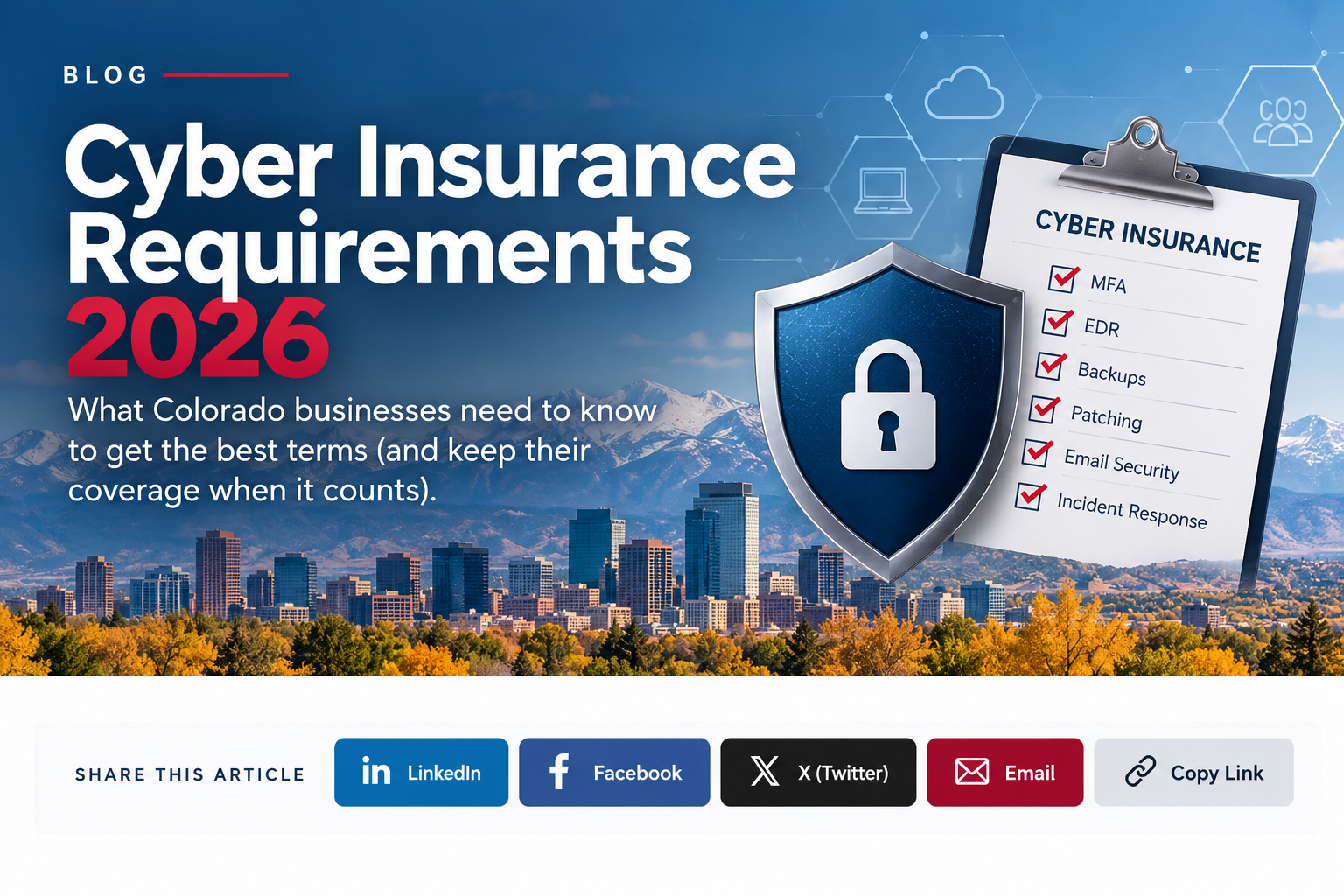
Cyber insurance requirements in 2026 come down to about ten controls, and underwriters increasingly want proof, not just a “yes” on the application. Expect to show:
✓ MFA on email, remote access, admin accounts and cloud apps
✓ No exposed remote desktop, and a patched VPN protected by MFA
✓ EDR on every device, ideally watched 24/7 (MDR)
✓ Offline or immutable backups with a tested restore
✓ Patching on a schedule and no unsupported systems
✓ Email security (filtering, SPF, DKIM, DMARC) and callback verification for payment changes
✓ Separate admin accounts, phishing training, and a written incident response plan
Rates are actually easing (Marsh reports U.S. cyber rates fell 2% in Q2 2026), but scrutiny isn’t. The businesses with documented controls get the best terms, and an inaccurate answer can put a claim at risk.
|
Updated October 2026 · By Wendy Campbell, Director of Marketing, Automated Business Technologies
A few years ago, buying cyber insurance meant filling out a short form and checking a few boxes. Today the application reads more like a security audit. Underwriters ask how your backups are stored, who has admin rights, whether your VPN requires MFA and how fast you patch critical vulnerabilities. Some carriers scan your internet-facing systems before they’ll quote, and won’t bind a policy until the problems they find are fixed.
This guide lays out the security controls underwriters expect in 2026, what the application questions actually look like, what “good” means for each control and what proof to keep on file. It’s written for small and midsize Colorado businesses. Munich Re says micro-companies and SMEs see the majority of cyber incidents and claims. We’ve tied every number to a named source, listed at the bottom.
|
Why underwriters care
87%
of At-Bay’s 2025 ransomware claims came through remote access tools (VPN or RDP)
$422K
average ransomware claim for businesses under $25M in revenue, up 40% in a year (At-Bay)
58%
of incidents Coalition saw in 2025 were email compromise or funds transfer fraud
|
In this guide
|
|
Renewal on the calendar?
|
ABT’s free, no-obligation IT assessment checks your environment against the controls on a typical cyber insurance application and gives you a plain-English list of what to fix, and what to document, before you sign. Choose “MITS” as your area of interest.
|
The 2026 cyber insurance market: easier pricing, harder questions
Here’s the good news. After the premium spikes of recent years, there’s plenty of insurance capacity and carriers are competing for business. Marsh’s Global Insurance Market Index shows cyber rates down 4% globally and 2% in the U.S. in the second quarter of 2026.
Softer pricing hasn’t made underwriting looser. Carriers are pricing for risk more precisely, which means two similar companies can get very different quotes, deductibles and coverage limits based on what their controls look like. The claims data explains why carriers keep asking:
|
Ransomware is still the costliest claim
Ransomware appeared in 48% of breaches in Verizon’s 2026 Data Breach Investigations Report, up from 44%. Coalition’s 2026 Cyber Claims Report puts the average ransomware loss at $269,000, and initial ransom demands rose 47% in a year.
|
Small businesses are feeling it most
At-Bay’s 2026 InsurSec Report found companies under $25 million in revenue had the steepest jump of any group: ransomware frequency up 21% and average severity up 40%, to $422,000.
|
|
Email fraud is the most common claim
Business email compromise and funds transfer fraud made up 58% of the incidents Coalition handled. The average funds transfer fraud claim was $141,000, and 52% started with a compromised mailbox.
|
Unpatched systems are the top way in
Exploiting a software vulnerability is now the leading initial access route in Verizon’s data, at 31% of breaches. That’s why patching and end-of-life systems get their own section on most applications.
|
How underwriters check your controls now
Underwriting used to rely almost entirely on what you said about yourself. In 2026 it typically uses three layers, and you should assume all three apply to you:
|
Layer 1
The application
A standard form plus, at many carriers, a ransomware supplement. Beazley’s ransomware supplemental application (2022 edition), for example, runs to more than 40 questions across email security, identity and access, end-of-life software, service accounts, security tools, vulnerability scanning, backups and continuity planning.
|
Layer 2
An outside-in scan
Some carriers scan your public IP addresses and domains during quoting. Coalition, for one, flags critical findings from that scan as contingencies that must be resolved before it will bind a policy. An exposed remote desktop port is exactly the kind of thing these scans see.
|
Layer 3
The claim
This is where your answers get tested for real. After an incident, forensic investigators reconstruct exactly how the attacker got in, and the carrier compares their findings with what you told it on the application.
|
|
Try this first
|
Ask your broker for the carrier’s actual application and any ransomware supplement now, not the week your policy expires. Reading the real questions 90 days out turns renewal into a to-do list instead of a scramble.
|
The 10 security controls underwriters expect in 2026
Every carrier words its questions differently, but the same controls show up again and again. Here’s what each one means, what a passing answer looks like and the proof worth keeping.
| Control | What the application asks | What a strong answer looks like | Proof to keep |
|---|---|---|---|
| 1. Multifactor authentication | Is MFA enforced for remote access, webmail and all admin accounts? | Yes for all of them, plus cloud apps and the backup console. Phishing-resistant methods for admins. | MFA registration report; conditional access policy export |
| 2. Secure remote access | Do you use remote desktop? Is it exposed to the internet? Is MFA required? | No RDP open to the internet. VPN or remote access patched and behind MFA. | External scan results; firewall rule review; VPN firmware version |
| 3. EDR and 24/7 monitoring | Which EDR/MDR vendor? Is there a SOC that can isolate devices? | EDR on every workstation and server, monitored around the clock by people who can respond. | EDR coverage report vs. device inventory; MDR contract |
| 4. Backups | Offline or immutable? Encrypted? How often do you test a restore? | At least one copy offline or immutable, separate credentials, a restore tested this quarter. | Backup job reports; dated restore test log with timing |
| 5. Patching and end-of-life | Time to remediate critical CVEs? Any unsupported software? | Critical patches on a defined timeline. Unsupported systems replaced, or isolated and on paid extended support. | Patch compliance report; asset inventory with OS versions |
| 6. Email security | Attachment and link screening? SPF, DKIM, DMARC? Legacy protocols disabled? | Advanced filtering on, all three records published, legacy authentication turned off, macros blocked. | DNS record check; Microsoft 365 or Google security settings |
| 7. Payment verification | How do you verify new or changed bank details before sending money? | A callback to a known number for any change, plus a second approver above a set dollar amount. | Written payment procedure; signed acknowledgments from AP staff |
| 8. Privileged access | Do users have local admin rights? How are admin and service accounts managed? | Separate admin accounts, no local admin for everyday users, service accounts limited and vaulted. | Admin account list with owners; quarterly access review |
| 9. Security awareness training | How often do you train staff and run phishing simulations? | Training for everyone, regular simulations, and follow-up for people who click. | Completion records; simulation results over time |
| 10. Incident response plan | Do you have a plan covering ransomware? Have you run a tabletop exercise? | A written plan with names and phone numbers, the insurer’s claim hotline, and a tabletop in the last year. | The plan itself; tabletop date, attendees and lessons learned |
Now the detail behind each one, including the mistakes that most often turn a “yes” into a problem.
1. MFA everywhere an attacker would log in
MFA is the first thing nearly every application asks about, and the most common place businesses overstate their coverage. “We have MFA” usually means email. Underwriters want it on remote access (VPN and remote desktop), webmail, every administrator account, cloud apps like Microsoft 365, and the console for your backups. CISA goes further and recommends phishing-resistant MFA for all services. If you’re on Microsoft 365, note that Microsoft is retiring its built-in text and voice codes on February 1, 2027. See how text codes, authenticator apps and passkeys compare.
2. Remote access that isn’t an open door
This is where ransomware starts. In At-Bay’s 2025 claims, remote access tools were behind 87% of ransomware attacks, and VPNs alone were involved in 73%, up from 38% two years earlier. Remote desktop exposed to the internet is the kind of finding an outside scan catches, and some carriers won’t bind until it’s closed. Keep VPN appliances on current firmware, require MFA, and retire any remote access tool nobody uses anymore.
3. EDR, and someone watching it 24/7
Traditional antivirus is no longer enough to answer the endpoint question. Applications ask for your endpoint detection and response (EDR) vendor by name, and increasingly whether a security operations center monitors it around the clock. At-Bay’s data shows why the second part matters: 60% of victims of the Akira ransomware group had a leading EDR product and were still compromised. Only those whose EDR was backed by 24/7 managed detection and response (MDR) avoided full encryption. More on endpoint security for growing Colorado businesses and why 24/7 monitoring matters.
4. Backups that survive the attack
Attackers go after backups first, so carriers ask detailed questions: Is the backup on your corporate network? Is there an offline copy? Is any of it immutable? Are the backups encrypted, and is a copy of the key stored offline? How long would a full restore take, and when did you last test one? CISA’s #StopRansomware Guide recommends offline, encrypted backups for the same reason. A syncing service like OneDrive or Dropbox is not a backup, because it syncs the encrypted files too.
|
The restore test is the proof
|
“We back up nightly” tells an underwriter very little. “We restored our accounting server from the offline copy on September 18; it took 3 hours 40 minutes” tells them a lot. Test at least quarterly and write the result down.
|
5. Patching on a schedule, and no unsupported systems
Applications ask how quickly you fix critical vulnerabilities and whether you run any end-of-life software. If you do, they want to know it’s separated from the rest of the network and covered by paid extended support. This one is timely: Year 1 of Windows 10 Extended Security Updates covers PCs only through October 13, 2026, the same date Microsoft ends support for Office 2021. See what Colorado businesses pay to extend, upgrade or replace Windows 10. Don’t forget firewalls, VPN appliances and other edge devices; they need patching too.
6. Email security that blocks the first click
Since most claims start in the inbox, carriers ask about attachment and link screening, sandboxing, external-sender tags, and whether SPF, DKIM and DMARC are set up. They also ask whether legacy email protocols that skip MFA are disabled and whether Office macros are blocked by default. In Microsoft 365, the license tier matters: carriers often ask whether you have advanced threat protection or an equivalent add-on.
7. Payment verification that stops wire fraud
This is a process, not a product, and it’s one of the cheapest controls on the list. Many policies cover social engineering and funds transfer fraud only through a specific endorsement, often with a lower sub-limit, and some tie that coverage to a verification procedure. The procedure is simple: any request to change bank details gets a callback to a phone number you already have on file, never one in the email. Speed matters too. At-Bay found policyholders who reported fraud within three days got their money back 70% of the time, versus 27% for those who waited more than 30 days.
|
Tell your AP team this
|
If a vendor emails new bank details, call them at the number in your files before you pay. If money already went out to the wrong account, call your bank and your insurer’s claim line the same day.
|
8. Admin rights kept to a minimum
Once attackers get in, they look for an account that can do everything. Applications now ask whether everyday users have local admin rights, how many service accounts have domain admin privileges, whether those accounts are limited and monitored, and whether you use a password vault or privileged access tool. The basics: admins use a separate account for admin work, nobody browses the web or reads email as an admin, and you review the admin list every quarter.
9. Training that changes behavior
Verizon found the human element in 62% of breaches, and text and phone phishing worked 40% more often than email in its simulations. Carriers ask how often you train, whether you run phishing simulations, and whether people who fail get extra coaching. Records matter: keep completion reports and simulation results so you can show the trend over time.
10. A response plan you’ve actually practiced
Applications ask whether you have a written incident response plan that covers ransomware and whether you’ve tested it with a tabletop exercise in the last year or two. A good plan for a small business fits on a few pages: who decides, who calls the insurer, how to reach your IT provider after hours, and where the backups are. Put your carrier’s claim hotline in it. Many policies expect you to report quickly and use the carrier’s approved breach coach and forensic firms, and calling someone else first can affect what’s covered.
|
Close the gaps before renewal
|
ABT’s managed cybersecurity team runs EDR with 24/7 monitoring, manages MFA and patching, tests your backups and keeps the reports your broker will ask for. Local support from Denver, Colorado Springs and Westminster.
|
Gaps applications are starting to probe
Beyond the ten core controls, a few areas are getting more attention. None will sink an application on its own, but each is a common blind spot for small businesses.
|
Vendors with access to your systems
Third parties were involved in 48% of breaches in Verizon’s 2026 report, up 60% in a year. Know which vendors can reach your network or data, require MFA for their access, and remove it when the work is done.
|
A complete device inventory
Carriers ask whether you keep an up-to-date asset list. Include copiers and multifunction printers: they’re networked computers with hard drives, and they’re often left off. Here’s how to secure business copiers and MFPs.
|
|
AI tools your team already uses
Verizon found 45% of employees use AI tools on work devices and 67% of them do it through personal accounts. That’s company data leaving through a door nobody is logging. Start with what shadow AI is and how to manage it.
|
Physical access to the network
A server closet anyone can walk into undercuts every control above. Cloud-managed access control logs who opened which door and lets you shut off a lost credential in seconds.
|
Why an honest application matters more than a perfect one
Your answers become part of the policy. In Travelers v. International Control Services (2022), the insured had said on its application that it used MFA. After a ransomware attack, Travelers alleged its investigation found MFA protected only the firewall, not the server or other systems. Travelers asked the court to rescind the policy, and ICS agreed to a judgment voiding it. The business was left without the coverage it had paid for.
The lesson isn’t to avoid applying until you’re perfect. It’s to answer precisely. If MFA covers email and VPN but not one legacy system, say so, and explain the plan to fix it. Underwriters can price a known gap with a remediation date. A gap they discover during a claim is a different story.
|
Have IT review it first
|
The person who signs the application is often the owner or CFO, while the person who knows the answers is your IT provider. Have IT review every technical answer before it’s signed, and keep a copy of what you submitted. ABT is an IT provider, not an insurance broker or law firm, so coverage and legal questions belong with your broker and attorney.
|
What Colorado law adds
If personal information about Colorado residents is exposed, Colorado’s breach notification law (C.R.S. 6-1-716) sets a tight clock. Affected residents must be notified no later than 30 days after you determine a breach occurred. If 500 or more Colorado residents are affected, you must also notify the Colorado Attorney General within the same 30 days. Most cyber policies help pay for notification, legal counsel and credit monitoring, which is one reason to call your insurer early.
There’s a practical security tie-in: the law doesn’t apply to data that was encrypted or otherwise unreadable. Full-disk encryption on every laptop is one of the simplest ways to keep a stolen device from becoming a reportable breach. For a broader framework, see how the NIST Cybersecurity Framework applies to Colorado businesses.
Build a renewal evidence binder
Keep these in one shared folder and update them each quarter. When your broker sends the application, most answers are already documented, and if you ever file a claim, you can show the controls were in place.
|
Identity and access
☐ MFA registration report for all users
☐ Conditional access or sign-in policy export
☐ List of admin and service accounts with owners
☐ Quarterly access review sign-off
|
Devices and network
☐ Asset inventory, including copiers and MFPs
☐ EDR coverage report matched to the inventory
☐ Patch compliance report and EOL exceptions
☐ External scan results and firewall review
|
|
Backup and recovery
☐ Backup architecture diagram (where copies live)
☐ Proof of offline or immutable copy
☐ Dated restore test log with timings
|
People and process
☐ Training completion and phishing results
☐ Written payment verification procedure
☐ Incident response plan with insurer hotline
☐ Tabletop exercise notes
|
A 90-day pre-renewal plan
Count back from your renewal date. Ninety days gives you time to fix real gaps rather than explain them.
|
90 days out
|
☐ Get the questions and find the gaps
Ask your broker for this year’s application and any supplements. Have your IT provider answer each technical question and flag anything that isn’t fully true today. Run an outside scan of your public systems, the same kind a carrier might run.
|
|
60 days out
|
☐ Fix the high-impact items
Start with what underwriters weigh most: MFA gaps, exposed remote access, devices without EDR, and backups without an offline copy. Run and document a restore test. Write the payment verification procedure.
|
|
30 days out
|
☐ Document and rehearse
Update the incident response plan and hold a one-hour ransomware tabletop. Collect the evidence binder. For anything still open, write down the fix and the date it will be done.
|
|
Renewal
|
☐ Submit precise answers
Have IT review the final application, keep a copy, and ask your broker whether the improvements earn better terms, a lower retention or added coverage such as social engineering fraud.
|
Not sure where you stand? A cyber risk assessment is the fastest way to find out, and our 31-day Cybersecurity Awareness Month checklist covers many of these controls one small step at a time.
|
Lock down the server room, too
|
Cloud-managed access control replaces copyable keys with credentials you can revoke instantly, and logs every door opened, so your physical security matches your cyber controls.
|
|
Bottom line
|
Cyber insurance is easier to buy in 2026 than it was a few years ago, but it’s harder to buy well. The controls carriers ask about are the same ones that stop the attacks driving their claims: MFA, locked-down remote access, monitored EDR, offline backups, patching and a callback before any payment change. Put them in place, keep the proof, answer the application precisely, and you’ll get better terms and a policy that pays when you need it.
|
Cyber insurance requirements: frequently asked questions
What security controls do cyber insurance companies require in 2026?Most carriers expect MFA on email, remote access and admin accounts; no remote desktop exposed to the internet; EDR on every device, ideally with 24/7 monitoring; offline or immutable backups with tested restores; regular patching with no unsupported systems; email filtering with SPF, DKIM and DMARC; payment verification procedures; limited admin rights; security awareness training; and a written incident response plan.
|
Can a cyber insurance claim be denied for missing MFA?It can, if the application said MFA was in place and it wasn’t. In Travelers v. International Control Services (2022), the insurer alleged MFA protected only the firewall, and the policy was rescinded. Answer MFA questions precisely, disclose any gaps with a fix date, and talk with your broker or attorney about how your policy treats misstatements.
|
Do I need EDR or MDR for cyber insurance?Most applications now ask for an endpoint detection and response (EDR) product by name, and many ask whether it is monitored around the clock. EDR with 24/7 managed detection and response (MDR) is the stronger answer. At-Bay found that only Akira ransomware victims with EDR backed by 24/7 MDR avoided full encryption.
|
What kind of backups do cyber insurers want?Insurers want at least one backup copy that is offline or immutable, so ransomware can’t encrypt or delete it, protected by credentials separate from your main network. They also ask whether backups are encrypted, how long a full restore takes, and how often you test one. A file-syncing service such as OneDrive or Dropbox does not count as a backup.
|
Do cyber insurers scan my network before quoting?Some do. Carriers such as Coalition scan a business’s internet-facing systems during quoting and flag critical findings that must be fixed before the policy is bound. Exposed remote access, like an open remote desktop port, is a typical example. The scan sees only what’s visible from the internet, so the application still covers internal controls like backups and admin rights.
|
Are cyber insurance premiums going up in 2026?On average, no. Marsh reported U.S. cyber insurance rates fell 2% in the second quarter of 2026 and 4% globally. Individual results vary widely, though. Businesses with strong, documented controls tend to get better pricing, lower retentions and broader coverage, while those with gaps may see higher costs or exclusions.
|
Does cyber insurance cover wire fraud?Often, but usually through a specific social engineering or funds transfer fraud coverage part, which may carry a lower sub-limit than the rest of the policy. Some carriers expect a verification procedure, such as calling the vendor at a known number before changing payment details. Check your policy wording with your broker.
|
What must a Colorado business do after a data breach?Under C.R.S. 6-1-716, a business must notify affected Colorado residents no later than 30 days after determining that a breach of personal information occurred. If 500 or more Colorado residents are affected, it must also notify the Colorado Attorney General within the same 30 days. Encrypted data that remains unreadable is generally exempt. Call your insurer’s claim line first.
|
How early should we prepare for a cyber insurance renewal?Start about 90 days before renewal. Get the application from your broker, have your IT provider answer the technical questions, fix the biggest gaps such as MFA, remote access and backups, and collect proof in an evidence binder. Anything still open at renewal should be disclosed with a remediation date.
|
Does having cyber insurance replace cybersecurity?No. Insurance helps pay for recovery, legal costs and some losses after an incident, but it doesn’t prevent downtime, lost customers or the time it takes to rebuild. Carriers also require security controls as a condition of coverage, so the two work together. Most businesses need both.
|
|
Walk into renewal with the answers ready
ABT will review your environment against the controls carriers ask about, fix what’s missing, and give you the reports to prove it, so your next application takes an afternoon instead of a month.
Denver 303-778-0600 · Colorado Springs 719-434-4080 · Westminster 720-389-2460 · North Salt Lake City 801-972-1030
|
|
About the author
Wendy Campbell
|
Wendy Campbell is Director of Marketing at Automated Business Technologies (ABT), a Colorado-owned office technology company founded in 2005. ABT provides managed IT and cybersecurity, access control, managed print and VoIP to businesses across Denver, Colorado Springs and the Front Range.
|
This article is general information, not insurance or legal advice. Requirements vary by carrier and policy. Confirm coverage questions with your insurance broker and legal questions with your attorney.
Sources: Marsh: Global Insurance Market Index, Q2 2026 · Coalition: 2026 Cyber Claims Report · At-Bay: 2026 InsurSec Report · Verizon: 2026 Data Breach Investigations Report (PDF) · Munich Re: Cyber insurance risks and trends 2026 · Beazley: Ransomware supplemental application, 2022 ed. (PDF) · Coalition: Pre-bind contingencies · Lockton: Travelers v. ICS · CISA: #StopRansomware Guide · Colorado Attorney General: Data protection laws