Quick Answer: How do I find meter readings on my printer?
Canon: Home → Counter Check. HP: Settings → Reports → Usage Page. Kyocera: System Menu/Counter → Counter. Xerox: Home → Device → Billing/Usage. All four brands also support remote meter access via browser using the device’s IP address. If you manage multiple printers, a Data Collection Agent (DCA) automates meter reporting entirely.
Keeping accurate printer meter readings is essential for managing print costs, staying on top of service agreements, and ensuring your devices are running efficiently. Whether you use a Canon, HP, Kyocera, or Xerox printer in your Colorado office, this guide walks you through step-by-step instructions for each brand — and explains why it matters for your service contract and budget.
We’ll also cover how to automate meter reporting with a Data Collection Agent (DCA), how to manage your account through the ABT Customer Portal, and how Managed Print Services can eliminate manual meter tracking entirely.
Why Meter Readings Matter for Your Office Printer
Meter readings aren’t just an administrative task — they’re the foundation of accurate service billing and proactive device management. Here’s what’s riding on them:
| Accurate Billing | Most service contracts charge per page. Accurate meter readings ensure you only pay for what’s been printed — not estimated or rounded figures. |
| Cost Control | Understanding your actual usage helps identify print waste, flag unexpected volume spikes, and optimize workflows before costs escalate. |
| Maintenance Scheduling | High print volumes trigger preventive maintenance thresholds. Staying ahead of those milestones avoids unplanned downtime — especially during busy periods. |
| Supply Forecasting | Knowing your page volume lets you predict toner and paper needs before running out mid-job — particularly important ahead of quarter-end or busy seasons. |
How to Check Printer Meter Readings by Brand
Canon — imageRUNNER ADVANCE Series
- Press the Home button on the control panel.
- Select Counter Check.
- Your meter reading displays total, black-and-white, and color page counts.
- Select Print List to print a copy of the report.
Remote access: Use Canon’s Remote UI to access meter readings from a web browser by entering the printer’s IP address — no need to walk to the device.
HP — LaserJet & PageWide Enterprise Series
- Press Settings on the printer panel.
- Navigate to Reports > Usage Page.
- Print the usage page to see current meter readings.
- For remote access, use HP Web Jetadmin to retrieve meters across your fleet.
Remote access: HP’s Smart Dashboard supports remote fleet monitoring — useful for multi-device environments or offices with distributed teams.
Kyocera — TASKalfa & ECOSYS Series
- Press the System Menu/Counter button.
- Select Counter.
- View total counts for black-and-white and color pages.
- Select Print Counter Report for a printed copy.
Automated option: With Kyocera Fleet Services (KFS), meters are submitted automatically to your service provider — no manual checks required.
Xerox — VersaLink & AltaLink Series
- Tap the Home button on the touchscreen.
- Go to Device > Billing/Usage.
- Your meter count appears on screen.
- Select Print Meter Report to print a usage summary.
Remote access: Use Xerox’s CentreWare Web to track meters remotely across your network — particularly useful for multi-device or multi-location environments.
Save Time with a Data Collection Agent (DCA)
If you manage multiple printers or locations, checking meters manually doesn’t scale — and it creates billing risk when readings are late, estimated, or missed entirely. A Data Collection Agent (DCA) solves this by automating the process completely.
A DCA is a lightweight software tool installed on your network. It securely gathers meter readings from all connected devices and automatically sends them to your print service provider on schedule. No emails, no spreadsheets, no chasing down readings at billing time.
| Automated reporting | Set up once — meters submit on their own every billing cycle, no reminders needed. |
| Billing accuracy | Eliminates estimated readings and disputes — you’re billed on actual page counts, every time. |
| Real-time visibility | Stay updated on usage data across your entire fleet without touching a single device. |
| Staff time savings | Frees up whoever is currently responsible for manual meter collection — typically an office manager or admin. |
Need help setting up a DCA? Contact ABT and we’ll walk you through the installation process for your specific devices and network environment.
Submit Meter Readings Through the ABT Customer Portal
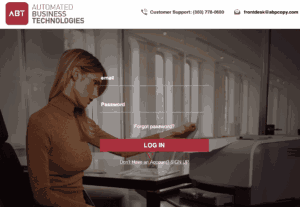
You can log in to the ABT Customer Portal at any time to submit meter readings, order supplies, or manage your account — without a phone call.
Inside the portal you can submit or review meter readings, order toner and supplies, request service or repairs, and view billing history, contracts, and service records — all in one place, 24/7.
To access the portal: Visit yourabt.com and click Customer Portal in the top navigation. First-time users can call (303) 778-0600 to get set up.
Want to Eliminate Meter Tracking Entirely? Try Managed Print Services
If meter readings, toner ordering, and maintenance scheduling feel like recurring time sinks, Managed Print Services (MPS) from ABT removes them from your plate entirely. We handle automatic meter submissions, proactive toner delivery before you run out, scheduled maintenance, and monthly usage reporting — so your team never has to think about the printer fleet again.
Most Colorado businesses we set up on MPS reduce their overall print spend by 20–30% within the first year — not because we’re doing anything unusual, but because nobody was actively watching the spend before and there’s typically real waste once you look at the data.

Why Colorado Businesses Work with ABT for Print Management
ABT has been selling and servicing printers and copiers on the Front Range since 2005 from three locations — Denver/Centennial, Colorado Springs, and Westminster. We’re authorized dealers for Canon, HP, Kyocera, and Xerox, which means our technicians know these devices at a component level — not just how to swap a toner cartridge.
When something goes wrong — or when you need a DCA configured, a meter dispute resolved, or a service contract reviewed — you get the same local team that installed your equipment, not a national call center working from a ticket queue.
Ready to Simplify Your Print Environment?
Whether you want to check meters manually, automate the process with a DCA, or hand the whole thing off through an MPS plan — ABT can set you up and support you on an ongoing basis. Reach out for a free print environment assessment and we’ll show you exactly where your current setup stands.