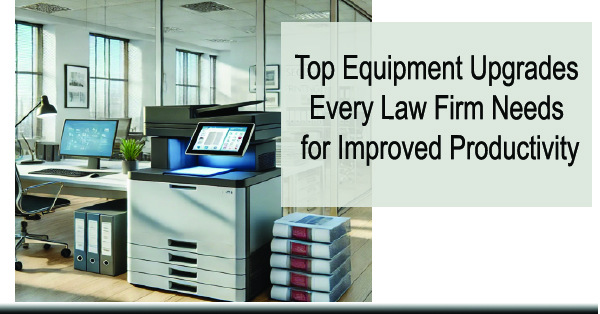
Top Equipment Upgrades Every Law Firm Needs for Improved Productivity
By Wendy Campbell, Director of Marketing | ABT | Updated 2026 | 7-minute read
Part 1 of the ABT Legal Firm Solutions Series
In This Guide:
- Signs It’s Time to Upgrade Your Law Firm’s Equipment
- 1. Multifunction Printers (MFPs)
- 2. Smart Document Management Systems
- 3. High-Speed Scanners
- 4. Cloud-Based Faxing
- 5. Unified Communications (UCaaS)
- Efficiency & Cost Savings: The Business Case
- Frequently Asked Questions
- Get a Free Environment Assessment
If your law firm’s office equipment is slowing your team down, driving up costs, or creating security concerns, the problem isn’t going to fix itself. The right equipment upgrades — multifunction printers, document management systems, high-speed scanners, cloud faxing, and unified communications — can directly improve your firm’s productivity, reduce operating costs, and strengthen your security posture. This guide walks through which upgrades matter most, what to look for in each category, and how to know when the timing is right.
Not sure where your firm stands? ABT offers a free, no-obligation print and technology environment assessment for Colorado law firms. Request your assessment →
Signs It’s Time to Upgrade Your Law Firm’s Equipment
Quick Answer: If your equipment needs frequent repairs, creates workflow bottlenecks, lacks modern connectivity, or is costing more to operate than it would to replace — it’s time. Most law firms are significantly underinvesting in the technology that handles their highest-volume daily tasks.
In a law firm, every minute of unplanned downtime has a cost — in billable time lost, in staff productivity, and sometimes in client perception. Here are the four clearest signals that your current equipment is working against you:
| Warning Sign | What It’s Actually Costing You |
| Frequent repairs & downtime | Service calls add up fast — and every hour equipment is down is an hour your team can’t process documents. Modern equipment is built for reliability with warranties that reduce call frequency significantly. |
| Slow performance & bottlenecks | Staff queuing at the printer isn’t a minor inconvenience — it’s a measurable drag on output. Current-generation MFPs handle high-volume runs at speeds that eliminate the wait entirely. |
| Limited connectivity & compatibility | If your equipment doesn’t support wireless printing, mobile access, or document management integration , your team is working around your tools rather than with them. |
| Rising costs & declining output quality | Older machines consume more ink, generate more waste, and produce lower-quality output. The per-page cost of running aging equipment almost always exceeds the cost of upgrading to a current-generation model. |

Related: Copier Leasing in Denver | A3 vs. A4 | Best Local Service →
Top Technology Solutions for Colorado Law Firms
Here are the five equipment categories that consistently deliver the highest return for law firms — what each does, what to look for, and why it matters in a legal environment specifically.
1. Multifunction Printers (MFPs)
For a law firm, the MFP is mission-critical infrastructure. It handles printing, copying, scanning, and faxing — all the document workflows that run through your office every day. The difference between a well-matched MFP and an underpowered one shows up in staff time, output quality, and security compliance.
ABT is an authorized dealer for Kyocera, Canon, and other leading MFP brands. Here’s what matters most when evaluating a model for a legal environment:
| Feature | Why It Matters for Law Firms |
| High-speed printing & scanning | Handle large document runs — discovery sets, court filings, client packets — without creating a queue at the device. |
| Automatic duplexing | Print two-sided automatically — reduces paper consumption and cost per page on high-volume runs. |
| Secure print release | Documents sit in a hold queue until the authorized user authenticates at the device — no privileged client documents sitting unattended in the output tray. |
2. Smart Document Management Systems
A smart document management system (DMS) replaces physical filing cabinets and shared drive folders with a searchable, access-controlled digital repository. For a law firm managing hundreds or thousands of active and archived matter files, the efficiency gain is significant — and the security improvement is substantial.
| Capability | Practical Value |
| Full-text document search | Find any document in seconds by content, not just filename — eliminates time spent searching through physical or digital folders. |
| Role-based access & encryption | Control who sees what at the matter, practice group, or individual file level — supports client confidentiality obligations and reduces internal exposure risk. |
| Cloud access | Attorneys working remotely, traveling for depositions, or in court access the same current documents as their office-based colleagues — no emailing attachments or waiting for someone to scan something. |
3. High-Speed Scanners
Most modern MFPs include capable scanning built in. But firms with high-volume digitization needs — converting paper archives, processing discovery, or handling large intake document sets — may benefit from a dedicated high-speed scanner alongside their MFP fleet.
| Feature | Why It Matters |
| Batch scanning with OCR | Process large document stacks in one pass. OCR (Optical Character Recognition) converts scanned pages into searchable, editable text — making your digitized files actually useful rather than just stored images. |
| Multi-feed detection | Current-generation scanners detect when pages are fed through together — preventing missed pages and ensuring the complete document is captured every time. |
| DMS integration | Scanned documents route directly into your document management system — no manual saving, renaming, or filing steps required. |
4. Cloud-Based Faxing
Fax isn’t going away in legal — courts, opposing counsel, and government agencies still use it. But maintaining a physical fax line and machine for that use case is an unnecessary cost and a security liability. Cloud faxing solutions let your team send and receive faxes through email or a web portal — no dedicated phone line, no physical machine, and full digital records of every transmission.
- Send and receive from anywhere: An attorney can fax a signed document directly from their laptop or mobile device — no trip to a physical machine required.
- Encrypted transmission: Cloud fax providers encrypt transmissions end-to-end, meeting the confidentiality requirements for legal documents without relying on the inherently insecure PSTN fax infrastructure.
- Digital records: Every fax is stored, timestamped, and searchable — eliminating the paper logs and thermal paper archives that physical fax machines generate.
5. Unified Communications (UCaaS)
Communication infrastructure is as important as print infrastructure for a law firm — and most firms are running the same fragmented setup they’ve had for years. Unified Communications as a Service (UCaaS) consolidates phone, video, messaging, and email into one platform that works from any device.
- Scalability: Add attorneys, paralegals, or support staff to the system in minutes — no hardware procurement or installation required.
- Mobile and remote access: Your team’s full phone system follows them on any device — office number, voicemail, and messaging included.
- Better client experience: Consistent, reliable access to your team through a single platform means fewer missed calls, faster callbacks, and a more professional client communication experience.
ABT’s preferred UCaaS platform is Crexendo — chosen for its reliability, local support model, and total cost of ownership for Front Range businesses. For a deeper look at UCaaS for law firms specifically, see Part 3 of this series: Cloud Communications & UCaaS for Law Firms →
Not sure which upgrades make the most sense for your firm’s size and workflow?
ABT’s environment assessment identifies exactly where your current setup is costing you — and which investments deliver the fastest return. It’s free, and there’s no obligation to buy anything.
Efficiency & Cost Savings: The Business Case for Upgrading
Equipment upgrades aren’t just about features — they’re about measurable operational impact. Here’s where the return shows up most clearly for law firms:
| Benefit Area | What Changes |
| Staff time savings | High-speed MFPs with advanced scanning eliminate wait times on large document runs. Secure print release means no one has to babysit the output tray. Digital document search eliminates manual file hunting. |
| Lower operating costs | Current-generation equipment uses less toner, less energy, and generates less waste than machines five or more years old. Cloud faxing and digital document management eliminate dedicated phone lines and paper-based storage costs. |
| Better collaboration | Cloud-based DMS and UCaaS mean every team member — in the office or remote — works from the same current documents and communication platform. Version conflicts and “I didn’t get that” problems go away. |
| Stronger security & compliance | Secure print release, encrypted file storage, role-based access, and audit logging are standard on current equipment. These aren’t add-ons — they’re built in, and they directly support your ethical obligations around client confidentiality. |
Frequently Asked Questions
Get a Free Environment Assessment
ABT has been helping Colorado businesses — including law firms across the Front Range — optimize their office technology since 2005. We’re not a national reseller. We’re a local team with offices in Denver, Colorado Springs, and Westminster, and technology specialists who understand what a busy legal practice actually needs.
Our free environment assessment evaluates your current print and technology setup, identifies what’s costing you more than it should, and gives you a clear picture of your options — with no obligation to buy anything. Most firms walk away with at least one actionable change they can make immediately.
|
20+ Years serving Colorado businesses |
3 Front Range office locations |
Local On-site support available |
Request Your Free Environment Assessment
Tell us about your firm’s current setup. We’ll come back with an honest evaluation and a clear set of recommendations — no jargon, no pressure.
ABT Front Range Offices:
Denver/Centennial: 11999 E. Caley Ave Suite A | 303-778-0600
Colorado Springs: 1047 Elkton Drive | 719-434-4080
Westminster/NoCO: 12000 N. Pecos St., Suite 330 | 720-389-2460
Wendy Campbell is Director of Marketing at Automated Business Technologies (ABT), a Colorado-owned B2B technology company serving the Front Range since 2005. ABT is an authorized dealer for Canon, HP, Kyocera, Epson, Xerox, Roland, Crexendo, and Verkada.