Which Printers are Best in and Architecture Office?
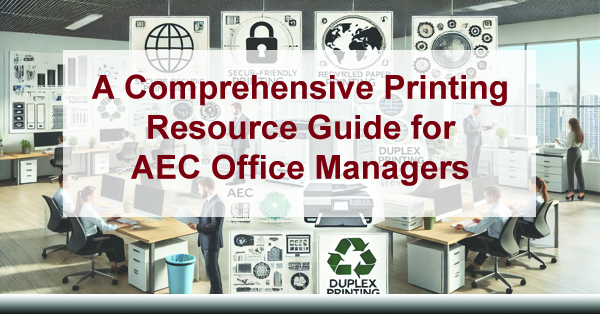
A Comprehensive Printing Resource Guide for AEC Office Managers
If you manage printing in an architecture, engineering, or construction (AEC) office, you’re balancing plan production, bid-week volume spikes, constant revisions, compliance documentation, and client-facing deliverables—often across multiple teams and locations. This guide helps you align the right devices, workflows, security controls, and service strategy so printing stops being a daily fire drill.
Quick win: Your print environment is only “good” if it holds up on bid week. The goal is predictable output, fewer reruns, and faster turnaround—without sacrificing accuracy, security, or cost control.
Which Printers Are Best in an Architecture Office?
Colorado growth is strong, and in the AEC world, having the right printing solutions is a practical advantage—not a “nice to have.” You’re dealing with drawings, markups, permit sets, addenda, RFIs, submittals, closeout docs, and client-ready presentations. Each output type has different requirements for line accuracy, image quality, speed, paper handling, finishing, and security.
This resource guide is designed to help you align your print environment needs, recommend suitable device types, and cover the essentials: secure printing, sustainability, managed print services, ongoing maintenance, and knowing when to upgrade. The end result you want is simple: a printing setup that matches how your AEC office actually works—under real deadlines.
Note: Device pricing and specs change by configuration, region, and availability. Treat any MSRP references as “ballpark,” and confirm current pricing before you decide.
First Step: Understand Your Collective Daily Printing Needs
In your AEC office, different printing tasks often require specialized devices to stay efficient. You can absolutely run a lean setup, but if one shared device becomes the bottleneck, your entire workflow feels slower than it should. The goal is to prevent downtime during peak moments and keep everyone moving—from project managers to designers to admin staff.
For example, large-format printers are indispensable for producing high-quality drawings and detailed renderings, while multifunction printers (MFPs) handle everyday document printing, scanning, copying, and (when needed) faxing. Color devices support presentations, proposals, and marketing collateral that needs to look polished.
AEC reality check
If you rely on one device to do everything, you’ll feel it when someone prints a 200-page bid package at the same time another team needs scanning for closeout documentation. Separation of duties = fewer bottlenecks.
What “right-sized” looks like
You match devices to output types: wide-format for plans, a reliable MFP for daily docs, and a color-capable device for proposals and presentations. Then you support it with service + supplies that don’t leave you stranded.
The 5 output categories you typically manage
1) Blueprints and drawings
Architects and engineers rely heavily on large-format output for drawings and details. These prints must be accurate—line quality, scaling, and consistency matter. If the printer introduces delays, reprints, or calibration headaches, you lose time exactly when you can’t afford it.
- Large-format printers: The post’s example device is the Canon imagePROGRAF TZ-30000 (large-format output with high resolution). The point isn’t “this exact model is perfect for everyone”—it’s that a dedicated wide-format device is usually the backbone of AEC production.
Video link (kept): https://youtu.be/ioAo-kUYQFw?si=tjpNkEr3LsyfRfCg
2) Documentation (proposals, bids, specs, contracts)
AEC offices print and scan a lot of standard documents: contracts, proposals, specs, forms, invoices, HR paperwork, and compliance docs. For this category, you need reliability, fast first-page-out, strong paper handling, and security features that protect sensitive client information.
- Multifunction printers (MFPs): The post’s example device is the HP LaserJet Enterprise MFP M725z—a “workhorse” style device that combines print, scan, copy, and fax functions for day-to-day operations.
3) Marketing and client communication
Presentations, portfolios, boards, and brochures all influence how your firm is perceived. Color quality, consistency, and professional finishing matter—especially when you’re presenting to owners, municipalities, or stakeholders.
- Color printers: The post’s example device is the Xerox VersaLink C7000DN for brochures, flyers, and presentation materials.
Video link (kept): https://www.youtube.com/watch?v=qNUyiGhM0x8
4) Internal communication and collaboration
Meeting agendas, markups, internal checklists, and design drafts still get printed in many offices—especially during coordination meetings. You want a dependable printer for small teams that doesn’t require constant attention, with easy wireless/mobile printing when appropriate.
- Workgroup printers: The post’s example device is the Kyocera ECOSYS P5026cdw (kept link) for reliable, cost-conscious team printing.
Video link (kept): https://www.youtube.com/watch?v=9H0zO-NfrnU
5) Administrative and compliance
Administrative print needs—safety manuals, invoices, HR forms, regulatory documents—require versatility and dependable paper handling. This is also where you typically see waste creep in: unnecessary color printing, single-sided defaults, and duplicated print runs.
- Office printers: The post’s example device is the Epson WorkForce Pro WF-C5790 for general office output with cost-conscious ink usage.
AEC Print Environment “Right-Sizing” Cheat Sheet
If you want a quick way to decide what to keep, what to upgrade, and what to add, this table gives you a simple “match the tool to the job” view. You can use it to explain decisions internally (leadership loves clarity), and it helps you avoid overbuying.
| Output Type | Best-Fit Device | What to Prioritize | Common Mistake |
|---|---|---|---|
| Plans / drawings (wide-format) | Dedicated wide-format printer/plotter | Line accuracy, speed, uptime, easy media handling | Using one shared device for everything (bottlenecks on bid week) |
| Contracts / bids / specs | Workhorse MFP | Security, reliability, duplex, scan speed, finishing | Ignoring security + access controls for sensitive documents |
| Proposals / presentations | Color-capable device | Color consistency, paper handling, quality | Underestimating how “print quality” impacts perceived professionalism |
| Team printing | Workgroup printer | Low intervention, predictable costs, easy reordering | Letting supply chaos (toner/ink) become an ongoing distraction |
| Admin + compliance | Office printer + print policies | Duplex defaults, cost controls, tracking | Allowing uncontrolled color printing + single-sided waste |
Secure Printing
Secure printing is non-negotiable in AEC. You handle sensitive documents: project budgets, contracts, client details, building plans, and sometimes protected personal information. Secure printing helps prevent the “printer tray data leak” that happens when documents are printed and forgotten in a shared area.
- Secure print release: Require a PIN, badge, or authentication before printing releases at the device.
- Role-based access: Limit who can print in color, who can scan to email, and who can access certain device functions.
- Audit trails: Track print and scan activity for accountability and compliance.
Why this matters for you: Secure release is one of the easiest ways to reduce risk and cut waste. Unclaimed prints drop, and sensitive documents don’t sit exposed in an output tray.
Sustainability (without slowing your teams down)
Sustainability is becoming increasingly important for businesses, and AEC offices can reduce environmental impact without adding friction. Most sustainability wins come from defaults and policies—things you set once and benefit from continuously.
- Duplex printing by default: The simplest way to reduce paper usage immediately.
- Recycled paper where it makes sense: Especially for internal documents and drafts.
- Device strategy: Use equipment designed with efficient components and power management.
- Print management tools: Solutions like Papercut or MPS Monitor help track volume and reduce unnecessary printing.
Sustainability doesn’t have to be a separate initiative. When you bake smart defaults into your print environment, you save money and reduce waste at the same time.
Managed Print Services (MPS)
Managed Print Services (MPS) can help you streamline printing, reduce costs, improve uptime, and stop supply issues from hijacking your day. In AEC specifically, MPS shines when your environment includes multiple devices, multiple teams, or multiple office locations—and you need consistent support during critical deadlines.
What you get from MPS (AEC-focused)
- Reduced downtime: Proactive maintenance + faster response when something fails.
- Predictable spend: Cleaner budgeting with fewer surprise invoices.
- Automated supplies: Toner shows up before you run out, not after.
- Visibility: Reporting helps you right-size fleets and cut waste.
- Security options: Policies + secure release + access controls.
The post’s original guidance still holds: your best option is often to partner with a local authorized dealer. You typically get a shorter response time, and when you see the same technicians regularly, they learn your environment—devices, workflows, and even the “how things really work” details that never show up in a generic help ticket.
Colorado-specific note: If you’re supporting multiple offices (Front Range + project satellite locations), standardizing devices and support reduces “version chaos” and keeps output consistent across teams.
Want a wider AEC workflow view (print + IT + security + communications)? Explore ABT’s AEC solutions here: https://yourabt.com/solutions/abt-solutions-aec-2/
Ongoing Printer Maintenance
Maintenance is what separates “it works most of the time” from “it works when we need it most.” Regular upkeep extends device life, reduces print defects, and prevents the classic AEC disaster: a breakdown right before a deadline.
Maintenance priorities you can control
- Routine cleaning: Keep paper paths and rollers clean to reduce jams and streaking.
- Consumables planning: Track usage so you don’t run out mid-job.
- Firmware/software updates: Updates often include security fixes and stability improvements.
- Basic staff training: Clearing jams correctly and replacing consumables properly saves real time.
Maintenance contracts (when they’re worth it)
If your office can’t tolerate downtime, a maintenance contract or an MPS agreement can make sense because it formalizes response time, parts coverage, and proactive service. That predictability is often the real value—especially when deadlines stack up.
Knowing When to Upgrade
Upgrading at the right time protects productivity and reduces the “hidden costs” of aging equipment: constant service calls, inconsistent output, delays during busy periods, and staff time wasted troubleshooting.
Signs it’s time
- Frequent breakdowns or repeat issues (same failure pattern)
- Rising maintenance costs and more downtime than you can justify
- Security gaps (no secure release, weak admin controls, no audit trails)
- New workflow needs (more scanning, more locations, more volume, more color demands)
- Quality issues (streaking, line inconsistency, calibration drift)
Why on-site assessment matters
The original point here is important: have your account executive on-site before proposing an upgrade. Seeing your real workflow prevents “paper spec” recommendations that don’t match how your teams actually print, scan, and share documents.
Start with a Print Environment Assessment
Ready to transform your AEC office’s printing environment? ABT can help you select the right mix of wide-format, MFPs, workgroup devices, and policies—based on your actual output requirements, peak workloads, and security expectations.
Whether you want to implement secure printing, improve sustainability, control costs, or upgrade devices that are holding your team back, the fastest path is to evaluate what you have today and map it to what you need for the next 12–24 months. Your next project deserves reliable output—without constant babysitting.
FAQs: AEC Printing & Office Workflow
What’s the best printing setup for an AEC office?
In most cases, you’ll get the best results with a dedicated wide-format device for plans, a reliable MFP for everyday documentation and scanning, and a color-capable device for proposals and presentations. The “best” setup is the one that holds up on bid week without turning into a bottleneck.
How do you reduce reprints and waste?
Start with duplex defaults, secure print release, and basic print rules (like limiting unnecessary color). Then add reporting so you can see where volume and cost are coming from. A small policy change often delivers bigger savings than people expect.
Do you really need secure print release?
If you print contracts, budgets, drawings, or client information in shared spaces, secure release is one of the simplest ways to reduce risk. It also reduces unclaimed prints—so you get a waste reduction benefit along with the security benefit.
When does Managed Print Services make sense?
If you’re managing multiple devices, multiple teams, or multiple locations—or if supply problems and downtime are recurring—MPS is often the fastest way to stabilize printing, improve service response, and make costs predictable. Learn more here (kept link): https://yourabt.com/solutions/managed-print-services/
What should you measure to justify upgrades?
Track downtime incidents, reprints, supply emergencies, and time spent troubleshooting. If you quantify just two weeks of disruption, you’ll usually have enough data to justify changes—especially when you connect delays to missed deadlines or overtime.
Colorado growth is unbeatable and in the space of architecture, engineering, and construction (AEC), having the right printing solutions is crucial to maintain productivity and ensure the highest quality of work.
This resource guide is designed to help AEC office managers align their print environment needs, recommend suitable devices with specifications and MSRP, and discuss essential aspects such as secure printing, sustainability, managed print services, ongoing maintenance, and the importance of regular upgrades.
First Step: Understand Your Collective Daily Printing Needs
In your AEC office, different printing tasks require specialized printers to ensure optimal performance and quality. By having different types of printers, you can enhance efficiency and productivity, as each device excels at specific tasks.
For example, large-format printers are indispensable for producing high-quality blueprints and detailed renderings, while multifunction printers (MFPs) are perfect for handling everyday document printing, scanning, copying, and faxing needs. Color printers are essential for creating vibrant marketing materials and client presentations.
Although some advanced MFPs can multitask and handle various printing needs, having dedicated devices for specific functions can prevent bottlenecks and maintain workflow continuity. By leveraging the strengths of different printers, you ensure that each task is performed with the highest quality and efficiency, ultimately leading to better project outcomes and client satisfaction. Let’s explore!
1. Blueprints and Drawings
Architects and engineers rely heavily on large-format prints for blueprints and detailed drawings. These prints must be precise and high-quality to ensure accuracy.
- Large-Format Printers: Devices like the Canon imagePROGRAF TZ-30000, priced around $9,995, are ideal for producing high-resolution blueprints and detailed renderings. Specifications include a print resolution of up to 2400 x 1200 dpi and a print speed of up to 4 D-sized prints per minute.
2. Documentation
From project proposals and bids to technical specifications and contracts, AEC offices require reliable printers that can handle various document types.
- Multifunction Printers (MFPs): The HP LaserJet Enterprise MFP M725z, with an MSRP of approximately $3,500, offers robust features such as printing, scanning, copying, and faxing. It supports a print resolution of up to 1200 x 1200 dpi and comes with advanced security features.
3. Marketing and Client Communication
High-quality marketing materials, portfolios, and client presentations are essential for impressing clients and stakeholders.
- Color Printers: The Xerox VersaLink C7000DN, priced around $2,799, is perfect for producing vibrant brochures, flyers, and presentation materials. It offers print speeds of up to 35 ppm and a print resolution of up to 2400 x 1200 dpi.
4. Internal Communication and Collaboration
Efficient internal communication and collaboration are vital for project success, requiring printers that can handle meeting notes, agendas, and design drafts.
- Workgroup Printers: The Kyocera ECOSYS P5026cdw, available for around $499, provides reliable performance for small teams. It offers print speeds of up to 27 ppm and supports wireless printing.
5. Administrative and Compliance
Printing invoices, receipts, regulatory documents, and safety manuals requires versatile printers that can handle various paper types and sizes.
- Office Printers: The Epson WorkForce Pro WF-C5790, with an MSRP of approximately $299, is an excellent choice for administrative tasks. It offers high-speed printing, a print resolution of up to 4800 x 1200 dpi, and cost-effective ink usage.
Secure Printing
Ensuring the security of printed documents is crucial in the AEC industry, where sensitive information is frequently handled. Secure printing solutions help protect confidential data from unauthorized access.
- Secure Print Solutions: Devices like the HP LaserJet Enterprise MFP M725z come with built-in security features such as encrypted printing, secure boot, and role-based access control. Additionally, implementing user authentication methods such as PIN codes or ID cards can further enhance document security.
Sustainability
Sustainability is becoming increasingly important for businesses. AEC offices can adopt eco-friendly printing practices to reduce their environmental impact.
- Eco-Friendly Printers: The Kyocera ECOSYS P5026cdw is designed with sustainability in mind, featuring long-life components and energy-efficient operation.
- Recycled Paper and Duplex Printing: Using recycled paper and enabling duplex (double-sided) printing can significantly cut down on paper waste.
- Print Management Software: Solutions like Papercut or MPS Monitor help monitor and reduce unnecessary printing, promoting a more sustainable office environment.
Managed Print Services (MPS)
Managed Print Services (MPS) can help AEC offices streamline their printing processes, reduce costs, and improve efficiency. MPS providers offer comprehensive solutions that include device management, supply replenishment, and technical support.
- Benefits of MPS: Reduced downtime, cost savings, improved security, and enhanced productivity are some of the key benefits of implementing MPS.
- Recommended Providers: Companies like Canon, HP, and Xerox offer robust MPS programs tailored to the needs of AEC offices.
Your best option is to partner with a local authorized dealer, who’s team is required to be up to date on each of the devices they sell. Your response time is shorter and typically, at least with ABT, you see the same tech each time allowing you and them to get to know the devices and personalities in your office.
Ongoing Printer Maintenance
Regular maintenance is essential to keep printers running smoothly and extend their lifespan. This includes routine cleaning, timely replacement of consumables, and software updates.
- Maintenance Contracts: Many manufacturers and MPS providers offer maintenance contracts that include regular check-ups, preventive maintenance, and rapid response to issues.
- Self-Maintenance Tips: Training staff on basic maintenance tasks such as replacing toner cartridges, cleaning print heads, and clearing paper jams can help reduce downtime.
Knowing When to Upgrade
Upgrading your printing equipment at the right time is crucial for maintaining productivity and efficiency. Signs that it’s time to upgrade include frequent breakdowns, increased maintenance costs, and the need for newer features.
- Benefits of Upgrading: Improved print quality, faster print speeds, enhanced security features, and better energy efficiency are some of the benefits of upgrading to newer models.
- Importance of On-Site Assessment: It’s important to have your account executive on-site prior to proposing an upgrade. This ensures that they fully understand your office’s specific needs and can recommend the most suitable solutions.
Start with A Print Environment Assessment
Ready to transform your AEC office’s printing environment? Our team at ABT is here to help you select the perfect printing solutions tailored to your specific needs. Whether you’re looking to implement secure printing, enhance sustainability, or upgrade your current devices, our experts are ready to guide you every step of the way.
Contact us today to schedule a consultation and discover how we can help streamline your print processes, reduce costs, and boost productivity. Your next project deserves nothing but the best – let us help you achieve it.
By following this comprehensive guide, your office managers can align their print environment needs, ensure secure and sustainable practices, and maintain a productive and efficient workspace. Investing in the right printers, managed print services, and ongoing maintenance not only enhances the quality of work but also contributes to overall business success.