|
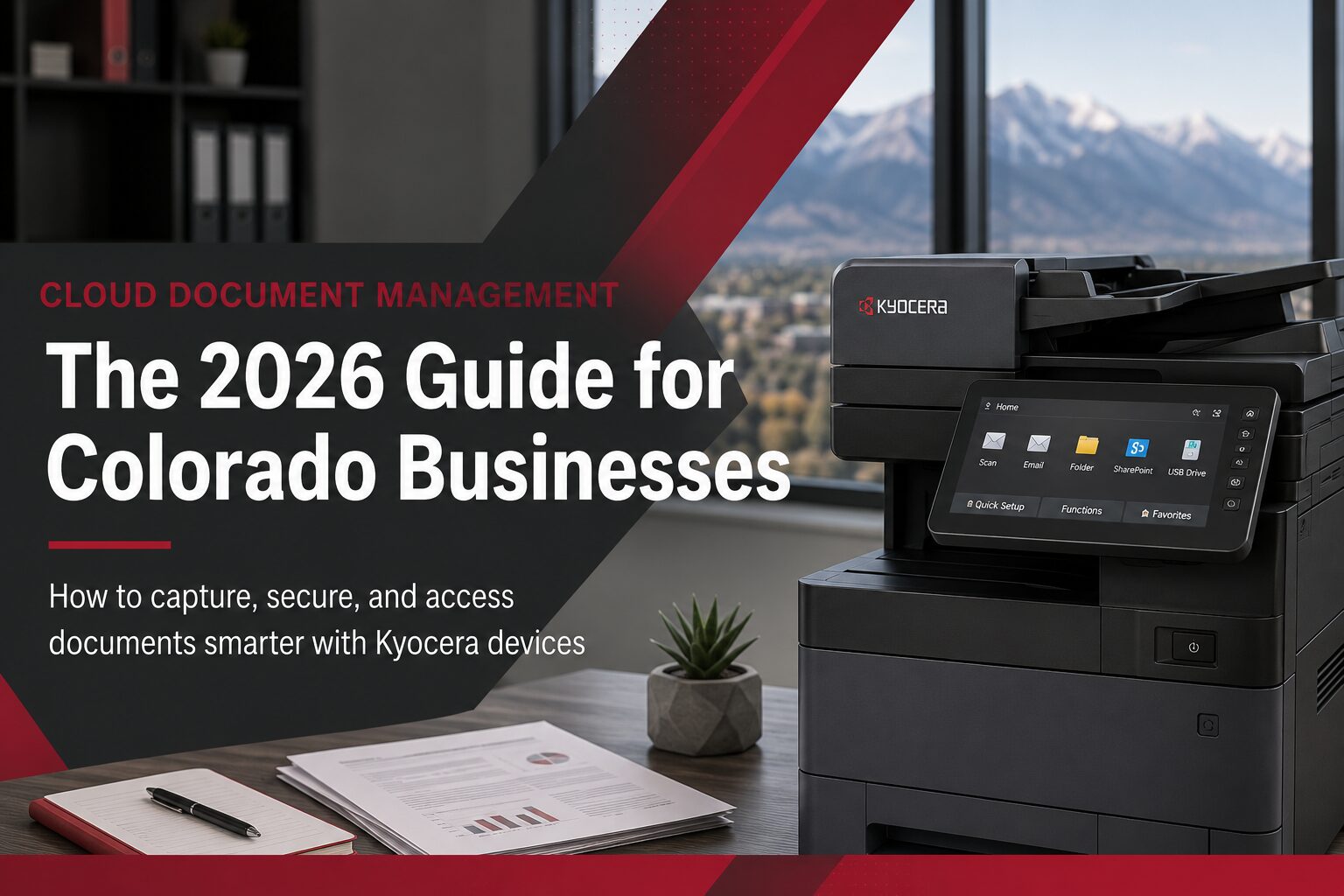
Quick Answer: Cloud document management lets Colorado businesses store, route, and secure files through the internet instead of local servers — and in 2026 it’s most valuable when it’s connected directly to your printer/copier fleet. Paired with Kyocera device apps like DMConnect, your MFPs become the capture point: scan a document at the machine and it’s automatically indexed, encrypted, and routed to the right folder, with an audit trail for HIPAA, GDPR, or internal compliance needs. |
In This Guide
What Is Cloud Document Management?
How It Works With Your MFP Fleet
What Is Cloud Document Management?
Cloud document management means storing, organizing, and accessing your business files through a secure online platform instead of a local server or filing cabinet. For a Front Range business, that typically looks like invoices, contracts, HR files, and client records living in a structured cloud environment — accessible from any office, any device, with permissions that control exactly who can see what.
The part most guides skip: the value isn’t the storage itself — Google Drive and OneDrive already give you that. The value is what happens at the point of capture. If your printers and scanners aren’t wired into that same system, someone is still manually renaming files, emailing scans to themselves, or walking a folder over to accounting. That’s the gap cloud document management closes.
Why It Matters More in 2026
Two things have shifted since this topic was last a “nice to have.” First, hybrid work didn’t go away — teams working across Denver, Colorado Springs, and Westminster still need the same file, the same version, at the same time. Second, insurance and compliance requirements have tightened. Cyber insurance carriers increasingly ask for documented access controls and audit trails as a condition of coverage, not just a best practice.
|
Tip: If you’re not sure whether your current setup would hold up to an insurance audit or a HIPAA technical safeguards review, that’s usually the first sign it’s time for a cloud document management upgrade — not more storage, but more structure. |
How It Works With Your MFP Fleet
Cloud document management runs on three layers, and Colorado offices usually already have two of them without realizing it:
1. Centralized Cloud Storage
Your platform of choice — Microsoft 365/SharePoint, Google Workspace, or a dedicated document management system — holds the files, versioning, and folder structure.
2. Capture at the Device
This is where most offices leave value on the table. Kyocera’s ECOSYS and TASKalfa series support one-touch scan destinations, so a document scanned at the machine goes straight to the correct SharePoint folder, department inbox, or client project folder — no manual renaming, no email attachments floating around. DMConnect takes this further: it applies rules and metadata automatically and can route documents based on AD-based authentication, so the right person’s ID card at the machine determines where the scan goes.
3. Access & Security Controls
Multi-factor authentication, role-based permissions, and encrypted transmission ensure that a scanned file is exactly as protected as the original paper version was supposed to be — and usually more so, since paper doesn’t leave an audit trail.
|
Not sure which Kyocera path fits your volume and workflow? ECOSYS for compact A4 fleets, TASKalfa for higher-volume departments, or TASKalfa Pro for production-scale output — ABT will match the device to how your team actually works. Explore Kyocera Document Solutions → |
Compliance: HIPAA, GDPR & Audit Trails
If your business handles protected health information, client financial records, or legal case files, cloud document management isn’t optional infrastructure — it’s part of how you demonstrate compliance. The HHS HIPAA Security Rule specifically calls out access control, audit controls, and transmission security as required safeguards for electronic PHI — all three of which a properly configured cloud document workflow provides by default.
ABT covers this in more depth in our guide to secure printing for compliance-regulated industries, which walks through pull-printing, device authentication, and encryption specifically for healthcare, finance, and legal environments.
|
Warning: A cloud storage subscription by itself does not equal HIPAA or GDPR compliance. Encryption at rest, access logging, and a signed Business Associate Agreement (BAA) with your cloud provider are separate requirements that need to be confirmed — not assumed. |
Industry-Specific Use Cases
| Industry | What Cloud Document Management Solves |
| Healthcare | Automated routing of intake forms and PHI-bearing scans to HIPAA-compliant folders, with pull-printing so records aren’t left sitting at a shared printer. |
| Legal | Case files digitized and accessible to attorneys working remotely or from court, with version control protecting against conflicting edits. |
| Construction & AEC | Jobsite paperwork and plan revisions scanned and routed to the right project folder without a trip back to the office. |
| Real Estate & Title | Leases, closing documents, and listings managed securely and remotely across agents and offices. |
| Manufacturing | Compliance documentation and quality records captured and routed automatically instead of relying on manual filing. |
Common Mistakes to Avoid
The businesses that struggle with cloud document management usually don’t have a technology problem — they have a rollout problem. The most frequent issues we see in Colorado offices:
- Migrating files to the cloud without redesigning the folder structure first — moving disorganization from a server to the cloud doesn’t fix it
- Leaving scan-to-email as the default because staff were never trained on the new scan-to-cloud buttons
- Assuming the cloud storage vendor’s default settings meet compliance requirements without confirming encryption and access logging
- Standardizing software but leaving the printer fleet mismatched, so half the devices can’t actually support the workflow
|
Bottom line: Cloud document management only pays off when your storage platform, your device fleet, and your access controls are set up together — not layered on top of each other one at a time. |
|
Want ABT to map your current print environment against a cloud document workflow? Our risk-free print environment assessment identifies exactly where manual steps, security gaps, and mismatched devices are costing you time. Request Your Free Assessment → |
Document workflow doesn’t exist in isolation from the rest of your IT environment — the network your cloud platform runs on, the endpoint security on every device that touches a file, and the backup strategy behind it all matter just as much as the folder structure. If document security is part of a broader IT conversation for your business, ABT’s Managed IT Services team can look at the whole picture, not just the print side.
|
Ready to add device apps to your fleet? Secure release, scan-to-cloud buttons, and DMConnect routing — see what your current devices can already do. Explore Document Management Tools → |
Frequently Asked Questions
Is cloud document management the same as cloud storage?
No. Cloud storage (Google Drive, Dropbox) just holds files. Cloud document management adds structure — access controls, version tracking, automated routing from your devices, and audit trails — on top of that storage.
Does my current printer support cloud document management?
Most Kyocera ECOSYS and TASKalfa devices from the last several years support scan-to-cloud destinations out of the box. Older or non-networked devices may need a firmware update or a device app add-on — ABT can check your current fleet during a free assessment.
Is cloud document management HIPAA-compliant?
The cloud platform itself needs to be configured for compliance — encryption at rest and in transit, access logging, and a signed Business Associate Agreement with the provider. It isn’t automatic just because the files are in the cloud.
How much does it cost to set up cloud document management for a small business?
Cost depends heavily on your existing storage platform, device fleet, and whether you need a dedicated DMS on top of it. Many Colorado businesses start with device apps like DMConnect on equipment they already own before adding a dedicated document management platform. A free print environment assessment gives you a real number for your specific setup.
Can I keep some files on paper and others in the cloud?
Yes — most Colorado offices run a hybrid model during transition. The key is making the split intentional (by department or document type) rather than accidental, so nothing falls through the cracks.
What’s the difference between DMConnect and basic scan-to-email?
Scan-to-email requires a person to manually attach, address, and send every scan. DMConnect applies rules and metadata automatically at the device and routes the file to its destination — folder, email, or cloud system — without manual steps, and can require authentication before release.
|
Wendy Campbell | Director of Marketing, Automated Business Technologies Wendy leads marketing strategy for ABT, a Colorado-owned technology company serving the Front Range since 2005 with offices in Centennial/Denver, Colorado Springs, and Westminster. |