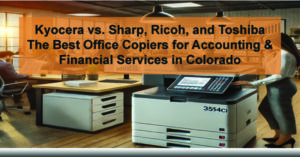
Choosing the best office copier for accounting and financial services firms in Colorado comes down to four things: data security, compliance, software integration, and total cost of ownership. This comparison covers Kyocera, Sharp, Ricoh, and Toshiba — the four brands most commonly evaluated by CPA firms and finance teams — so you can make a confident, informed decision.
Quick Answer: Which copier is best for CPA firms in Colorado?
Kyocera TASKalfa 3554ci is the top-rated office copier for accounting and financial services firms. It delivers the lowest total cost of ownership of the four brands compared here, offers built-in SOC 2 and HIPAA-aligned security controls, integrates directly with QuickBooks, Xero, and SharePoint, and is backed by same-day local service from ABT across Denver, Colorado Springs, and Westminster.
Key Copier Requirements for CPAs and Financial Professionals
Accounting and tax environments have requirements that most general-purpose copier guides ignore. Before comparing models, here is what financial services firms must prioritize:
| 🔒 Data Security | Built-in encryption, secure print release, hard-drive overwrite, and audit trails. Required for IRS 1075, HIPAA, and SEC compliance. |
| 🔗 Software Integration | Seamless scanning and routing to QuickBooks, Sage, Microsoft Dynamics, Xero, SharePoint, and DocuWare. |
| 📄 Advanced Scanning | High-speed duplex scanning with OCR for tax documents, contracts, receipts, and client files. |
| 💰 Low TCO | Long-life consumables, predictable service costs, and high-yield toner. The lowest sticker price rarely means the lowest five-year cost. |
| ⏱ High Uptime | During tax season, copier downtime is not an option. Local same-day service and preventive maintenance are essential. |
Kyocera vs. Sharp vs. Ricoh vs. Toshiba: Side-by-Side Comparison
The table below compares the leading mid-range color MFP from each brand — the models most commonly deployed in accounting and professional services environments.
| Specification | Kyocera TASKalfa 3554ci | Sharp MX-4071 | Ricoh IM C4500 | Toshiba e-Studio 4515AC |
|---|---|---|---|---|
| Print Speed | 35 ppm | 40 ppm | 45 ppm | 45 ppm |
| Scan Speed (duplex) | 200 ipm | 220 ipm | 240 ipm | 240 ipm |
| Resolution | 1200×1200 dpi | 1200×1200 dpi | 1200×1200 dpi | 1200×1200 dpi |
| Max Paper Capacity | 7,150 sheets | 6,300 sheets | 4,700 sheets | 3,520 sheets |
| MSRP (approx.) | ~$10,000 | ~$12,500 | ~$13,000 | ~$11,000 |
| Accounting Software Integration | ✅ Excellent | ⚠️ Limited | ⚠️ Limited | ❌ Minimal |
| Security & Compliance | ✅ SOC 2 / HIPAA | ⚠️ Moderate | ⚠️ Moderate | ⚠️ Basic |
| Drum Life | 600,000 pages | ~100,000 pages | ~120,000 pages | ~100,000 pages |
| Local CO Service (ABT) | ✅ Same-Day | ❌ Not available | ❌ Not available | ❌ Not available |
Individual Model Breakdown: Strengths, Limitations & Best-Fit Use Cases
1. Kyocera TASKalfa 3554ci — Best Overall for CPA Firms
ABT TOP PICK
The Kyocera TASKalfa 3554ci is ABT’s top recommendation for accounting and financial services firms — and the reasoning is straightforward. It is the only model in this comparison with native integration into QuickBooks, Xero, DocuWare, PaperCut MF, and SharePoint. That is not a minor feature; it means your team can scan a client document directly into your practice management software without touching a keyboard. For CPA firms processing hundreds of tax documents per month, that time savings adds up fast.
On the security side, Kyocera includes hard-drive encryption, secure print release, and audit trail logging out of the box — the controls required to satisfy IRS 1075, HIPAA, and SEC data-handling requirements. You do not need to purchase a separate security module or configure it from scratch. ABT’s implementation team sets it up at deployment.
The cost story is equally compelling. Kyocera’s ceramic drum technology lasts up to 600,000 pages — roughly 5–6x longer than the drum assemblies in the Sharp, Ricoh, or Toshiba models below. Over a five-year ownership period, that difference translates into significantly fewer service calls and lower consumables cost, even though the Kyocera carries a lower MSRP (~$10,000) than most of its competitors.
The one honest trade-off: at 35 ppm, the TASKalfa 3554ci is the slowest printer in this group. For most CPA environments that is a non-issue — tax season volume is measured in scan batches, not print jobs per hour. If your firm runs a high-volume print operation alongside document management, it is worth discussing with an ABT specialist.
Best for: CPA firms, tax preparers, financial advisors, and multi-site accounting departments that need compliance-grade security, workflow integration with financial software, and reliable uptime through tax season.
2. Sharp MX-4071 — Good Interface, Higher Long-Term Cost
The Sharp MX-4071 is a capable machine with a genuinely excellent touch interface. The panel is responsive, logically organized, and requires less training than most competitors — a real advantage in offices with high staff turnover or low tech comfort. Scanning is fast at 220 ipm duplex, and print speed jumps to 40 ppm.
Where it loses ground for financial services use cases is integration and cost. Sharp’s ecosystem does not include native connectors for QuickBooks or Xero, and the consumables cost is noticeably higher than Kyocera’s over a multi-year ownership period. At ~$12,500 MSRP, it also costs more upfront to get less accounting-specific functionality. For a general office environment, Sharp is a solid choice. For a firm where document routing into accounting software is a daily workflow, it is the wrong tool.
Best for: General office environments where ease-of-use is the top priority and accounting software integration is not required.
3. Ricoh IM C4500 — Fastest Scanner, Highest Price Tag
The Ricoh IM C4500 posts the best scan speed in this group at 240 ipm duplex, and its digital archiving capabilities are genuinely strong. If your firm’s primary use case is scanning large volumes of documents into a cloud storage system, Ricoh is worth evaluating seriously.
The problem is that it is also the most expensive machine in this comparison at ~$13,000 MSRP, consumes more energy than comparably-specced alternatives, and — like Sharp — lacks the native connectors that financial services firms need for QuickBooks, Xero, or practice management software. You are paying a premium for scan speed that most CPA environments will not fully utilize, while giving up the accounting-specific integrations that would make the investment worthwhile.
Best for: High-volume document scanning environments where archiving is the primary workflow and accounting software integration is not required.
4. Toshiba e-Studio 4515AC — Dependable, but Limited for Financial Workflows
The Toshiba e-Studio 4515AC is a dependable, well-built machine. It prints at 45 ppm and scans at 240 ipm — competitive specs on paper. But “dependable general-purpose copier” and “right for a CPA firm” are not the same thing, and the gaps are meaningful here.
The e-Studio 4515AC has the lowest paper capacity in this comparison at just 3,520 sheets — a real constraint during tax season when print and scan volume spikes. Its cloud connectivity is limited, software integration with accounting platforms is minimal, and it lacks the compliance-focused security controls that financial services firms need. At ~$11,000 MSRP it is priced above the Kyocera without offering the features that justify that cost in a financial services context.
Best for: General office use where simplicity and build quality matter more than accounting software integration or compliance features.
Why Kyocera Is the Best Copier for Accounting Firms in Colorado
When all four factors — security, integration, cost, and local support — are weighted together, Kyocera consistently outperforms the alternatives for financial services use cases. Here is why:
4 Reasons CPAs Choose Kyocera (and ABT)
- SOC 2 & HIPAA-Aligned Security: Kyocera includes hard-drive encryption, secure print release, and audit trail logging out of the box — controls that financial services firms need to satisfy IRS 1075, HIPAA, and SEC data-handling requirements.
- Best-in-Class Financial Software Integration: Native connectors for QuickBooks, Xero, DocuWare, PaperCut MF, and SharePoint enable automated document routing, scan-to-workflow, and digital archiving without custom development work.
- Lowest Total Cost of Ownership: Kyocera’s ceramic drum technology lasts up to 600,000 pages — approximately 5–6x longer than competing drum assemblies. Fewer service calls and lower consumables costs mean a significantly lower five-year cost compared to the Sharp, Ricoh, or Toshiba alternatives.
- Local Same-Day Service Across Colorado: ABT is an authorized Kyocera dealer with service teams in Denver, Colorado Springs, and Westminster. When your copier goes down during tax season, you need a technician on-site — not a national help desk call.
Frequently Asked Questions: Copiers for CPA Firms
What copier features are most important for accounting firms?
The most important copier features for accounting and financial services firms are: (1) data security controls including encryption and secure print release; (2) integration with accounting software like QuickBooks and Xero; (3) high-speed duplex scanning with OCR for document digitization; and (4) low total cost of ownership with predictable service costs. Uptime reliability during tax season is also critical.
Does the Kyocera TASKalfa 3554ci integrate with QuickBooks?
Yes. The Kyocera TASKalfa 3554ci integrates natively with QuickBooks, Xero, DocuWare, PaperCut MF, and SharePoint through Kyocera’s HyPAS application platform. This allows accounting firms to scan documents directly into their practice management software without manual file handling.
Is Kyocera HIPAA compliant for accounting and financial offices?
Kyocera MFPs include security features aligned with HIPAA requirements, including hard-drive encryption, user authentication, secure print release, and audit logging. For CPA firms handling tax data, these controls also support IRS 1075 and SEC data-handling requirements. ABT’s implementation team configures these settings at deployment.
How does Kyocera’s TCO compare to Sharp or Ricoh for a CPA firm?
Kyocera’s ceramic drum technology lasts up to 600,000 pages, compared to approximately 100,000–120,000 pages for Sharp and Ricoh drum assemblies. Over a 5-year ownership period, this difference typically results in 4–6 fewer drum replacements and significantly fewer service calls, making Kyocera the lowest total-cost option despite a competitive MSRP.
Schedule a Free Demo for Your Accounting Team
ABT serves accounting and financial services firms across Colorado from three locations: Denver/Centennial, Colorado Springs, and Westminster. As an authorized Kyocera dealer, we can evaluate your firm’s print volume, compliance requirements, and software environment — then recommend the right model and configuration for your workflow.

→ Request Your Free Copier Demo | Call us: 303-778-0600
Hunter Jackson — Copier & Managed Print Specialist, Automated Business Technologies