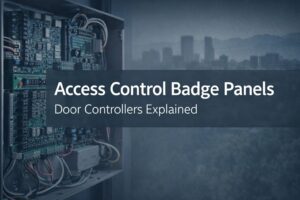
Access Control Badge Panels Explained: Your Colorado Guide to Door Controllers, Wiring, Cameras & What to Buy
If you’re planning an access control upgrade, you’ll hear a lot about readers, badges, mobile credentials, cameras, and “cloud vs. on-prem.” But the component that quietly determines whether your project is smooth and scalable—or turns into a wiring nightmare—is the badge panel.
In plain terms, an access control badge panel (often called the access control control panel or door controller) is the brain of your system. It’s the piece that makes doors lock and unlock when the right person presents the right credential at the right time. It decides what happens when a door is forced open, when someone props a door, when a badge is revoked, or when the internet drops. And in Colorado—where you might manage multiple sites across the Front Range, deal with after-hours deliveries, and want reliable remote management—choosing the right panel matters even more.
This guide is designed to help you confidently scope your project, ask better questions, and avoid common mistakes—whether you’re updating one office suite or standardizing security across multiple locations.
What Is an “Access Control Badge Panel,” Exactly?
An access control badge panel is the central controller that connects your system’s hardware and software. It typically lives in a secure enclosure mounted in an electrical/IT closet, IDF/MDF room, or dedicated security cabinet.
Think of your access control system like a team:
-
The credential (badge, key fob, mobile app, PIN) is the “ID.”
-
The reader is the “scanner” that reads the ID at the door.
-
The lock or strike is the “muscle” that physically secures the door.
-
The badge panel (door controller) is the “decision-maker” that says yes/no and triggers the lock.
-
The software is the “manager” where you set rules, schedules, users, and audit logs.
When someone taps a badge, the reader sends a signal to the panel. The panel checks the rules (time of day, access level, door permissions), then tells the lock to release or stay secured. If you add cameras, intercoms, alarms, or visitor tools, the panel becomes the hub that connects events and actions together.
Bottom line: readers don’t “grant access” on their own. Your badge panel does.
Badge Panel vs. Reader vs. Camera vs. Intercom: The Quick Clarifier
A lot of projects slow down because these terms get mixed up. Here’s the easy way to keep them straight:
-
Reader: Mounted near the door. Reads the badge/fob/phone and sends data to the panel.
-
Badge panel / door controller: Mounted in a secure room. Controls door permissions, lock actions, and events.
-
Camera: Records or verifies what happened at the door. Often linked to door events (like “forced open”).
-
Intercom / video door station: Allows entry requests and two-way communication—often used for visitors or deliveries.
If you’re choosing “badge panels,” you’re choosing the core architecture: how many doors you can run, how you wire it, how you scale, and how you integrate video and compliance reporting.
Why the Panel Choice Is Where Projects Win or Lose
You can buy attractive readers and slick software, but the panel is where real-world reliability lives. Your panel selection impacts:
-
Scalability
Can you add doors later without replacing the entire system? Can you expand from 6 doors to 30? -
Reliability during outages
What happens if the network drops? What happens if your internet is down? Do doors fail secure or fail safe? -
Installation complexity and cost
Panel location, wiring distance, power, and enclosure requirements can make or break your labor budget. -
Security and compliance
Audit logs, door events, role-based permissions, encryption, and retention are often tied to the controller ecosystem. -
Integrations
Cameras, alarm panels, visitor management, HR systems, and identity tools commonly integrate through the access control platform—starting at the panel/controller layer.
If your goal is secure, auditable access with clean video verification and low admin overhead, you want to get the panel decision right before you order hardware.
How to Size Your Badge Panel: 2-Door vs. 4-Door vs. 8-Door (and Beyond)
Badge panels are commonly categorized by how many doors they can control. You’ll see language like “2-door controller,” “4-door controller,” “8-door,” or multi-panel systems that scale to dozens or hundreds of doors.
Start with doors—not readers
Most of the time, you size based on doors. A single door may have:
-
One reader (entry only)
-
Two readers (entry + exit)
-
Additional hardware (request-to-exit sensor, door position sensor, lock power, etc.)
Your controller capacity is usually tied to door count, and each door may require multiple inputs/outputs.
Typical sizing guidance
-
2-door controller: Great for small offices, single suites, or standalone entries.
-
4-door controller: A common “sweet spot” for small to mid-size sites.
-
8-door controller: Often used for larger offices, multi-tenant spaces, warehouses, and facilities where you want fewer panels to manage.
What pushes you into larger capacity
You’ll often need more controller capacity when you have:
-
Multiple exterior doors plus interior restricted areas
-
A shared lobby + tenant doors
-
Storage rooms, server rooms, HR/finance areas
-
After-hours delivery doors
-
High turnover where you need fast credential changes and reliable audit logs
-
Multiple locations you want managed under one system
Multi-site reality in Colorado
If you support operations in Denver, Boulder, Fort Collins, Colorado Springs—or even a mix of metro and mountain sites—you’ll want a system that can centrally manage policies while still keeping each site stable if connectivity dips. That usually means thinking beyond a single 2-door panel and designing for repeatability: “the same build” at every site.
Wiring and Hardware Basics You’ll Want to Understand (Even If You’re Not Doing the Install)
You don’t need to be an electrician to plan a smart access control project, but if you understand a few basics, you’ll avoid surprises.
1) Where the panel lives matters
A badge panel typically goes in a locked closet/cabinet. The biggest cost driver is often distance:
-
Longer cable runs = higher labor + more material
-
Complex pathways = more time (especially in older buildings)
A good rule of thumb: when your panel location is poorly chosen, the install costs can balloon quickly.
2) Power: PoE vs. dedicated power supplies
Depending on the system, you may have:
-
PoE (Power over Ethernet) powering certain devices (often readers/cameras)
-
Dedicated power supplies for locks and controllers
-
Battery backup so the system stays functional during power issues
Exterior doors, maglocks, and high-traffic entries often require robust power planning.
3) Door hardware is a major factor
The “badge panel” is just one part of your door. Your lock type matters:
-
Electric strike vs. maglock vs. electrified lever set
-
Fail-safe vs. fail-secure behavior
-
Code and life safety requirements
The right panel choice helps, but your lock hardware decisions can significantly affect cost, reliability, and compliance.
4) Inputs and outputs (why the panel needs I/O capacity)
Doors often require:
-
Door position switch (is the door open/closed?)
-
Request-to-exit (REX) device (motion sensor or push button)
-
Lock relay control
-
Tamper monitoring
A controller that’s “door-rated” typically assumes a standard set of these connections per door.

Integrating Access Control Cameras: Why It’s More Than “Nice to Have”
When you tie access control cameras to door events, you stop relying on “someone said they saw…” and start relying on proof.
Here’s what you gain when cameras and access control are integrated:
You get instant verification
When you see an event like:
-
Door forced open
-
Door held open too long
-
Access denied
-
Door unlocked during off-hours
…you can click the event and pull the corresponding video clip.
You build an audit trail (without doing detective work)
If you’re in a compliance-heavy environment—or you simply want clean operational accountability—video-linked door events are a big upgrade. Instead of scrolling through hours of footage, you use the door log as your index.
You reduce tailgating risk
Tailgating happens everywhere: someone holds a door “to be polite.” But when your system can flag patterns (like frequent door held open events) and you can match them with video, you’re able to address the issue with policy and training instead of guesswork.
You improve remote operations
If you manage facilities from a different city—or even just from home—being able to verify door events remotely is the difference between peace of mind and constant calls.
When you write your requirements, don’t just say “add cameras.” Say:
-
“Cameras should link to door events”
-
“Events should be searchable by door/user/time”
-
“Clips should be retrievable quickly for investigations”
That turns “cameras” into an operational tool, not just a recording device.
Cloud vs. On-Prem Panels: How to Choose What Fits Your Business
This is one of the biggest decisions you’ll make. The best choice depends on how you operate, how many locations you manage, and how much internal IT/security staffing you have.
Cloud-managed access control (common benefits)
If you prefer a modern approach with less onsite server management, cloud-managed systems typically offer:
-
Central admin across locations
-
Faster user provisioning
-
Easier remote support and updates
-
Cleaner integrations with video, visitor management, and reporting
-
Better experiences for mobile credentials
If you’re lean on IT resources or you’re standardizing across multiple Colorado sites, cloud management can simplify life.
On-prem or hybrid systems (common benefits)
On-prem may be a fit if you need:
-
Tighter control of where data lives
-
Specific internal security requirements
-
Legacy integrations that depend on onsite infrastructure
-
A system that must operate independently from external services
Your decision checklist
Ask yourself:
-
Do you want to manage doors for multiple sites from one place?
-
Do you need fast remote troubleshooting?
-
Do you have internal staff to maintain servers and updates?
-
How important is rapid scaling (new doors, new sites, new users)?
-
What’s your tolerance for recurring licensing vs. capital expense?
There’s no universal answer—just a “best fit” based on how you run your business.
What Access Control Badge Panels Cost in Colorado (Realistic Ranges)
Pricing varies widely, but you can plan intelligently if you understand what drives cost. Your total investment typically includes:
-
Door hardware (strikes/maglocks/levers)
-
Power supplies and enclosures
-
Cabling and labor
-
Configuration and onboarding
-
Licensing/subscriptions (for cloud platforms)
-
Ongoing support
Major cost drivers you can control
-
Door count and complexity
A simple interior door is very different from an exterior, code-sensitive, high-traffic entry. -
Cabling pathways
Long runs and tricky routes increase labor. -
Integration requirements
Cameras, intercoms, alarms, and visitor systems add value—but also time and configuration. -
Hardware reuse vs. replacement
Reusing existing readers/locks can reduce cost, but only if compatibility is solid.
Practical budgeting tip
Instead of asking, “How much is a badge panel?” ask:
-
“What’s the total installed cost per door for my building type?”
-
“What’s the installed cost for 4 doors today, and what’s the marginal cost for adding 4 more later?”
That reframes the conversation around scalability and long-term ROI—not just a piece of equipment.
Don’t Get Burned: A Badge Panel Checklist Before You Buy
If you want to avoid rework and surprise change orders, use this checklist before you sign off.
1) Expansion capacity
-
Can you add doors without replacing the panel?
-
Is there a clean path to scale across multiple sites?
2) Offline behavior and resilience
-
If the internet is down, do doors still function normally?
-
If the network is down, what happens?
-
How long does the panel retain logs offline?
3) Credential strategy
-
Are you using badges, fobs, mobile credentials, PINs, or a blend?
-
How will you handle contractors and visitors?
-
How will you revoke access quickly when roles change?
4) Audit logs and reporting
-
Can you export reports easily?
-
Do you have useful event categories (forced open, held open, denied)?
-
Can you retain logs for your compliance requirements?
5) Security features
-
Encryption between devices
-
Role-based admin permissions
-
Multi-factor authentication for administrators
-
Tamper detection
6) Vendor support and service expectations
-
Who owns the install quality (cabling, labeling, termination)?
-
Do you have a clear support path?
-
What’s your expected response time if a door fails?
If a vendor can’t answer these cleanly, you’re not buying a system—you’re buying future headaches. And if you work with ABT, you’ll know before you go, so to speak.
Replace Your Panel or Expand It? How to Decide
If you already have access control, your best move may not be “rip and replace.” Sometimes expanding is smart—sometimes it’s risky.
Expand when:
-
Your current system is stable
-
You can add doors without fragile workarounds
-
You can integrate modern readers/cameras cleanly
-
Your licensing/support is reasonable
Replace when:
-
Your system is end-of-life or unsupported
-
You can’t get replacement boards or parts quickly
-
You lack modern security features
-
Your logs are incomplete or unreliable
-
Integrations are painful or impossible
-
Admin work is overly manual (constant “badge database cleanup”)
A practical approach is to map your current door inventory, identify your “must keep stable” doors, and then phase upgrades in a way that avoids downtime.
A Simple “Scope It Right” Plan You Can Use Today
If you want a clean project plan without getting buried in technical detail, here’s a simple approach:
-
List every controlled door
Exterior doors, interior restricted areas, storage rooms, IT rooms, HR, finance, etc. -
Define schedules and roles
Who needs access, when, and where? Include cleaners, contractors, and deliveries. -
Decide your credential approach
Badge only? Mobile? Visitor QR? Temporary access? -
Decide how you want to investigate events
Do you want video tied to door events? Do you need quick exports for audits? -
Choose an architecture designed for growth
If you’ll add doors or sites in the next 12–24 months, design for that now. -
Document your “future you” requirements
The best systems are the ones you don’t have to constantly babysit.

FAQ: Access Control Badge Panels (Door Controllers)
What is a badge panel in an access control system?
It’s the controller that makes the access decision and triggers the lock. Readers collect credential data, but the badge panel enforces permissions, logs events, and controls door hardware.
Do you need one panel per door?
Not usually. Many panels control multiple doors (2, 4, 8, or more), depending on the system. You plan around door count, required inputs/outputs, and building layout.
Can you reuse existing badge readers with a new panel?
Sometimes. Reuse depends on compatibility, wiring, security requirements, and whether the readers support the protocols your new system uses. A site assessment can confirm what’s reusable.
Can access control integrate with cameras?
Yes—and it’s one of the most valuable upgrades. When door events link to video, you can verify forced-open or denied events instantly and build a cleaner audit trail.
How long does a typical install take?
It depends on door count, wiring complexity, and whether you’re replacing locks or reusing hardware. A small office with a few doors may be quick, while a multi-entrance facility with long cable runs takes longer.
What’s the difference between a cloud access control system and a traditional panel system?
Cloud-managed systems emphasize centralized remote management and easier updates. Traditional systems may rely more on onsite infrastructure. The best option depends on your security requirements, staffing, and how many sites you manage.
Next Step: Get the Panel Right, Then Everything Else Gets Easier
When you understand badge panels, you stop shopping based on buzzwords and start building an access control system that actually fits your business. You’ll plan cleaner wiring, reduce future expansion costs, integrate cameras the right way, and avoid the “we’ll figure it out later” problems that cause delays.
If you’re ready to scope your project, the smartest next move is a walkthrough that answers a few practical questions:
-
How many doors today, and how many doors next year?
-
Where should the panels live to minimize cabling and maximize security?
-
Which doors need cameras tied to events?
-
What’s your best path for visitor access and after-hours operations?
From there, you can build a system that’s secure, scalable, and easy to manage—whether you’re running a single office in Denver or multiple sites across Colorado.