Last updated: March 2026
Author: ABT Solutions Team (Colorado Front Range office technology specialists)
Best Commercial Copy Machines for 2026: A Side-by-Side Comparison
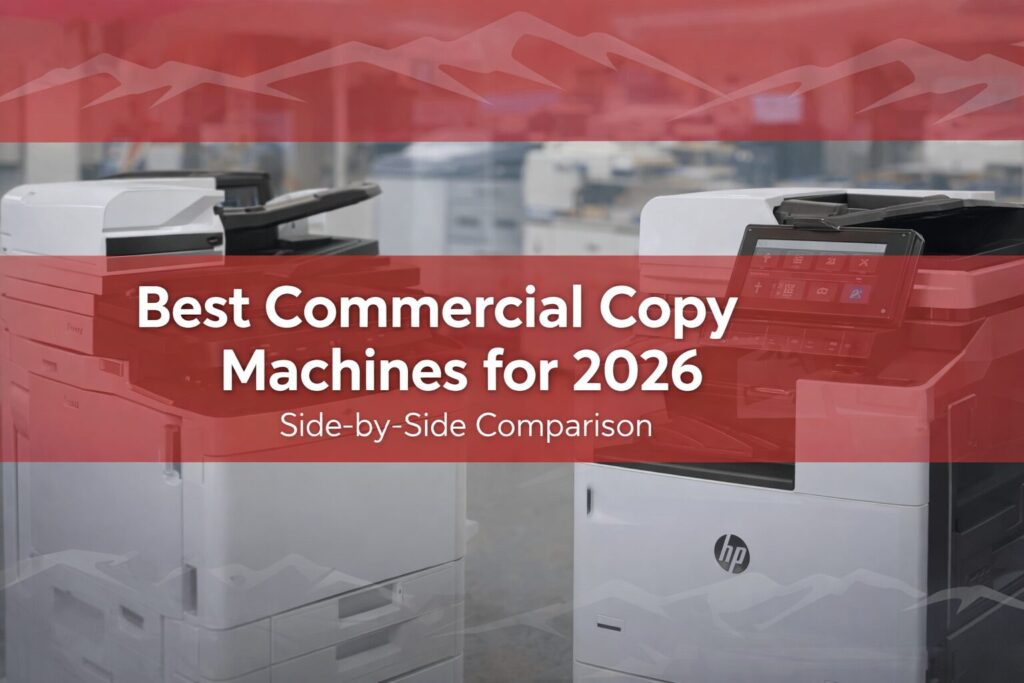
Quick answer (2026): The “best” commercial copier is the one that matches your monthly volume, scanning workflow, security requirements, and service expectations—not just the fastest ppm. For most Colorado offices, the sweet spot is a business-class A3 MFP from Canon imageRUNNER ADVANCE DX or Kyocera TASKalfa for heavy daily use, HP LaserJet Enterprise for security-forward environments, or Xerox AltaLink/VersaLink for workflow automation and app-driven scanning.
- Most important decision: choose the right class (A4 vs A3) and duty cycle for your real volume.
- Hidden cost driver: scan workflows + finishing options can change total cost and user adoption.
- Security baseline (2026): firmware process, user authentication, secure print release, and encrypted storage.
- Service matters: response time + parts availability often matter more than brand debates.
- Best fit depends on industry: legal, healthcare, education, AEC all prioritize different workflows.
Who it’s for / best fit: Colorado Front Range and Southern Colorado teams comparing commercial copiers for shared office printing, scanning, and secure workflows.
Primary CTA: Request a free copier contract evaluation
Secondary CTA: Browse copiers, printers & MFPs
The Skinny
If you’re running a Colorado business in 2026, your commercial copier / MFP still sits at the center of daily operations—contracts, invoices, onboarding packets, compliance forms, and large scan jobs.
This guide compares top commercial copier families from Canon, HP, Kyocera, and Xerox, with a practical side-by-side chart and a “how to choose” checklist based on speed, scan workflows, paper handling, finishing, security, and long-term cost.
We also call out what matters most for common Colorado use cases: legal, healthcare, and education.
Commercial Copiers for Colorado Teams (Front Range + Southern Colorado)
“Best copier” isn’t just about specs—it’s about whether your provider can deliver, configure, and support the device where your team works.
ABT supports businesses across the Colorado Front Range and Southern Colorado (Denver Metro, Boulder County, Northern Colorado, and Colorado Springs corridor), with deployment planning that considers network setup, scan destinations, security configuration, and service response.
Why Choosing the Right Copier Really Matters (Uptime, Workflow, Security)
Not all commercial copiers are built the same. Some are designed for high-volume throughput and long duty cycles. Others prioritize security hardening, cloud workflows, or scan automation.
In 2026, you’re not “just buying a printer.” You’re choosing an endpoint that touches sensitive data, daily productivity, and IT overhead.
In 2026, your copier should do these 4 things well
- Stay up: reliable paper handling, consistent output, and serviceability when something goes wrong.
- Scan the way your team works: fast duplex scanning + predictable routing (email, folder, SharePoint/OneDrive, cloud apps).
- Protect data: secure boot/firmware integrity, authentication, secure print release, encryption, and documented decommissioning.
- Control cost: right-sizing to volume to avoid overbuying (or constant downtime from underbuying).
How to Choose the Best Commercial Copier for Your Business (2026 Checklist)
- Start with volume: estimate average monthly pages + peak periods (don’t size off a single “busy month”).
- Decide A4 vs A3: if you need ledger/tabloid, booklets, or heavier finishing, A3 usually wins.
- Define scan workflows: where do scans need to go and who uses them (front desk, HR, AP, attorneys, nurses, admins)?
- Security requirements: do you need authentication (PIN/badge/LDAP), audit trails, encryption, secure release?
- Paper + finishing needs: trays, bypass, stapling/hole punch/booklet, envelope support.
- Service expectations: ask about response process, parts availability, and what’s covered.
- Plan the total solution: device + configuration + supplies + service + (optional) managed print services.
Fast shortcut: If you already have a proposal, the fastest way to avoid a mismatch is a quick contract review.
Top Picks for the Best Commercial Copy Machines in 2026
1) Canon imageRUNNER ADVANCE DX C5800 Series
The Canon imageRUNNER ADVANCE DX C5800 family is built for busy environments that need consistent output and fast scan throughput.
If your office lives in scanning (case files, patient documents, HR packets, AP), this family is often a strong fit because it balances speed, usability, and workflow capability.
Best for: large offices, education, law firms, and departments with heavy scanning + routing needs.
2) Canon imageRUNNER ADVANCE DX C5870i
The Canon imageRUNNER ADVANCE DX C5870i is a popular “workgroup powerhouse” option when you want strong color, scanning performance, and a polished user experience.
It’s often chosen by teams that print more client-facing materials and still need reliable day-to-day copying and scanning.
Best for: mid-to-large workgroups, marketing teams, and offices that care about color output and workflow flexibility.
3) HP LaserJet Enterprise Series
HP LaserJet Enterprise devices are often shortlisted when security is the priority.
If your environment is compliance-heavy (healthcare, finance, legal) and your IT team wants consistent endpoint controls, HP’s security-first positioning is typically the reason it makes the list.
Best for: healthcare providers, finance teams, and businesses with strict privacy and security requirements.
4) Kyocera TASKalfa & ECOSYS Series
Kyocera is commonly chosen for durability and long-life components—especially when you want stable output and lower operating interruptions over time.
For many Colorado SMBs, Kyocera is the “workhorse” pick: not flashy, but consistent and cost-conscious.
Best for: budget-minded teams, nonprofits, and organizations that want dependable output and predictable long-term operation.
Related: Kyocera TASKalfa copier upgrades |
Kyocera ECOSYS MA2600cwfx overview
5) Xerox AltaLink & VersaLink Series
Xerox is a strong contender when your scan workflows are complex and you want app-like navigation for routing and automation.
The AltaLink and VersaLink families are often chosen by teams that want workflow flexibility, cloud integrations, and a “smart panel” experience for users.
Best for: larger organizations, distributed teams, and environments with heavy document movement.
Xerox AltaLink reference |
Xerox VersaLink reference
Side-by-Side Copier Comparison Chart (2026)
Specs vary by exact configuration. Use this chart to compare strengths and selection criteria, then confirm the final configuration (ppm, scan options, trays/finishers, and security settings) in your quote.
| Brand / Family | Strengths | Scan Workflow Fit | Security Fit (2026) | Paper/Finishing Fit | Ideal For |
|---|---|---|---|---|---|
| Canon imageRUNNER ADVANCE DX C5800 Series | High throughput, refined UX, strong scan performance | Great for heavy scanning and routing | Strong when configured with auth + secure release | Flexible trays + finishing options | High-volume departments, legal, education |
| Canon imageRUNNER ADVANCE DX C5870i | Workgroup powerhouse, strong color output | Great for mixed print + scan workflows | Strong when configured with policy controls | Good for teams needing finishing | Mid/large teams, client-facing color use |
| HP LaserJet Enterprise Series | Security-forward positioning, modern enterprise controls | Strong for standard scan needs | Excellent for compliance-driven environments | Varies by model and configuration | Healthcare, finance, regulated workflows |
| Kyocera TASKalfa / ECOSYS Series | Durability, predictable operations, cost-conscious ownership | Good for everyday scanning | Strong when paired with auth + secure print policies | Strong for high-uptime office printing | SMBs, nonprofits, budget-minded teams |
| Xerox AltaLink / VersaLink Series | Workflow automation, app-driven UI, routing flexibility | Great for complex scan-to destinations | Strong with proper configuration | Good for mixed environments | Distributed teams, workflow-heavy orgs |
What Actually Drives the Total Cost of a Commercial Copier (2026)
- Monthly volume + color mix: your color ratio impacts supplies and total monthly cost more than most people expect.
- Scan workflows: OCR, cloud connectors, and routing setup can affect deployment time and adoption.
- Paper handling + finishing: extra trays, high-capacity feeders, stapling/booklet options change price and productivity.
- Service coverage: response time expectations, parts coverage, and what’s included (or excluded) matter.
- Security configuration: authentication, secure print release, firmware update process, and end-of-life data wipe.
If you want predictable long-term costs and fewer surprises, bundling device strategy with managed print services is often the cleanest path.
If security and endpoint policies are a major concern, align copier selection with your broader IT strategy (often supported by managed IT services).
Let’s Bring It All Together
Choosing the best commercial copy machine in 2026 comes down to matching your real-world needs: volume, scan workflow, security, finishing, and service expectations.
Canon is often chosen for polished UX and scan-heavy environments. HP is commonly shortlisted for security-forward requirements. Kyocera is a dependable workhorse for steady operations. Xerox shines when workflow automation and routing matter.
Ready to Upgrade Your Office Copier?
If you’re a Colorado business and want a recommendation that fits your workflow (not a generic “top 5 list”), ABT can help you compare options, right-size to volume, and avoid contract surprises.
We’ll walk you through the shortlist, configure it for your security and scan destinations, and support it across the Front Range and Southern Colorado.
Start here: Request a free copier contract evaluation

FAQs: Best Commercial Copiers (2026)
What is the best commercial copier for a small business in 2026?
For many SMBs, the best choice is a business-class MFP that matches your monthly volume and scan needs without overbuying. Kyocera TASKalfa/ECOSYS and select Canon imageRUNNER ADVANCE DX configurations are common fits when you want reliability, predictable operation, and easy scanning.
How do I know if I need an A3 copier vs an A4 MFP?
If you print ledger/tabloid sizes, need robust finishing (stapling/booklets), or run shared workgroup printing, A3 is often the right class. If you only print letter/legal and want a smaller footprint, an A4 business MFP can be enough.
What features matter most in a commercial copier for legal firms?
Legal teams typically benefit from fast duplex scanning, reliable document feeding, secure print release, and consistent routing to folders or case management workflows. Authentication and audit-friendly controls are also important for sensitive documents.
What copier features matter most for healthcare offices?
Healthcare environments often prioritize security, authentication, and predictable scanning to EMR-related workflows. Secure print release and clear device decommissioning processes help reduce risk for sensitive information.
Which copier brand is best for security in 2026?
HP LaserJet Enterprise is frequently shortlisted when security controls are the top priority, but security outcomes also depend heavily on configuration and process (authentication, firmware updates, secure release, and encryption).
How much should a commercial copier cost per month?
Monthly cost depends on device class, volume, color mix, and service coverage. The most accurate approach is to compare “total monthly cost” (device + service + supplies + overages + security management) instead of payment alone.
What’s the biggest mistake companies make when buying a copier?
The most common mistake is sizing to the wrong duty cycle—either underbuying (downtime and frustration) or overbuying (unnecessary cost). The second biggest mistake is ignoring scan workflow setup and user adoption.
Do commercial copiers need to be managed like IT endpoints?
Yes. In 2026, copiers and printers should be treated like endpoints: firmware update process, authentication, secure print, and documented data wipe at end-of-life. Many organizations align this with their broader IT strategy.
Can ABT help compare two copier proposals?
Yes. ABT can help you compare proposals apples-to-apples, including device class, included service/supplies, scan workflow requirements, security configuration, and the contract terms that impact long-term cost.