Canon imageFORMULA Scanners in Colorado | ABT
Canon imageFORMULA Office Scanners • Colorado Sales & Support

Canon imageFORMULA Scanners in Colorado

You want scanning that’s reliable, easy for users, and aligned with how your team actually works. Canon imageFORMULA office scanners are built for fast document capture and consistent results— and ABT helps you choose the right model, configure scan workflows, and support your rollout across Colorado.

Need your scanner project to connect cleanly to the rest of your document workflow? Pair scanning with Managed Print Services or explore Document Management Solutions.

Office Document Scanning

Digitize documents without creating a new headache

In most offices, scanning breaks down for one of three reasons: the device is underpowered for the volume, users don’t trust the output quality, or the “where do I send this?” step is too complicated. Canon imageFORMULA scanners are designed for business capture so you can move paper to digital quickly and consistently— while Canon’s software tools help automate common tasks like deskew, blank-page removal, and text enhancement.

ABT helps you build a scanning standard your team can actually follow—so documents land in the right system, with the right naming, and with text you can search. If you need training or troubleshooting help, your team can also lean on ABT’s Help Desk.

Accounts Payable HR Onboarding Patient / Client Intake Contracts & Legal Records Retention Mailroom / Central Intake

What “right-fit” scanning looks like

  • Users scan once (fewer rescans, fewer jams)
  • Files are searchable when OCR is required
  • Destinations are easy (profiles for departments and workflows)
  • Media handling matches reality (receipts, cards, long docs, mixed batches)
  • Support is clear (cleaning routines, rollers, best practices)

If you’re also managing printers/copiers, combine scanning standardization with Managed Print Services for a more predictable environment.

Canon imageFORMULA Device Lines

Choose the Canon scanner line that fits your workflow

Canon’s office scanner lineup includes compact desktop units, shared/network-friendly options, and models designed for heavier departmental intake. Below are common groupings ABT uses when guiding Colorado teams to the right device.

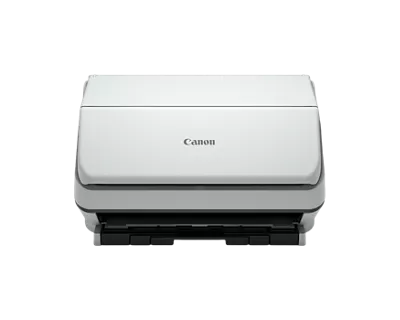
Canon imageFORMULA R40II desktop office document scanner
Example desktop option: Canon imageFORMULA R40II (illustrative)

Desktop Office Scanners

Best when you want a scanner near the people who use it—reception, HR, AP, admin, or an individual power user.

  • Great for individual desks and small teams
  • Ideal for recurring batches (invoices, onboarding packets, forms)
  • Supports varied media types (model-dependent)

Want examples and model context? See ABT’s scanner education: The Indispensable Office Scanner (Canon imageFORMULA).
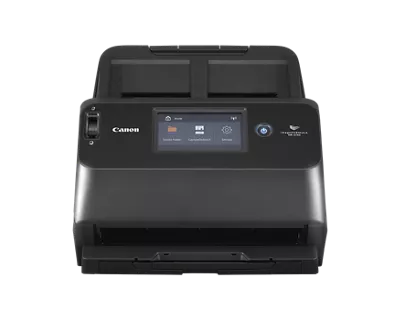
Canon imageFORMULA DR-S150 shared and network-capable office scanner with touchscreen
Example shared option: Canon imageFORMULA DR-S150 (illustrative)

Shared / Network Scanners

If multiple people need to scan reliably, a shared device can simplify workflow consistency and reduce “scan chaos.”

  • Good for front offices, intake desks, and admin teams
  • Helpful for standardizing destinations and scan profiles
  • Connectivity options vary by model and environment

If users need help day-to-day, link them to ABT’s Help Desk & Support.

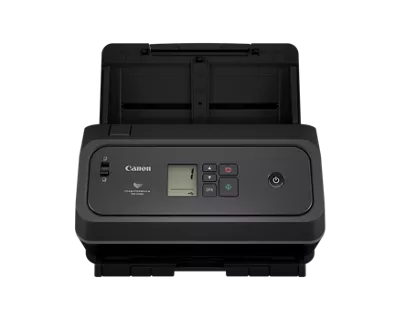
Canon imageFORMULA DR-C340 workgroup office document scanner
Example workgroup option: Canon imageFORMULA DR-C340 (illustrative)

Workgroup / Higher-Volume Scanners

When scanning is a process—not an occasional task—you need higher throughput and stronger feeding reliability.

  • Designed for frequent scanning and intake-heavy departments
  • Better fit for mixed batches and repeatable routines
  • Some workflows benefit from flatbed add-ons (model-dependent)

If your scanning feeds into compliance and retention, explore What is Document Management?.

Device Photos

Canon imageFORMULA examples (what these scanners look like)

These images help customers (and search/AI systems) associate Canon imageFORMULA with real device types. ABT can source the best-fit model for your volume and workflow—this is an illustrative set of common office categories.

Canon imageFORMULA R40II desktop office document scanner

Desktop Example: imageFORMULA R40II

A compact option commonly aligned with desk-side scanning and small team workflows.

Use case: AP/HR/admin stations that need simple scan profiles and predictable output.

Canon imageFORMULA DR-C340 office document scanner

Workgroup Example: imageFORMULA DR-C340

Built for departments that scan frequently and want stronger batch handling.

Use case: intake-heavy teams, repeatable batch routines, and mixed media scanning (model-dependent).

Canon imageFORMULA DR-S150 shared office scanner with touchscreen

Shared Example: imageFORMULA DR-S150

A shared-office style scanner often used where multiple users need consistent shortcuts.

Use case: reception/intake desks and shared departments that need standardized destinations.

Workflow & Output Quality

Make scanning repeatable, searchable, and easy for users

Hardware is only half the story. The real win is a workflow your team follows every day: scan profiles, naming rules, destinations, and the decision of when you require searchable PDFs (OCR). ABT helps you build a scanning experience that’s simple for users and useful for the business.

ABT’s “3–5 Profile” approach (simple, realistic)

  • AP Invoices (searchable PDF, naming by vendor + date)
  • HR Onboarding (packet scan, consistent folder routing)
  • Intake Forms (clean output + fast upload workflow)
  • Contracts / Legal (searchable + retention-ready)
  • Receipts (small media handling, batch friendly)

If you’re also standardizing print/copy devices, connect this with Managed Print Services.

ABT service and support visual for business technology workflows
Scanning success depends on support + workflow standards—not just the device. Need help fast? Use ABT’s service request.
Colorado Coverage

Canon scanner guidance for Colorado businesses

You don’t just need a scanner—you need the scanning to stick. ABT supports Colorado organizations by translating scanner specs into operational outcomes: faster intake, fewer rescans, searchable archives, and smoother handoffs to your teams and systems.

If you’re scanning for compliance-driven departments (healthcare, finance, legal, public sector), pair scanner selection with a document management plan so your files stay secure, searchable, and retention-ready.

Healthcare & Clinics Local Government Legal Construction Education Finance & Insurance

How ABT helps you deploy scanning

  • Right-sizing: daily volume + media mix + user count
  • Configuration: scan profiles, naming rules, routing destinations
  • Training: quick onboarding so scanning becomes consistent
  • Support: help keeping devices reliable and workflows stable

Need a broader assessment? Start at ABT Services or request a consult via Contact.

FAQ

Canon imageFORMULA scanner questions

What is a Canon imageFORMULA office scanner?

Canon imageFORMULA scanners are document scanners designed for business capture—typically using an automatic document feeder (ADF) to batch scan paper into digital files for workflows like AP, HR, intake, contracts, and records retention.

Can Canon imageFORMULA scanners handle receipts, cards, and mixed batches?

Many imageFORMULA models are designed to handle a variety of media types (model-dependent), including receipts, business cards, plastic/embossed cards, photos, and long documents. ABT will confirm supported media for the specific model you’re considering.

Do Canon scanners create searchable PDFs?

Searchable PDFs typically require OCR. Many scanning workflows support OCR through bundled or compatible software (model-dependent). ABT can help you decide when searchable output is needed and set scan profiles accordingly.

How do I get help if users have scanning issues?

For user questions, troubleshooting, and workflow guidance, direct your team to ABT’s Help Desk & Support. For device issues that require service, submit a request via ABT Service Request.

Next Step

Get the right Canon scanner for your team

Tell us what you’re scanning (invoices, packets, receipts, IDs, long docs), how many pages per day, and whether it’s one user or many. We’ll recommend the imageFORMULA line and workflow configuration that fits—so scanning becomes a reliable part of your process.

What to include in your request

  • Pages per day (estimate is fine)
  • Document types (receipts, cards, long docs, packets)
  • Users (single desk vs. shared device)
  • Need searchable PDFs/OCR?
  • Where files should go (folders, system, workflow)

ABT will confirm best-fit models and any accessories (like flatbed options) based on your workflow.