Document Management Solutions: What They Are, What You’re Probably Doing Today, and Why Upgrading Now Saves You Real Money
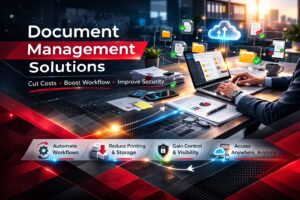
If you’ve ever watched someone walk a paper invoice down the hall for approval, only to have it land on the wrong desk (or disappear under a stack of “urgent” folders), you already understand the core problem document management solutions solve: your information can’t help your business if it can’t move.
Most Colorado businesses aren’t “bad” at managing documents—they’re just dealing with a mix of paper, PDFs, email attachments, shared drives, and cloud apps that grew organically over time. That patchwork usually works… right up until you add remote work, tighter security expectations, faster customer turnaround, or the need to control costs. Then the friction shows up everywhere: delays, duplicate work, missing files, version confusion, and too much time spent searching instead of serving customers.
A modern document management solution (often called a DMS, ECM, or content management platform) is how you turn that friction into flow. Done right, it helps you:
-
Reduce labor time spent filing, searching, re-keying, and chasing approvals
-
Lower hard costs tied to printing, storage, shipping, and paper-heavy processes
-
Improve security and compliance with stronger controls, audit trails, and retention rules
-
Speed up workflows so invoices, contracts, HR packets, and customer requests move without bottlenecks
Let’s break down what document management is, how most businesses handle it today, what tools are available, and why upgrading now can improve your workflow while cutting costs.
What Is a Document Management Solution (Really)?
At its simplest, document management is how you capture, store, organize, secure, find, and route documents and records across your business. That includes paper documents you scan, digital files you create (Word, Excel, PDFs), and content generated by systems (forms, reports, statements).
Industry definitions vary, but the common thread is consistent: document management software helps you control and organize documents throughout the organization and typically includes capture, repositories, workflow, and retrieval.
A document management solution usually includes some combination of:
-
Capture (scan, import, email ingestion, mobile capture)
-
OCR and indexing (turning images into searchable text + tagging documents with metadata)
-
Central storage (cloud, on-prem, or hybrid)
-
Search and retrieval (fast, permission-aware searching)
-
Version control (one “source of truth,” no more “final_v7_reallyfinal.pdf”)
-
Security (permissions, encryption, audit logs, MFA/SSO integrations)
-
Workflow automation (routing for approvals, notifications, tasks, and rules)
-
Retention and records management (keep what you need, dispose of what you shouldn’t keep)
In other words: it’s not just “going paperless.” It’s building a system where information moves through your business in a controlled, trackable way—without relying on heroic memory or tribal knowledge.
How Most Businesses Handle Document Management Today (And Why It Feels Messy)
If you’re like many organizations, your current “system” is a mix of tools and habits. None of these are inherently wrong—many are necessary stepping stones. The problem is what happens when they’re not integrated or standardized.
The most common setup looks like this:
1) Paper + filing cabinets (and maybe offsite storage)
You keep signed contracts, HR records, invoices, and job folders in physical form because “that’s how we’ve always done it,” or because someone believes paper is safer.
2) Network shared drives with nested folders
Your team saves files to a shared drive with a structure that made sense when it was created—then grew into a maze. Permissions are often inherited in ways nobody fully understands.
3) Email as a document repository
Important attachments live in inboxes. Approvals happen via email threads. Someone is always forwarding “the latest version” and hoping it’s actually the latest.
4) Scanning that creates digital clutter
Your copier/MFP scans documents to a desktop, to email, or to a general folder. Files land as “scan_00234.pdf” with no consistent naming or indexing.
5) Cloud storage that isn’t governed
You may use SharePoint/OneDrive, Google Drive, Dropbox, Box, or a mix. Without strong rules, you end up with duplicates, inconsistent permissions, and uncertain retention.
The predictable pain points:
-
Search costs time. People spend minutes (or hours) hunting for the right file, then recreating it when they can’t find it.
-
Approvals stall. Invoices sit waiting. Contracts bounce between email chains. HR onboarding gets delayed.
-
Version confusion causes mistakes. Someone updates an old form, sends an outdated contract, or orders from the wrong spec sheet.
-
Security gaps creep in. Sensitive data gets emailed, downloaded, or stored in places with weak access control.
-
Scaling becomes painful. The “folder system” that worked for 20 employees collapses at 60, and becomes unmanageable at 150.
These issues don’t just feel annoying—they quietly inflate your operating costs.
The Tools Available: From “Basic Organization” to Full Workflow Automation
The right document management stack depends on your size, industry, compliance requirements, and how complex your workflows are. Here’s a practical way to think about the tool landscape.
1) The tools you may already have (and how to use them better)
Copiers/MFPs with scan workflows
Modern devices from brands like Canon, Kyocera, HP, Epson, and Fujifilm can do far more than scan-to-email. With the right setup, you can scan directly into structured folders, SharePoint sites, or a document management platform—often with prompts that capture metadata (client name, invoice number, project ID) at the time of scanning.
PDF tools and e-forms
If you’re standardizing fillable forms, combining PDFs, applying signatures, and controlling templates, you reduce “document chaos” before it starts.
Microsoft 365 or Google Workspace
SharePoint/OneDrive and Google Drive can function as a lightweight DMS when configured properly: permissions, naming conventions, versioning, retention, and structured collaboration. Microsoft specifically positions document management as a process enabled by systems that support version control, secure sharing, and audit trails.
These tools can absolutely help—but if you’re trying to run invoice approvals, HR onboarding, or contract lifecycle management purely through drives + email, you’ll hit a ceiling.
2) Dedicated document management systems (DMS/ECM platforms)
A purpose-built DMS/ECM platform is where you move from “organized storage” to controlled workflows and repeatable processes.
Common capabilities include:
-
Smart capture + OCR (search inside documents, not just filenames)
-
Metadata indexing (vendor, invoice #, client, job number, document type)
-
Role-based access (the right people see the right documents)
-
Automated workflows (route approvals, trigger tasks, send alerts)
-
Audit trails (who viewed/edited/approved and when)
-
Integrations (ERP/accounting/CRM, Microsoft 365, email, e-sign)
Examples in the market include widely used platforms like DocuWare (which defines DMS around capturing, storing, managing, and tracking documents) along with many other ECM solutions.
If your environment includes Canon or Fujifilm ecosystems, there are also brand-aligned platforms worth knowing about:
-
Therefore™ is positioned as an information management platform to store, manage, and process business information, with workflow and integrations.
-
DocuShare® is positioned as an enterprise content management / document management solution designed to connect users and content with business processes, with modern automation emphasis.
You don’t need to choose software based solely on your copier brand—but it’s often beneficial when your capture points (MFPs) and your content platform work seamlessly together.
3) Capture, OCR, and “intelligent” document processing
If you handle large volumes of invoices, patient forms, job packets, or compliance documents, advanced capture tools can be a game changer:
-
OCR that actually works (including handwriting recognition in some cases)
-
Automatic classification (detecting document types and routing them)
-
Data extraction (pulling key fields like invoice totals, PO numbers, dates)
-
Validation rules (flagging exceptions before they become expensive errors)
This is where “scan a PDF” becomes “create structured, usable data” without manual retyping.
4) E-signature and digital approval tools
E-signature platforms help you eliminate printing, scanning, and mailing for agreements, HR documents, and customer approvals. More importantly, they speed up cycles that directly impact revenue and cash flow:
-
Faster contract turnaround
-
Faster change orders
-
Faster onboarding
-
Fewer “lost signature” delays
When e-sign integrates with your DMS, you get a clean audit trail and a single place to store final executed documents.
Why Upgrading Now Improves Workflow and Cuts Costs
When you upgrade document management, you’re not buying “software.” You’re buying time back and reducing the cost of friction across your business.
Here’s where the savings actually come from.
1) Labor savings: fewer touchpoints, less searching, less rework
Think about the invisible labor tax of messy document handling:
-
Searching for files
-
Renaming and refiling scans
-
Recreating missing documents
-
Following up on approvals
-
Re-keying data from PDFs into accounting systems
-
Fixing errors caused by outdated versions
A modern DMS reduces these touchpoints through indexing, search, version control, and automated routing. You trade manual effort for repeatable workflows.
A quick way to estimate impact:
If 25 employees each waste just 10 minutes a day searching for documents, that’s 250 minutes/day.
250 minutes/day ÷ 60 = 4.17 hours/day.
Over ~250 workdays, that’s 1,042 hours/year—before you even count rework or approval delays.
You don’t have to eliminate all of that to see ROI. Even improving it by 30–40% can be substantial.
2) Hard cost reduction: printing, storage, shipping, and supplies
Paper-heavy processes come with obvious costs:
-
Paper, toner/ink, and maintenance
-
Filing supplies and floor space
-
Offsite storage fees
-
Shipping contracts and packets
-
Time spent printing/scanning for “digital” steps
Document management doesn’t necessarily mean you print nothing. It means you print with intention—and you stop printing because your process requires it.
If you combine document management with managed print services (MPS), you can also control print rules, reduce waste, and align device usage with your actual needs.
3) Faster cycles = better cash flow
When document routing is manual, everything slows down:
-
AP approvals delay payments (and sometimes miss early-pay discounts)
-
AR documentation delays invoicing
-
Missing backup delays customer billing
-
Contract cycles drag, pushing revenue out
Workflow automation helps you move documents through approvals with visibility: who has it, how long it’s been there, and what happens next. That visibility alone often changes behavior—because bottlenecks can’t hide.
4) Risk reduction: security, compliance, and auditability
Colorado businesses are operating in an environment with rising expectations around privacy and information governance. For example, the Colorado Privacy Act went into effect July 1, 2023, and it’s part of a broader trend toward stronger data rights and accountability.
Even if your organization isn’t directly regulated like healthcare or financial services, you likely handle sensitive data: employee records, customer details, vendor banking info, contracts, or IDs. A strong document management solution helps you tighten control with:
-
Permission-based access
-
Audit trails (who accessed what and when)
-
Retention rules (keep required records, dispose of the rest)
-
Consistent storage (less data scattered across inboxes and laptops)
A single incident—lost HR file, mis-sent customer data, exposed vendor W-9—can cost far more than a well-scoped DMS project.
Where You’ll Feel the Biggest Workflow Wins (Department by Department)
A document management solution shines when you apply it to high-volume, repeatable processes. Here are common areas where Colorado organizations see immediate improvements.
Accounts Payable (AP)
-
Capture invoices from email, scan, or vendor portals
-
Extract invoice fields (vendor, amount, due date)
-
Route approvals based on amount, department, or GL code
-
Match invoices to POs/receiving docs
-
Store everything together for audits and vendor questions
Savings: fewer late fees, fewer duplicate payments, less time chasing approvals, faster month-end close.
HR and onboarding
-
Standardize onboarding packets
-
Route forms to the right approvers
-
Control access to sensitive employee documents
-
Apply retention rules automatically
Savings: fewer manual handoffs, reduced compliance risk, faster onboarding.
Contracts and legal docs
-
Version control for drafts
-
Approval routing with deadlines
-
E-sign integrations
-
Central repository for executed agreements
Savings: fewer “wrong version” mistakes, faster signature cycles, less time searching during disputes.
Project files (construction, engineering, property management)
-
Job folders with consistent indexing (project ID, address, customer)
-
Change order routing and approvals
-
Site photo capture + automatic filing
-
Vendor insurance certificates tracked and retained
Savings: fewer billing delays, cleaner documentation trails, smoother handoffs between office and field.
Customer service and operations
-
Faster retrieval of customer records
-
Standardized forms and process docs
-
Less time asking “who has the file?”
Savings: quicker resolution times and better customer experience—without adding headcount.
How to Upgrade Without Disrupting Your Business
The best document management projects are phased and practical. You don’t need to boil the ocean. You need to fix the workflows that create the most friction and cost.
A smart implementation approach:
-
Pick 1–2 high-impact processes first
AP invoice approvals and HR onboarding are common wins because they’re repetitive and measurable. -
Define your document “rules”
What metadata matters (invoice #, vendor, job #)? Who should access what? What gets retained, and for how long? -
Connect capture points to the right destinations
This is where your MFP fleet matters. Scanning should land directly into the correct workflow—without “scan_0001.pdf” chaos. -
Integrate with the tools you already use
Microsoft 365, Teams, SharePoint, accounting/ERP platforms, CRM—your DMS should fit into your day, not create a parallel universe. -
Train for behavior change (not just button clicks)
If your team knows “where things go” and “how to find them,” adoption skyrockets. -
Measure success with simple metrics
Approval time, invoice processing time, retrieval time, print volume, storage costs, cycle times—pick a few and track them.
The Bottom Line: Document Management Is a Cost-Control Strategy
Upgrading your document management solution is one of the most straightforward ways to improve business workflow while reducing costs—because it tackles both hard expenses (printing, storage) and soft costs (labor time, delays, errors, risk).
If your current approach depends on email threads, tribal knowledge, and a folder structure only two people understand, you’re paying a “complexity tax” every day. A modern DMS replaces that tax with a system that’s searchable, secure, trackable, and scalable—so your team can move with confidence in a high-velocity business environment.
If You Want Help in Colorado
If you’re operating in Colorado and want to reduce paper-heavy processes, streamline approvals, or connect your copier/scanner workflows to a real document management platform, ABT can help you map the right path—whether that’s improving how you use Microsoft 365, implementing a dedicated DMS/ECM platform, or aligning capture workflows across devices from Canon, Kyocera, HP, Epson, and Fujifilm.