The ABT Breakdown
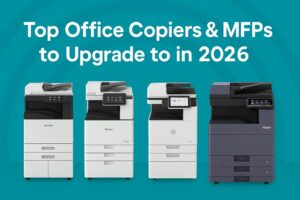
If you’re thinking about upgrading your office copier or multifunction printer in 2026, you’re in the right place. This guide is built specifically for business leaders like you who want the full picture: what devices are worth investing in, which models are outdated, and how to choose the right fit based on your goals. Whether you’re leasing, buying outright, or exploring upgrade paths from legacy machines, this deep dive will equip you with everything you need to make a smart, future-proof decision.
We’ll compare the best enterprise-ready machines from Canon, HP, Kyocera, Ricoh, Brother, and Fujifilm Apeos — including the latest models we recommend for 2026. You’ll also see recommendations based on real-world workflows, along with suggestions for which older models to retire.
Why 2026 is the Year to Upgrade Your Office Copier
A lot has changed in office technology. Hybrid work models, increased document security standards, mobile workflows, and higher expectations for performance and efficiency mean older machines just aren’t cutting it anymore. If your current copier is more than five years old, you’re likely missing out on features that improve productivity and reduce cost per page.
Plus, copier manufacturers have pushed big updates in the last two years. That means today’s MFPs aren’t just marginally better—they’re smarter, faster, more secure, and more energy-efficient. Leasing options are more flexible, too, with better rates and shorter upgrade cycles. Bottom line: if you’re still running on a legacy device, now is the time to switch.
What Matters Most in a Copier Today
When shopping for a modern multifunction device in 2026, here are the key things we think you should be looking for:
- Speed (pages per minute for both print and scan)
- Color vs. black-and-white output
- Paper handling (multiple trays, paper sizes, specialty media)
- Finishing capabilities (stapling, folding, hole punch, booklet making)
- Image quality (resolution and toner technology)
- Mobile and cloud printing support
- Advanced security features (user authentication, data overwrite, secure print)
- Total cost of ownership (including toner, maintenance, and energy use)
Top MFP Devices to Consider in 2026
Here’s a breakdown of competitive models worth evaluating if you’re upgrading from older office copiers — including the latest generation of Fujifilm Apeos devices.
Fujifilm Apeos C7070 / C5570 Series
The latest Apeos models offer a major leap forward in productivity, reliability, and digital integration. Built for medium to large offices, these MFPs deliver 55–70 ppm, advanced scanning speeds, strong finishing capabilities, and high-end security features. With a sleek, modern interface and seamless integration with document management systems, they’re ideal for organizations upgrading from earlier Fuji Xerox or older Apeos models.

Why upgrade to it:
- High-speed color output (up to 70 ppm)
- Ultra-fast single-pass duplex scanning
- Enterprise-grade document security and access control
Best upgrade from:
- ApeosPort C7771 or C4475
- Fuji Xerox DocuCentre IV or V series
Canon imageRUNNER ADVANCE DX C5840i
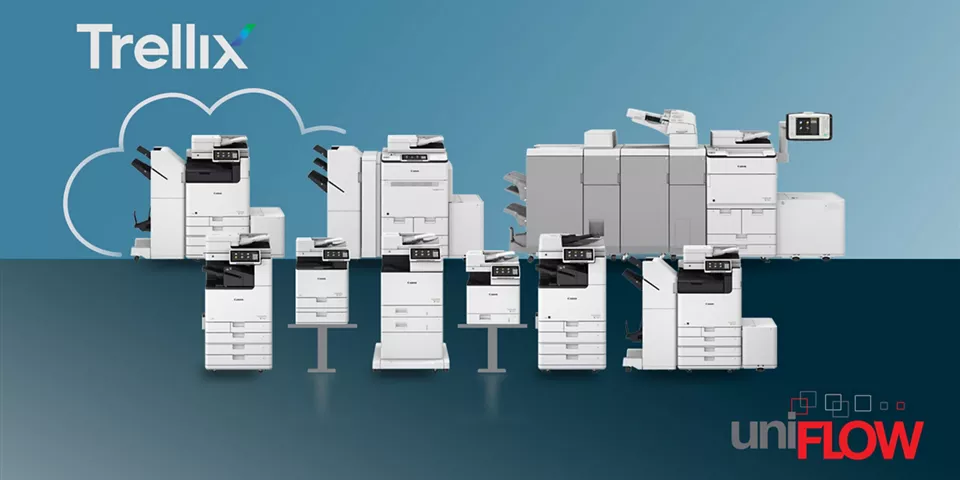
This Canon model is built for busy teams that need fast, consistent performance. It delivers up to 40 pages per minute in color or black-and-white, with rapid duplex scanning and a touchscreen interface that’s intuitive and customizable. It’s perfect for legal firms, accounting teams, and marketing departments that want reliable color output and scalable paper handling.
Why upgrade to it:
- Great for high-volume color
- Easy integration with cloud and mobile printing
- Compact but powerful with finishing add-ons available
Best upgrade from:
- Older ApeosPort C3060 or C4570
- Canon imageRUNNER C5255 series
Kyocera TASKalfa 4053ci
Kyocera’s reputation for reliability and low total cost of ownership is well earned. The 4053ci combines quality color output with long-life components, making it a smart pick for businesses that want reduced maintenance and consistent uptime. With speeds around 40 ppm and flexible finishing options, it handles everything from basic copying to full-color proposals.
Why upgrade to it:
- Excellent TCO with durable parts
- Strong document workflow integration
- Low environmental impact
Best upgrade from:
- TASKalfa 3050ci
- Older ApeosPort IV C4475 or Xerox WC series
HP LaserJet Enterprise MFP 8601DN
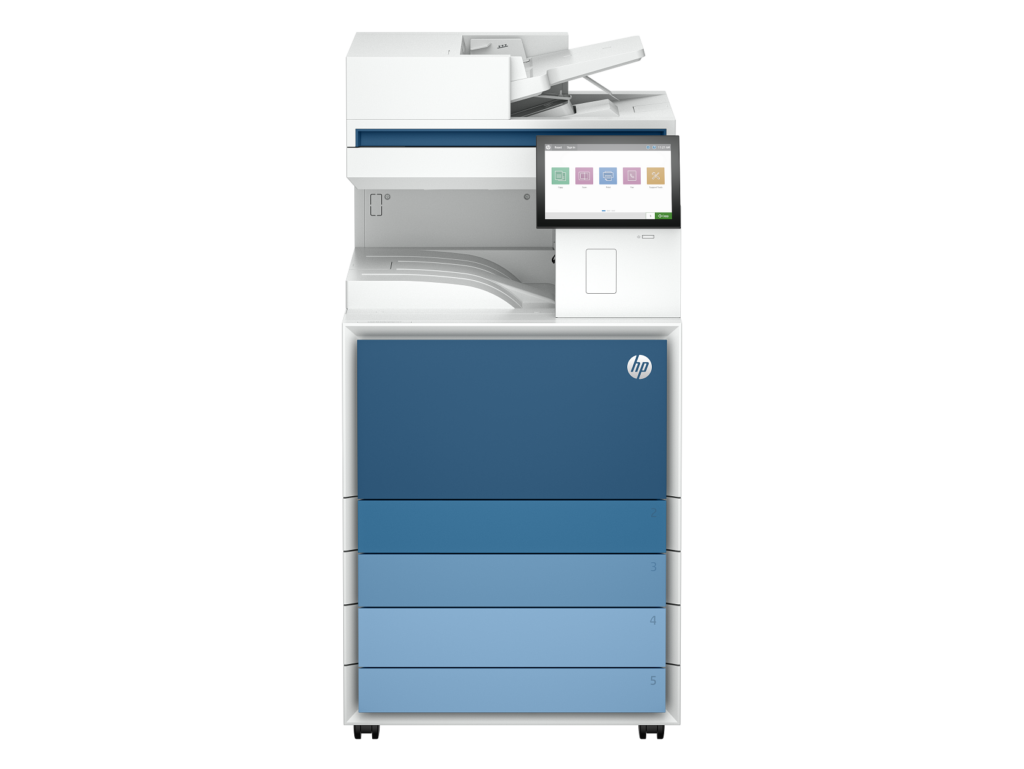
This is HP’s response to the need for secure, enterprise-grade printing. It’s ideal for IT-heavy environments where document security, user access controls, and mobile printing are priorities. With HP Wolf Security built-in and impressive first-page-out speeds, it delivers peace of mind and productivity.
Why upgrade to it:
- Tight security integration
- Great for large workgroups or multi-office setups
- Handles high monthly volumes without choking
Best upgrade from:
- HP Color LaserJet CM6030
- Fuji Xerox DocuCentre IV series
Ricoh MP C6003
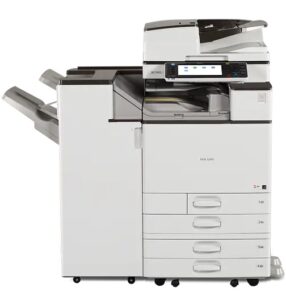
A workhorse in color MFPs, the MP C6003 is built for offices that push a lot of print and scan jobs through daily. At 60 ppm, it’s faster than most, with pro-level finishing features and high-resolution output. It’s great for schools, enterprise departments, and any organization needing bulk color printing.
Why upgrade to it:
- Speed and image quality combined
- Expansive finishing features
- High paper capacity for busy departments
Best upgrade from:
- Ricoh MP C4503
- ApeosPort C7771
Device Showdown
| Model | Speed | Best For | Upgrade From |
|---|---|---|---|
| Apeos C7070 | 70 ppm | Enterprise Color + Workflow | ApeosPort C7771, DC V Series |
| Canon C5840i | 40 ppm | Balanced Color + Speed | Apeos C4570, Canon 5255 |
| Kyocera 4053ci | 40 ppm | Long-Life, TCO-Conscious Buyers | Apeos C4475, TASKalfa 3050ci |
| HP 8601DN | 55+ ppm | High-Security Offices | Fuji Xerox DC IV, HP CM6030 |
| Ricoh C6003 | 60 ppm | High-Volume Color | Apeos C7771, Ricoh 4503 |
| Brother L6900DW | 52 ppm (mono) | Small Offices | Brother 8950DW, HP M426fdw |
Why You Shouldn’t Wait
Upgrading before your current machine breaks down gives you leverage: you can plan your lease, shop different models, get trade-in value, and avoid rushed decisions. Plus, supply chains are still recovering, and many dealers offer favorable terms to move inventory before new models release in late 2026. Don’t wait until downtime costs you real money.
Start with A Risk Free Environment Assessment Today
If you’re serious about improving efficiency, securing your documents, and lowering long-term costs, it’s time to make your move. Don’t hold onto aging hardware that slows you down and eats into your bottom line. Reach out today for a personalized quote or a lease analysis. Whether you’re a law office in Denver, a manufacturer in Colorado Springs, or a growing tech company in Lafayette, we’ve got the right device to match your goals—and we’ll help you get it at the right price. Let’s get you printing smarter in 2026 and beyond.