Business Copiers, Printers & MFPs for Colorado Workplaces
Looking for reliable, high-performance office printing solutions? At ABT, we make it easy to find the right copier, printer, or multifunction device (MFP) to match your business workflow. Whether you’re running a small office in Denver or managing enterprise operations across Colorado our experts help you choose equipment that fits your needs—and your budget.

Copier & Printer Solutions Tailored for Your Business Needs!
Enhance Your Business Efficiency with Smart Solutions: In today's fast-paced environment, ensuring smooth operations requires more than just reliable devices. It's about leveraging app-powered office equipment to optimize workflows, cut costs, and streamline processes. At ABT, we understand that every business's needs are unique, which is why we partner with the world's leading manufacturers to offer a wide range of customizable solutions. We're committed to transparency, providing you with clear options tailored to your specific situation, ensuring that you find the perfect fit beyond a one-size-fits-all approach.
Optimize Your Print Environment with a Risk-Free Assessment from Us. We Pride Ourselves on Understanding Your Unique Business Needs to Deliver Tailored Solutions. Discover How Our Expert Recommendations Can Elevate Your Business.
Unlock the Potential of Your Print Environment: Get a Risk-Free Assessment Today! Our Expertise in Tailoring Solutions to Your Unique Business Needs Ensures Optimal Performance. Explore How Our Customized Recommendations Can Transform Your Business.
- We believe in earning your business every day of every month.
- We provide performance guarantees with teeth.
- We guarantee the performance of your equipment for the life of the system.
Top Copier & Printer Supplier in Denver & Colorado Springs
ABT: Your Trusted Source for Printers & Office Copiers in Denver and Colorado Springs. In the modern workspace, seamless integration between paper and digital information is crucial. Our multifunction machines ensure swift conversions from digital to paper and vice versa, embodying efficiency. With our advanced print solutions, enjoy affordable color printing and versatile finishing options, enhancing your office's productivity and connectivity.
Leading Office Technology Solutions on the Front Range | Choose Automated Business Products for Cutting-Edge Office Printers and Copiers, leasing, sales - short & long-term rental. Committed to delivering the latest innovations, we provide top-tier equipment solutions from industry giants like Canon and Kyocera. Our experts are dedicated to conducting thorough analyses of your needs, ensuring personalized recommendations that propel your business forward.
Start with A Risk Free Office Technology Assessment
Maximize Efficiency with Multifunction Printers: Streamline Your Office Operations by Combining Printing, Copying, Scanning, and Faxing into One Powerful Device. Reduce Clutter with Fewer Machines and Enhance Productivity. Enjoy Fast Document Scanning to Email, Network Folders, and Management Applications!
Boost Your Business Productivity with Customizable Interfaces on HP, Xerox, Canon and Kyocera Machines. Elevate Efficiency and Save Time with Our Advanced 10-inch Tablet-Equipped Printers and Copiers. Streamline Workflows with Custom Apps for Scanning to Cloud Services like Google Drive and Dropbox, Plus Internet Browsing and Printing Directly from the MFP. Transform Your Business Processes Today!
No matter what you need to staple, hole-punch, or Saddle stitch. Our MFP systems offer a full range of various finishing options. These capabilities and features allow you and your business to produce professional documents in-house! This keeps costs low, and streamlines your companies workflows instead of exporting the work elsewhere.
Keeping the information that goes through your secure is very important. It is actually one of our top priorities for our team! Our Technology partners Canon, Epson, Xerox, Kyocera, and HP integrate printer security solutions to help in the effort to protect your information. These features include data encryption and user authentication solutions to offer privacy at all times to your data is always safe!
When you’re shopping for a copier, printer, or multifunction printer (MFP), one of the smartest questions you can ask isn’t “What’s the price?” but rather, “What’s the total cost of ownership?” That one shift in thinking—from initial price tag to long-term investment—can save your Colorado business thousands of dollars over the life of your device.
At ABT, we’ve worked with companies across Denver, Colorado Springs, Fort Collins, and beyond, and we hear this question time and time again. Why? Because savvy business leaders know that the lowest upfront cost doesn’t always equal the best value.
Let’s dive deep into what TCO really means and how you can make a more informed decision when it comes to your next print device.
What Is Total Cost of Ownership (TCO)?
TCO refers to the combined cost of purchasing, operating, and maintaining a copier or printer over its full lifecycle. This includes not just the machine itself, but all the related expenses—some of which are easy to overlook.
A comprehensive TCO evaluation typically includes:
-
Initial purchase or lease cost
-
Supplies (toner, ink, paper, staples)
-
Maintenance and service agreements
-
Energy consumption
-
Downtime or productivity loss
-
Software or network integration costs
-
Replacement parts and repairs
Whether you’re a small business in Boulder or a healthcare facility in Greeley, understanding these factors can help you choose the right equipment and avoid surprise expenses down the road.
1. Purchase vs. Lease: What’s More Cost-Effective?
You may start with the question: “Should I buy or lease?”
-
Buying makes sense if you prefer to own the asset outright and have the capital to invest upfront.
-
Leasing is ideal if you want to preserve cash flow, keep technology current, and bundle service into a monthly payment.
In many cases, Managed Print Services (MPS) through providers like ABT can include leasing, maintenance, toner, and remote monitoring in one predictable monthly fee—simplifying your TCO planning.
2. Supplies: Toner, Ink, and Paper Costs
One of the biggest contributors to TCO is consumables. The cost of toner, ink cartridges, and paper can vary wildly between models and brands.
Consider this:
-
Some low-cost inkjet printers might be affordable upfront but require expensive cartridges that need replacing frequently.
-
On the other hand, business-grade laser printers or MFPs from brands like Kyocera or Canon offer high-yield toners, reducing the cost per page.
For example, a Kyocera ECOSYS printer uses long-life components that can significantly reduce your cost per page compared to consumer-grade models.
🔍 Pro Tip: Always ask for the device’s cost-per-page for both black-and-white and color printing. This number reveals how much each print will truly cost over time.
3. Maintenance and Service Agreements
Colorado businesses often operate in environments where downtime simply isn’t an option. Whether you’re in a legal office in downtown Denver or a manufacturer in Loveland, printer or copier malfunctions can bring productivity to a halt.
That’s why it’s critical to understand:
-
What’s included in your service contract?
-
Are parts, labor, and technician travel fees covered?
-
How fast is the average response time?
-
Is preventative maintenance included?
At ABT, we pride ourselves on offering same-day service in most Colorado metro areas, with proactive monitoring to catch issues before they interrupt your workflow. This kind of reliability isn’t just a convenience—it’s a cost saver.
4. Energy Efficiency: The Hidden Utility Expense
Energy consumption is another overlooked factor in TCO. Some devices, especially older or consumer-grade units, can draw significant power, especially when idle.
Look for ENERGY STAR® certified devices and consider features like:
-
Sleep mode
-
Automatic power-off timers
-
Low heat fusing technology (common in newer Kyocera and HP models)
Over several years, a more energy-efficient MFP can trim down your electric bill—an especially smart move for large offices with multiple devices running around the clock.
5. Productivity Loss: The Cost of Downtime
When a copier or printer goes down, so does your team’s efficiency. Consider these hidden productivity costs:
-
Employees waiting in line for a single printer
-
IT teams pulled away to troubleshoot print issues
-
Delayed reports, proposals, or invoices
-
Missed deadlines or failed client communication
Even 15 minutes of downtime a week adds up to over 13 hours per year—per employee.
That’s why uptime and reliability play a huge role in true TCO. A slightly higher upfront investment in a commercial-grade MFP can yield huge dividends in uninterrupted productivity.
6. Integration and Compatibility Costs
Today’s copiers and printers are more than output devices—they’re smart document hubs.
If your team uses:
-
Google Workspace or Microsoft 365
-
Dropbox, SharePoint, or OneDrive
-
Secure print release or badge authentication
-
Workflow automation tools
…you’ll want a device that integrates seamlessly with these platforms. Customizing or retrofitting a machine that doesn’t offer native compatibility can add unexpected costs and delays.
MFPs from brands like Canon (imageRUNNER Advance) or HP (Enterprise series) often come with pre-built integrations and open APIs to support easy deployment—saving time and IT resources.
7. Life Expectancy and Resale Value
Finally, TCO includes how long the machine will last and whether it retains value.
Business-class printers and MFPs are built for high-volume use. Devices from trusted brands like Kyocera, Canon, Epson, and Xerox often last 5–7 years or more when properly maintained.
In contrast, consumer-grade printers may fail within 2–3 years, requiring full replacement. That’s not just wasteful—it’s expensive.
Bonus: Some commercial devices retain resale or trade-in value, reducing your cost of upgrade down the line.
How ABT Helps You Lower Your Total Cost of Ownership
At ABT, we help Colorado businesses make smarter purchasing decisions—not just based on what’s cheapest, but what delivers the best value long-term.
Here’s how we reduce your TCO:
-
Free print environment assessments to match you with the right device
-
Tailored service agreements with rapid local response times
-
Remote monitoring to auto-ship toner and detect issues before they become problems
-
Energy-efficient and high-yield options from top brands
-
Flexible leasing and financing options to keep costs predictable
Conclusion: Think Long-Term, Not Just Low Price
Before you invest in your next copier, printer, or MFP, ask the right question: What will this cost me over time—not just today?
When you understand the true Total Cost of Ownership, you avoid unpleasant surprises and make a smarter, more strategic choice that fits your business’s workflow, budget, and future growth.
Ready to explore copier or printer options with full transparency around TCO?
👉 Contact ABT today for a free consultation or on-site print assessment.
Choosing the right copier or printer can be overwhelming—especially when you’re faced with dozens of brands, models, and features. One of the most important questions Colorado businesses ask before making a purchase is:
“Which model best fits my business size, usage, and industry?”
It’s a great question—and a necessary one. A real estate agency in Denver has very different print needs than a medical practice in Colorado Springs or a construction firm in Greeley. At ABT, we’ve helped businesses across the Front Range and Western Slope find print solutions that fit their workflows—without overbuying or under-equipping.
In this post, we’ll break down exactly how to match the right device to your business, based on key factors like team size, page volume, print quality needs, and industry-specific functionality.
1. Start with Business Size & Page Volume
The size of your team and the number of pages you print each month is one of the most important factors in choosing the right device. Here’s a quick breakdown:
Small Office (1–10 users / <2,500 pages per month):
-
Recommended: Entry-level or mid-range MFPs from HP, Kyocera, or Canon
-
Features to prioritize: Low footprint, wireless printing, scan-to-email, duplexing
-
Example Models:
-
Kyocera ECOSYS M2040dn
-
HP Color LaserJet Pro MFP M479fdw
-
Canon imageCLASS MF656Cdw
-
These machines are great for basic tasks—copying, scanning, and occasional color prints—without the higher operating costs of larger commercial units.
Mid-Size Business (10–50 users / 2,500–15,000 pages per month):
-
Recommended: Mid-range to high-volume MFPs from Canon imageRUNNER, Kyocera TASKalfa, or HP Enterprise series
-
Features to prioritize: Larger paper capacity, advanced security, mobile/cloud printing, secure print release
-
Example Models:
-
Kyocera TASKalfa 4054ci
-
Canon imageRUNNER ADVANCE DX C3835i
-
HP LaserJet Enterprise Flow MFP M635z
-
This range supports heavier workloads, better integration with digital workflows, and more robust finishing options like stapling and hole punching.
Enterprise or High-Volume Departments (>50 users / 15,000+ pages per month):
-
Recommended: Production-grade or departmental MFPs from Xerox, Canon, or Epson WorkForce Enterprise
-
Features to prioritize: High-speed output, workflow automation, booklet creation, advanced finishing, multi-tray capacity
-
Example Models:
-
Canon imagePRESS Lite C165
-
Epson WorkForce Enterprise WF-C21000
-
Xerox AltaLink C8155
-
These machines are powerhouses built for performance, ideal for marketing teams, schools, law firms, and print-heavy industries.
2. Understand Your Primary Use Cases
Do you need color or just black & white?
-
Color devices are great for marketing materials, presentations, or client-facing documents.
-
Monochrome (B&W) is more cost-effective for internal documentation or legal paperwork.
Will you scan or fax regularly?
-
Opt for MFPs with high-speed duplex scanning and automatic document feeders (ADF).
-
Look for models with scan-to-email, cloud, or network folder features for streamlined workflows.
Do you need finishing features?
-
Stapling, hole punching, booklet making, and collating are essential for industries like education, legal, or finance.
-
Devices like the Canon imageRUNNER ADVANCE series or Kyocera TASKalfa line often offer modular finishing options.
3. Match the Device to Your Industry
Every industry has unique needs. Here’s how to choose based on your sector:
Legal Firms (e.g., Boulder, Denver):
-
Key Features:
-
Secure printing with PIN or badge release
-
Scan to PDF/A for legal archiving
-
Bates stamping, high-resolution scanning
-
-
Top Picks: Canon imageRUNNER, Kyocera TASKalfa with DMS integrations
Healthcare (e.g., Colorado Springs, Aurora):
-
Key Features:
-
HIPAA-compliant printing and scanning
-
User authentication and audit trails
-
Barcode and ID scanning
-
-
Top Picks: HP Enterprise MFPs, Canon DX series with Cerner/Epic integration
Real Estate & Architecture (e.g., Fort Collins, Vail):
-
Key Features:
-
High-quality color output for brochures and floorplans
-
Mobile print support for remote teams
-
Large-format capabilities (if needed)
-
-
Top Picks: Epson WorkForce Enterprise, Canon imagePRESS, HP DesignJet (for wide format)
Education / Nonprofits:
-
Key Features:
-
Budget-friendly with low cost per page
-
Print accounting for tracking usage
-
Easy usability across departments
-
-
Top Picks: Kyocera ECOSYS, Canon imageRUNNER Advance, Xerox VersaLink
Construction & Field Services:
-
Key Features:
-
Durable MFPs with fast scanning for contracts, permits
-
Mobile/cloud access for field teams
-
Integration with project management platforms
-
-
Top Picks: Kyocera rugged models, HP MFPs with cloud connectors
4. Consider Your Current & Future Growth
Choosing a device that matches your current needs and scales with your growth is key.
Questions to ask:
-
Are you planning to expand to a second office?
-
Will your monthly print volume increase?
-
Do you anticipate hiring more staff?
Look for MFPs with modular upgrades:
-
Paper trays
-
Finishers
-
Hard drives for storage
-
Fax modules
At ABT, we always recommend future-proofing your investment so you don’t outgrow your device in 18 months.
5. Integration With Your Digital Workflow
Modern MFPs aren’t just printers—they’re workflow hubs. The right model should plug into your existing systems.
Look for:
-
Cloud integration: Google Drive, Dropbox, OneDrive, SharePoint
-
Software compatibility: DocuWare, PaperCut, uniFLOW
-
Secure Print Release: via badge, card, or mobile app
-
Custom workflows: Scan to folder, email routing, automated archiving
Many Canon, HP, and Kyocera models support open platform customization, so your device can evolve with your business processes.
6. Mobility, Security, and Remote Access
Especially with hybrid and remote teams becoming the norm across Colorado, you’ll want features that keep everyone connected and secure.
Look for:
-
Mobile printing: AirPrint, Mopria, or brand-specific apps
-
Remote management: for IT teams to monitor fleets
-
Secure access control: password, PIN, or badge release
-
Data encryption & hard drive overwrite
HP’s Wolf Security and Canon’s Unified Firmware Platform are great examples of built-in protections.
7. Lease, Buy, or Go Managed Print?
Once you’ve narrowed down the model, you still need to decide how to pay for it.
-
Leasing allows for predictable monthly costs, with easy upgrades
-
Purchasing might make sense for small offices or those with capital to invest
-
Managed Print Services (MPS) bundle equipment, toner, maintenance, and support into one monthly cost
ABT helps Colorado businesses evaluate all three options, ensuring you’re not just getting the right device—but the right financial fit too.
Conclusion: One Size Doesn’t Fit All—Let Us Help You Customize
Every business has a unique combination of volume, budget, compliance, and workflow needs. The best copier or printer is the one that fits your current reality—and your growth ahead.
At ABT, we specialize in personalized print assessments that take the guesswork out of choosing the right model. Whether you’re in healthcare, law, construction, or education, we’ll guide you toward a solution that balances performance, cost, and scalability.
✅ Ready to Find Your Perfect Fit?
Schedule a free print consultation today with a Colorado-based ABT expert. We’ll evaluate your needs, analyze your current usage, and recommend models that align with your goals—without overspending.
You’ve narrowed down the models. You’ve looked at the total cost of ownership. But there’s one critical question left—the one that can make or break your experience with a copier or printer:
“What happens when something goes wrong?”
Every business—whether you’re in Denver, Grand Junction, or Colorado Springs—knows that downtime equals lost revenue. A jammed printer, a stalled scanner, or a toner issue may seem minor until it delays an important proposal, invoice, or contract. That’s why one of the most frequently asked questions we hear at ABT is:
“How reliable is your service and support?”
Let’s explore what top-tier service actually looks like and why support quality should be a top priority when choosing a print provider in Colorado.
1. Why Service Matters as Much as the Machine
No matter how advanced or well-reviewed a printer is, it’s only as good as the team that supports it. Even high-end models from Canon, HP, Kyocera, or Xerox will eventually require maintenance, toner replacement, software updates, or troubleshooting.
When that moment comes, the last thing you want is to be:
-
Stuck on hold with a national hotline
-
Waiting days for a tech to arrive
-
Losing productivity while your team is idle
At ABT, we believe the service behind the product is what sets a good print experience apart from a frustrating one.
2. Local vs. National Support: Why Colorado Coverage Matters
Many national providers offer remote or outsourced support that doesn’t always translate into fast, localized help. In Colorado—especially outside of Denver metro—it’s essential to partner with a provider that understands local logistics and has boots on the ground.
ABT’s advantage:
-
Certified technicians based in Colorado, not outsourced from out-of-state
-
Same-day or next-business-day service across the Front Range, Western Slope, and mountain towns
-
Familiarity with regional variables like altitude, dry climate, and rural connectivity challenges
We know how to keep your equipment running smoothly in your unique environment.
3. What to Expect From High-Quality Copier/Printer Support
Whether you’re evaluating a new service provider or comparing quotes, here’s what you should expect from excellent service:
✔️ Fast Response Times
-
On-site support within 4–8 business hours is ideal
-
Ask about average service response times, not just “target” SLAs
✔️ Remote Monitoring and Proactive Support
-
Automatic toner delivery before you run out
-
Alerts when parts are wearing down
-
Remote issue resolution without a tech visit
✔️ Certified Technicians
-
Are the techs factory-trained and certified for your specific brand (Canon, Kyocera, HP, etc.)?
-
Do they carry common parts in their vehicle to reduce return trips?
✔️ Clear, Local Communication
-
Can you reach a live person quickly?
-
Will you get updates and transparency throughout the support process?
At ABT, we assign dedicated account managers and technicians, so you’re not a ticket number—you’re a valued partner.
4. What’s in a Good Service Agreement?
Don’t just assume support is “included.” Many businesses sign copier leases with minimal or unclear service contracts.
Here’s what a strong service agreement should include:
| Service Element | What to Look For |
|---|---|
| Preventative Maintenance | Scheduled checkups to keep machines running longer |
| Break-Fix Support | Guaranteed response time and availability |
| Toner & Supplies | Auto-shipped or easily ordered with tracking |
| Labor & Parts | Included or capped—know what’s chargeable |
| Remote Support Tools | Access to real-time diagnostics or remote troubleshooting |
| Loaner Equipment | Available if repair times are extended |
ABT offers all-inclusive service contracts that give Colorado businesses peace of mind—so you’re never surprised by a repair bill.
5. Uptime Guarantees and Performance Benchmarks
Some providers (like ABT) go a step further by guaranteeing uptime or performance metrics in your contract.
Ask about:
-
Uptime guarantees (e.g., 95–98%)
-
First-call fix rates
-
Satisfaction or replacement policies
-
Quarterly performance reviews
We regularly meet with clients to review usage stats, maintenance history, and identify ways to optimize your print environment. This isn’t just service—it’s partnership.
6. Industry-Specific Service Expectations
Different industries have different priorities when it comes to print support.
Legal & Finance (Denver, Boulder):
-
Security patches and firmware updates for compliance
-
Fast retrieval of scanned documents
-
Minimized downtime for time-sensitive filings
Healthcare (Colorado Springs, Fort Collins):
-
HIPAA-compliant service records
-
Secure print authentication
-
Immediate support for EHR-connected devices
Education / Nonprofits (Aurora, Pueblo):
-
Budget-friendly support plans
-
Onsite visits during critical school hours
-
High-volume support for student labs or faculty offices
Construction & Field Services (Grand Junction, Greeley):
-
Durable hardware troubleshooting
-
Remote location access
-
Mobile scan and print support
Your provider should not only understand your machine—but also how you use it within your industry workflows.
7. Remote Work and Hybrid Office Support
More Colorado companies are operating in hybrid or decentralized models, which means your copier support team needs to:
-
Assist with remote printing setup
-
Manage cloud connectors and secure scan-to-email
-
Support VPN-connected devices
-
Troubleshoot across multiple locations or home offices
ABT’s support covers in-office and remote environments, ensuring seamless operation no matter where your team is located.
8. Support You Can Trust—From People You Know
We often hear from new clients who previously worked with vendors that:
-
Didn’t answer support calls promptly
-
Sent different techs every visit (with no knowledge of past issues)
-
Overcharged for “emergency” repairs or toner refills
That’s why ABT offers:
-
Real-time technician tracking
-
Service history logs for every device
-
Toner usage tracking to prevent overstock or waste
-
Friendly, locally-based support teams who know your business by name
Our proactive service model means we often catch problems before you even notice them—and that keeps your business moving.
Conclusion: Don’t Just Buy the Printer—Buy the Partnership
When choosing a copier or printer, service isn’t just a side benefit. It’s a core part of the investment. You want a device that prints smoothly, sure—but more importantly, you want a team ready to jump in when it doesn’t.
At ABT, we offer Colorado-based service and support tailored to your needs, industry, and print environment. Whether you’re a small office in the Highlands or a healthcare provider in Durango, we’ve got your back with local techs, transparent agreements, and a commitment to uptime.
✅ Want to experience service that actually delivers?
Contact ABT for a free print assessment or a service contract review. Let us show you how reliable, local support can transform your print operations.

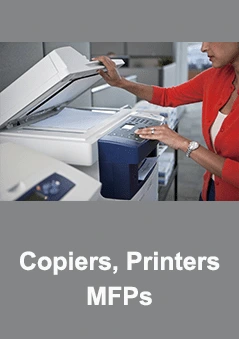
ABT | Short-Term Copier & Printer Rentals in Colorado
Discover the Flexibility of Short-Term Copier and Printer Rentals with ABT. Catering to the dynamic needs of Colorado businesses, we not only provide short-term rentals of high-quality copiers and printers but also ensure a hassle-free experience by including comprehensive services such as setup, networking, and any necessary servicing directly at your location. Whether it's for a special project, temporary office setup, or an event, our rental solutions are designed to seamlessly integrate with your business operations, offering the reliability and efficiency ABT is known for. Choose ABT for your short-term device rental needs and enjoy peace of mind knowing everything is taken care of.
We offer device rentals in: Denver and Surrounding Areas | Colorado Springs and Surrounding Areas | Ft. Collins | Pueblo | Colorado Front Range
Exploring Short-Term Copier & Printer Rentals? ABT has you covered! Our flexible short-term rental solutions, ideal for projects, events, or transitional business phases, range from a few days to several months, adapting seamlessly to your specific needs. Partner with ABT for hassle-free access to high-quality copiers and printers, inclusive of comprehensive setup, networking, and on-site servicing. Ensure your business remains productive and efficient without the long-term commitment. Discover the convenience and reliability of short-term device rentals with ABT, your trusted partner in Colorado.
- Events | Conventions Rentals
- Seasonal Rentals
- Temporary Rentals for High Volume Periods